An appraisal for staff is a structured review of an employee’s performance against clear objectives and competencies. It isn’t just a formality—it brings accountability and connects individual effort to wider business goals.
Done well, this process boosts engagement and guides development, ensuring everyone knows where they stand and where they’re headed.
Understanding Key Concepts In Staff Appraisals
Imagine a mid-market technology firm in Manchester where engagement had dipped below 60%. After revamping its appraisal process, the company recorded a 20% jump in engagement within six months. That real-world outcome highlights how powerful aligned objectives can be.

When you set clear objectives, staff know exactly what’s expected. Linking personal goals to quarterly targets and broader business priorities does three things:
- Retention rises as team members feel valued and understood.
- Performance gaps become visible early, so you can offer timely support.
- Managers and staff share a common language about success.
Swapping an annual surprise for regular, structured sessions cuts down on anxiety. Quarterly check-ins, for example, help you celebrate wins, track progress and flag challenges well before year-end.
UK engagement data shows firms focusing on performance reviews see 15–20% higher scores, while 85% of employees might consider leaving after an unfair appraisal. You can read the full survey on the Engage for Success website: UK Employee Engagement Survey 2025 by Engage for Success.
Common Appraisal Pitfalls
Overly complex forms often backfire. When staff face lengthy templates, they’ll rush through or abandon them altogether. Keeping forms concise encourages honest, meaningful feedback.
- Limit questions to core competencies.
- Use simple rating scales like 1–5 for clarity.
- Add open-ended prompts to capture real-time context.
Infrequent check-ins lead to surprises—and not the good kind—during formal reviews. A consistent schedule keeps dialogue flowing and adjustments timely.
Regular, fair appraisals become non-negotiable in a flexible work environment.
Starting the conversation with wins builds confidence. Once achievements are on the table, development areas feel less daunting and more like growth opportunities.
Personal Tips For Motivating Staff
The “sandwich” approach still works. Begin with strengths, move to areas for improvement, then close on a positive, actionable plan. This simple structure keeps people engaged and open to feedback.
- Agree on one clear development goal per session.
- Ask open questions such as “What support do you need?”
- Summarise agreed actions to confirm mutual understanding.
In Manchester, the HR team introduced role-play into manager training. That hands-on practice made real appraisal meetings far less intimidating.
Aligning Goals With Business Priorities
When you map staff objectives directly to business KPIs, every appraisal outcome becomes measurable. For instance, tying individual sales targets to quarterly revenue goals clarifies expectations and drives ownership.
- Match individual targets to departmental OKRs.
- Display progress in Power BI dashboards for full transparency.
These concepts lay the groundwork for an appraisal process that truly motivates and retains talent. The next section will guide you through designing a tailored framework for your mid-market organisation.
Building Trust Through Feedback
Document every discussion to keep appraisals transparent and fair. Sharing summary notes reinforces commitment—send a follow-up email within 24 hours to confirm next steps.
- Send a summary email within 24 hours to confirm next steps.
This simple habit cements trust and keeps everyone aligned on progress.
Designing An Effective Appraisal Framework
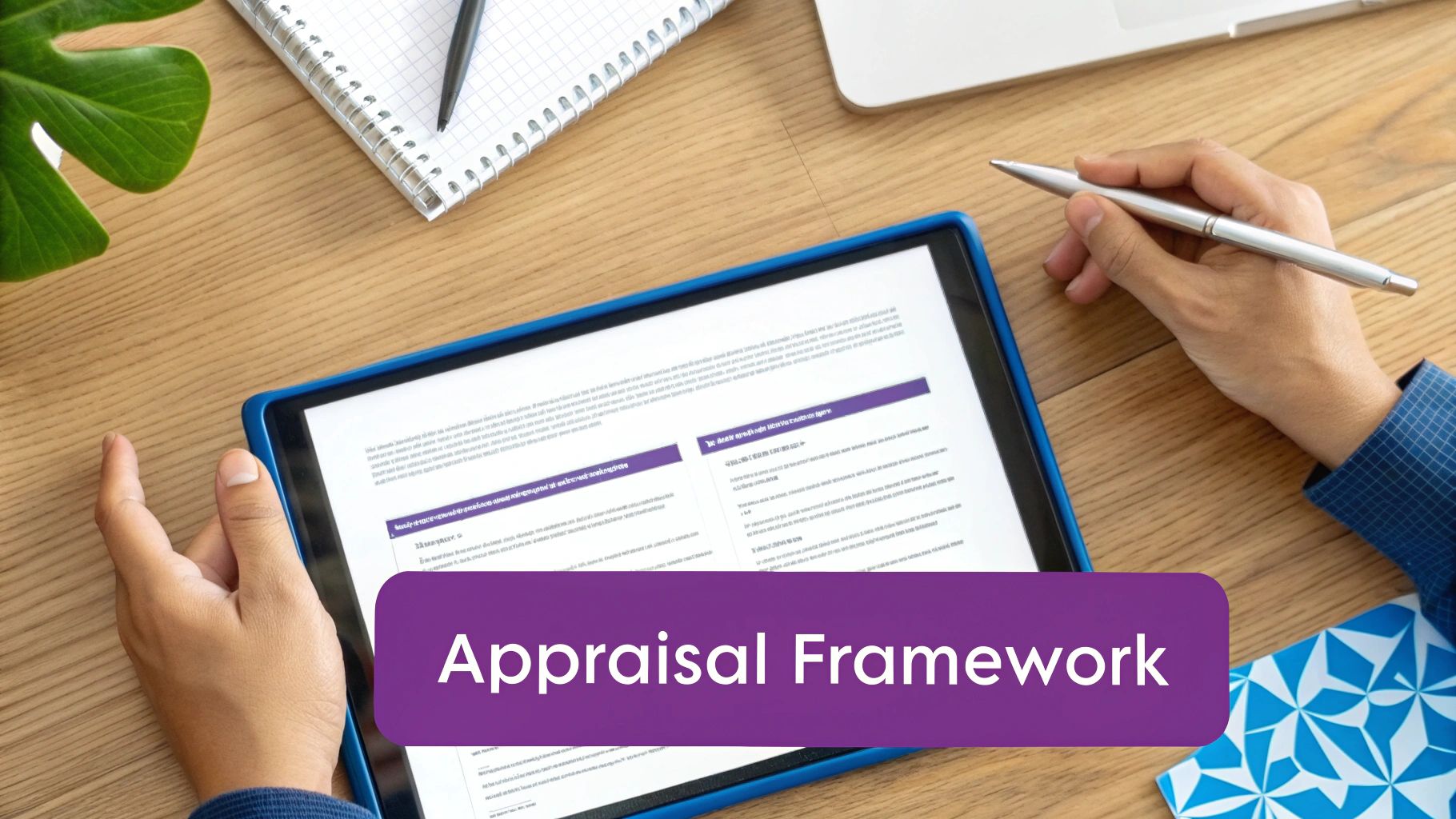
When a retail chain in Leeds trimmed form length by 40%, completion rates doubled almost overnight. That’s the power of a tightly focused framework.
Clarity and cultural alignment drive engagement. Keep your framework lean by:
- Defining core competencies that mirror your strategy
- Crafting SMART objectives for every role
- Mapping each goal to broader business priorities
Embedding real behaviours into competencies shows employees exactly what success looks like.
Defining Core Competencies
Begin with a workshop that brings managers and team members together. List the skills, behaviours and mindsets that underpin your strategy.
Be practical. Aim for 2–3 bullet points per competency—enough detail to guide conversations without overwhelming people.
Involve stakeholders throughout. When employees recognise their input in role profiles, they’re far more likely to engage.
Defining precise competencies lays the groundwork for fair and focused appraisals.
Crafting SMART Objectives
Turning high-level goals into Specific, Measurable, Achievable, Relevant and Time-bound targets stops everyone guessing.
For a Sales Director, you could set an objective to increase regional sales by 15% over six months. Engineers might focus on cutting bug reports by a figure based on last quarter’s data.
To make SMART goals stick:
- Confirm measurement methods and data sources
- Align timeframes with business cycles
- Agree review dates at launch
Comparison Of Appraisal Models
Choosing the right feedback model shapes how people learn and grow. Below is a quick guide to three popular approaches, with examples of where each shines.
| Model | Key Benefits | Best Use Cases |
|---|---|---|
| 360-Degree | Combines insights from managers, peers and reports | Leadership cohorts and collaborative teams |
| Manager-Only | Simple process with clear accountability | Small teams or compliance-focused reviews |
| Self-Assessment | Fosters self-reflection and ownership | Early-career roles and coaching conversations |
Use this comparison to match depth of feedback with your team size and culture. A 360-degree approach fits leadership programmes with peer networks, while manager-only reviews work well in regulated sectors needing an audit trail.
Customising Templates For Key Roles
Every template should speak the language of its role. A developer’s form might track code quality, sprint delivery and peer review scores. A Sales Director’s template should focus on revenue targets, margin uplift and client feedback.
Keep it lean:
- Add clear rating scales for each criterion
- Include open-text fields for examples or evidence
- Limit the number of criteria to prevent fatigue
In Leeds, cutting 15 questions led to a 100% jump in responses.
Early stakeholder buy-in increases engagement and smooths every stage of delivery.
Rolling Out The Framework
Pilot your new approach in one department before scaling up. Use quick surveys or focus groups to refine the form and guidance materials.
Equip managers with a concise guide, complete with FAQs and sample feedback. Then:
- Confirm stakeholder roles and responsibilities
- Schedule launch and follow-up sessions
- Monitor metrics and tweak forms as needed
Integrating the appraisal framework into Dynamics 365 or DynamicsHub speeds up reminders, dashboards and notifications. Linking to Power BI brings live data into view, so HR can shift focus from admin to coaching.
Tip: Use a phased rollout to manage change and gather real-time feedback.
With this framework in place, performance reviews become a strategic tool rather than a paperwork exercise—driving engagement and career clarity from day one.
Implementing Scoring Calibration And Bias Mitigation
Fair, consistent ratings are at the heart of a trustworthy staff appraisal cycle. Well-defined rating bands help managers calibrate expectations, align L&D efforts and tie pay awards or promotions to clear criteria.
Bringing together a calibration panel at regular intervals prevents score drift and keeps standards sharp. In my experience, a mid-market finance team cut rating discrepancies by half within six months simply by agreeing on shared performance benchmarks.
Key Actions For Calibration
- Define rating bands with descriptive criteria that map directly to your core competencies.
- Assemble cross-functional panels to review anonymised ratings.
- Use live dashboards in Dynamics 365 to monitor trends and highlight outliers.
Setting Up Rating Bands
Begin by mapping each competency to a percentage range. For instance, a “3” might represent solid performance that consistently meets objectives. Make sure every band includes plain-English descriptors so managers know exactly what evidence to gather.
“Calibration guards against grade inflation and unconscious bias,” explains an HR director who saw far fewer disputes after tightening up rating definitions.
Pay Award Distribution By Sector
Before you dive into your own figures, take a look at how median pay awards compare across sectors:
| Sector | Median Award | % Deals ≤3% |
|---|---|---|
| Public Sector | 3.5% | 58% |
| Private Sector | 2.8% | 65% |
This snapshot illustrates the importance of data-driven checks. The latest Brightmine Pay Trends Report shows that 61% of UK pay awards tied to appraisals sit at 3% or below, while 44% of organisations miss their own pay expectations.
Sample Quarterly Calibration Schedule
A robust appraisal programme typically follows a four-step rhythm:
- Q1: Convene a review panel within two weeks of closing the appraisal window.
- Q2: Mid-year calibration focused on high-performers and under-performers.
- Q3: Peer-led calibration for project teams, ensuring bottom-up perspective.
- Q4: Final calibration to confirm year-end pay and promotion recommendations.
Tracking each panel’s decisions creates an audit trail. One team I worked with reclaimed 10 hours of admin time when auditors came knocking, all thanks to neatly documented calibration notes.
Anonymised Scoring And Bias Checks
Blanking out names and demographics on rating sheets is a simple yet powerful way to reduce unconscious bias. You can then layer in automated alerts for inconsistent scoring patterns—if one manager gives three direct reports the same top grade, a flag prompts a quick review.
Bias Mitigation Techniques
- Conduct blind scoring during panel sessions.
- Enable consistency checks in Dynamics 365 to spot irregularities.
- Rotate panel members quarterly to freshen perspectives.
In practice, these steps foster trust. Teams know the process is transparent, not tailored to personalities.
Spotting Outliers In Real Time
Real-time analytics become your early warning system. A sudden spike in “top performer” ratings can signal inflation, while a drop in one department might flag systemic issues.
- Set thresholds for average scores per manager.
- Trigger alerts when any rating diverges by more than 1 point from the team mean.
- Call an ad-hoc calibration session if anomalies pop up.
By embedding these checks, fairness becomes part of your appraisal rhythm rather than an afterthought.
Documenting Panel Outcomes
Good record-keeping pays dividends during appeals or audits. Start each entry with the date, attendees and agreed ratings. Link summaries directly to employee records in Dynamics 365 for full traceability.
- Store calibration notes encrypted and access-controlled to stay GDPR-compliant.
- Share aggregated outcomes with teams to reinforce transparency—without revealing identities.
With calibration and bias-mitigation in place, you’ve built a solid foundation. Next up: equipping managers with the coaching skills they need for truly effective appraisals.
Building Manager Skills For Productive Appraisals
Rolling out a strong staff appraisal system doesn’t guarantee engaging conversations. It all hinges on the managers leading those discussions. They must listen actively, show genuine empathy and lean on a clear feedback framework rather than drowning in performance metrics.
Practical, scenario-based exercises bring these abilities to life. Role-plays teach managers how to stay composed when feedback meets resistance. In fact, one company slashed those awkward post-review silences by 70% once regular coaching and empathy drills became part of their routine.
Fostering real-time feedback skills reduces meeting tension and builds trust.
Active Listening Techniques
Truly active listening means resisting the temptation to plan your next question while someone is speaking. Instead, you focus entirely on what they’re actually saying. This uncovers issues a simple tick-box review would miss.
- Paraphrase and Reflect: Summarise what you hear to confirm understanding.
- Open Body Language: Maintain eye contact and nod to show interest.
- Clarifying Questions: Invite deeper insight with prompts like “Can you tell me more?”
These steps lay the groundwork for feedback that feels genuinely constructive.
Feedback Frameworks
A solid feedback framework keeps conversations factual, not emotional. The Situation-Behaviour-Impact (SBI) method is a tried-and-tested approach, helping you describe what happened, how it looked and the effect it had.
- Situation: Outline when and where the behaviour occurred.
- Behaviour: Describe the specific action observed without judgement.
- Impact: Explain how that behaviour affected the team or project.
Begin by highlighting strengths to balance the discussion. Pair SBI with active listening and you’ll find appraisal meetings much more productive.
Scenario Based Training
Role-playing drills help managers practise in a safe environment before the real conversation. We break the process into four parts: a scripted employee scenario, active questioning, peer review of delivery and a group reflection.
- Role-Play Handling Resistance: Swap roles between manager and employee.
- Peer Feedback Sessions: Colleagues suggest phrasing tweaks.
- Group Reflective Debriefs: Discuss what worked and what to refine.
Participants often feel 30% more confident after just two sessions. This hands-on practice makes a genuine difference.
Pre Appraisal Checklist
Ticking off a simple checklist before each appraisal keeps nothing slipping through the cracks. Store it in DynamicsHub for instant, consistent access.
- Review Employee Objectives: Ensure goals align with business priorities.
- Gather Performance Evidence: Compile data points, emails and peer comments.
- Prepare The Environment: Book a quiet room free from interruptions.
- Send The Agenda Ahead: Give employees time to collect their thoughts.
For sample templates and prompts, explore our annual appraisal examples guide: Annual Appraisal Examples
Follow Up Tips
Momentum after the meeting is critical if you want to see real development. These quick actions help cement progress:
- Send Summary Email Within 24 Hours: Document agreed actions and deadlines.
- Schedule Next Check-In Within 2 Weeks: Keep the dialogue alive.
- Offer On-Demand Feedback Channels: Encourage employees to raise concerns anytime.
Managers who track actions weekly report a clear uptick in engagement. That continuous feedback loop solidifies growth and strengthens trust.
At DynamicsHub, we craft HR solutions that integrate seamlessly into your workflows. Our Hire to Retire suite for Microsoft Dynamics 365 is trusted by mid-market organisations to keep people processes running smoothly.
Automating Appraisal Workflows With DynamicsHub
Automating staff appraisals doesn’t just eliminate manual tasks. It reshapes how HR and managers collaborate. By using DynamicsHub alongside Dynamics 365 HR, you can map out review cycles, set nudges and approvals in minutes.
Configuring Review Calendars
Start by defining clear review windows in Dynamics 365. The calendar module lets you assign dates and frequencies per role. For instance, you might schedule quarterly check-ins for team leads and annual appraisals for senior directors.
Once live, use filters (by department or job grade) to spot any gaps. That audit step stops anyone slipping through the cracks. In one services firm, admin hours fell by 50% and appraisal completion jumped from 60% to 95%. Read how they did it in our employee performance management software article.
Setting Automated Reminders And Approvals
Late reviews can derail the entire cycle. Automated prompts change that. In DynamicsHub you schedule emails at each milestone, nudge line managers and even trigger escalations for overdue feedback.
- Set conditional rules: escalate after X days
- Route approvals automatically once a manager signs off
- Keep everyone synced with status updates
With these tweaks, one team cut approval cycle times by over 40%, freeing up hours every month.
Integrating 360 Degree Feedback Streams
Peer and self-reviews add real depth to performance data. Connect your existing 360-degree platforms via official connectors or import CSVs straight into Dynamics 365.
Imagine a regional office gathering six peer comments and two direct-report reflections per person. When you combine that feedback in a single dashboard, development trends emerge at a glance.
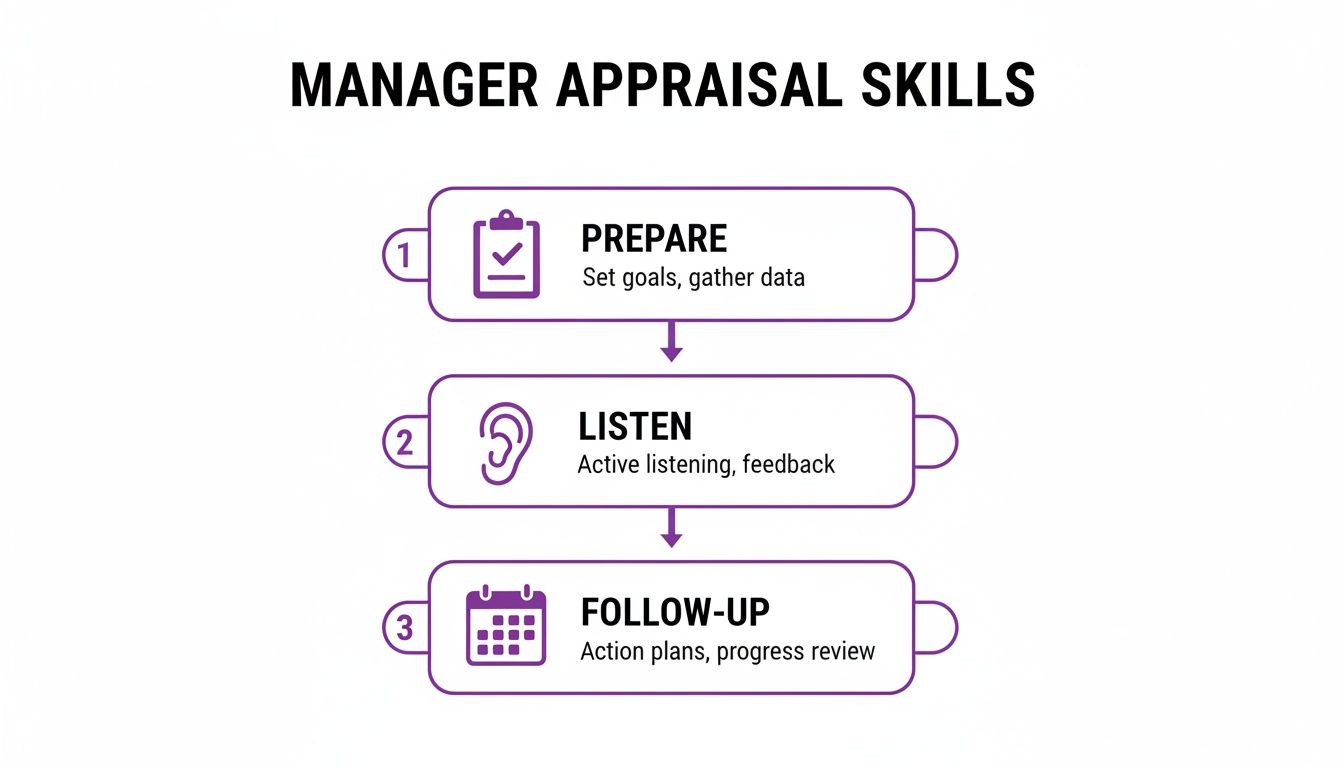
This graphic underlines how solid preparation, genuine listening and prompt follow-up turn reviews into growth conversations.
Customising Notifications And Dashboard Views
Every organisation has its own voice. Custom email templates let you reflect that in reminders and approvals. Drop in dynamic fields—employee name, review date, manager notes—to make messages feel personal.
Dashboards then pull together key metrics:
- Completion Rates: Percentage of appraisals finalised on time
- Average Scores: Performance trends by team
- Pending Actions: Tasks still needing attention
| Metric | Before Automation | After Automation |
|---|---|---|
| Admin Time Saved | N/A | 50% |
| Completion Rate | 60% | 95% |
"Automated workflows freed our team to focus on real development conversations, not paperwork," says one HR director.
Analysing Appraisal Workflow Data
Built-in reports help you compare review durations across teams. Filter by department, role or period to spot where things speed up or stall. For example, one company found its sales division closed reviews 20% faster than support.
Feed these insights into Power BI for polished executive dashboards. You can then drill into:
- Review cycle length by manager
- Feedback sentiment scores
- Completion variance across roles
Exports in CSV or PDF keep stakeholders in the loop. And since your records live securely in Microsoft 365, every file stays encrypted and compliant.
Measuring Performance With KPIs and Secure Reporting
Turning raw data into clear insights makes every appraisal discussion grounded and fair. By focusing on the right numbers, managers can spot trends before they become problems.
- Completion Rate shows how many reviews finish by the deadline.
- Calibration Variance uncovers rating gaps between teams.
- Development Outcome tracks the impact of training plans on performance.
Key Performance Indicators
Choosing a handful of KPIs keeps everyone aligned and prevents information overload. I often start by drilling down to team level—this highlights units that need extra coaching or resources. Comparing similar roles across departments then points to standout performers or areas needing a boost.
- Define each metric clearly, along with its target.
- Map data sources and feed them into Power BI.
- Configure alerts to flag when results drift off course.
Building Power BI Dashboards
A well-crafted dashboard turns your KPIs into an interactive story for leadership. Filters let you slice metrics by department, job band or time period. Drill-through pages then reveal individual staff performance in detail.
- Department and role filters surface hidden trends.
- Drill-through links guide you from summary views to one-on-one results.
- Visual cues draw attention to areas outside set thresholds.
Learn more about this approach in our dedicated guide Human Resources Analytics.
One public sector department used these interactive reports to justify a 5% budget increase for its education division. That case shows how transparent reporting builds trust and supports funding requests.
Data transparency can secure critical budget approvals and fuel growth.
Security And Compliance Checklist
Safeguarding appraisal records means staying on the right side of GDPR at every turn. Right to Work checks must be completed and documented before a review kicks off. Clear retention rules then dictate how long to keep each record.
- Keep an encrypted audit trail of all appraisal actions.
- Enforce role-based access with Microsoft Entra ID permissions.
- Purge data automatically according to your retention schedule.
- Document every verification step for Right to Work eligibility.
Civil Service figures show appraisal-linked salary uplifts ranged from 4% at SCS grades to 8.8% at administrative levels, highlighting the value of a structured process. Discover more in the Civil Service Salary Uplifts Report: Civil Service Salary Uplifts Report.
Next Steps For Reporting
Begin by pinpointing the two or three KPIs that tie most directly to your strategic goals. Build a prototype dashboard and ask leadership for feedback on layout and metrics. Use drill-downs to give managers real-time visibility into their teams’ performance.
Tip: Provide role-based dashboards so each leader sees the metrics that matter most to them.
Review your data retention and audit schedules every year to stay compliant. Refine your KPIs as business needs evolve, and automate data feeds to cut out manual errors. Schedule quarterly reviews to uncover emerging trends and link findings back to your learning and development plans.
By following these steps, you’ll turn staff appraisals into a transparent, measurable process. Leadership gains confidence knowing every decision rests on solid evidence—not just gut instinct.
Conclusion And Next Steps
You now have a clear roadmap that ties goal-setting to fair scoring, bias checks and automated workflows. Securing stakeholder buy-in from the outset makes rolling this out across departments much smoother. Embedding each phase in DynamicsHub means you’ll catch issues before they grow.
Next Steps Checklist
- Align objectives with all relevant stakeholders
- Configure review workflows in DynamicsHub to send automatic reminders and approvals
- Train managers on unbiased scoring and run calibration panels
- Launch a pilot in one division and collect candid feedback
- Monitor completion rates and calibration variance in Power BI
Keep every action logged in DynamicsHub so nothing ever slips through the cracks.
We are DynamicsHub.co.uk. We provide transformative HR solutions customised to your unique workflows. Human Resource (HR) Management for Dynamics 365 is the leading hire-to-retire solution for the Microsoft platform.
Phone 01522 508096 today or send us a message https://www.dynamicshub.co.uk/contact/