

Think of Microsoft Dynamics 365 less as a single piece of software and more as a central nervous system for your entire organisation. It’s a unified family of intelligent business apps that brings both Customer Relationship Management (CRM), Human Resources (HR) and Enterprise Resource Planning (ERP) under one roof, all hosted in the cloud.
What Is Microsoft Dynamics 365 Really?
Picture this: your sales, customer service, finance, operations, and HR teams are all working from the same playbook. They see the same real-time data, share the same insights, and speak the same language. That’s the promise of Dynamics 365. It’s designed to knock down the traditional walls between departments that create frustrating data silos and slow businesses down.
Instead of juggling separate, disjointed systems for customer data and internal processes, Dynamics 365 offers a connected suite of applications. Each app is built for a specific job but they all talk to each other effortlessly.
This integrated approach gives UK businesses a complete, 360-degree view of their operations. A sales order can instantly trigger actions in the finance and inventory apps, or a customer service query can feed directly into future product development—all without leaving the system.
The Power of a Unified Platform
The real magic of Dynamics 365 is how it merges two worlds of business software that have historically been kept separate. This dual functionality is a game-changer for how modern businesses operate.
To put it simply, the platform is split into two main camps:
- Customer Relationship Management (CRM): These are the apps that handle all your front-office activities—basically, anything that involves interacting with customers. Think sales, marketing, and customer service.
- Enterprise Resource Planning (ERP): These apps manage the back-office processes that keep your business running smoothly. This covers everything from finance and supply chain to manufacturing and human resources.
To truly grasp how powerful this is, it helps to understand what a CRM system really does for your sales team and the wider business. By fusing CRM and ERP, Dynamics 365 lets information flow freely across the entire organisation, paving the way for smarter decisions and much greater efficiency.
To make this clearer, here’s a simple breakdown of how the different parts fit together.
Dynamics 365 at a Glance: CRM vs ERP Functions
| Component Type | Primary Business Focus | Example Applications | Key Objective |
|---|---|---|---|
| CRM | Front-office, customer-facing activities | Sales, Customer Service, Marketing, Field Service | Build and maintain customer relationships, drive sales growth, and improve service delivery. |
| ERP | Back-office, internal operations | Finance, Supply Chain Management, Human Resources, Commerce | Optimise business processes, manage resources effectively, and ensure financial and operational control. |
This table shows how Dynamics 365 provides a comprehensive toolkit for managing both external relationships and internal machinery, all from one place.
A Growing Presence in the UK
Microsoft Dynamics 365 has become a major player in the United Kingdom. The UK is a key market for the platform, with a strong and growing customer base. In fact, around 8% of all Microsoft Dynamics 365 customers are located in the UK, making it the second-largest market in the world after the United States.
This widespread adoption proves the platform is well-suited to the specific needs of UK businesses, from navigating regulatory compliance to meeting local market demands. Its modular design means companies can start with just the apps they need today and add more as they grow, offering a flexible and scalable path for the future.
A Look at the Core Dynamics 365 Applications
One of the best things about Microsoft Dynamics 365 is that it isn’t a single, monolithic piece of software. It’s built to be modular, so you can pick and choose the specific applications that solve your most pressing business problems. You start with what you need, knowing that everything will work together perfectly from day one.
Let’s dive into the core applications that UK businesses are using to get a real edge on their operations. Each one is a specialist tool designed for a specific part of your business—from winning new customers to running a slick supply chain. Think of it like a toolbox: you wouldn’t use a hammer to turn a screw. Dynamics 365 gives each department the right tool for the job, ensuring data flows between them and creating one single, reliable source of truth for the entire company.
Dynamics 365 Sales
This is the engine room for customer acquisition and relationship management. Far more than just a digital address book, Dynamics 365 Sales acts as an intelligent guide for your sales team. It helps them focus their energy on the right leads and forge much stronger connections with customers.
With features like automated lead scoring, AI-driven insights, and a complete 360-degree view of every customer interaction, sales professionals can finally spend less time on admin and more time actually selling. The system can, for example, flag which prospects are most likely to convert, allowing your team to prioritise their efforts and close deals faster. In the UK, Dynamics 365 Sales is a popular choice, particularly in fast-paced sectors like IT services and staffing where lead management is everything. In fact, over 140 UK companies already rely on it to power their growth, as you can see by exploring the market data on theirstack.com.
UK Business Scenario: Picture a London-based recruitment agency using Dynamics 365 Sales to manage its client and candidate pipelines. The system automatically logs every email and meeting, giving consultants a complete interaction history at their fingertips. AI-powered prompts even suggest the next best action, helping them nurture relationships and place candidates far more efficiently.
Dynamics 365 Customer Service
In today’s market, brilliant customer support isn’t a “nice-to-have”—it’s an absolute must. The Customer Service application gives your team the tools they need to deliver fast, personalised, and genuinely helpful support, no matter how customers get in touch—be it phone, email, web chat, or social media.
This module brings everything into one unified workspace. An agent can see a customer’s entire history, pull up answers from a shared knowledge base, and even let AI-powered chatbots handle the routine queries. This frees up your people to focus on the complex issues that really need a human touch. Crucially, it stops that all-too-common frustration of a customer having to repeat their problem to five different people. You can learn more about how to build an excellent support experience with Dynamics 365 Customer Service in our detailed guide.
Dynamics 365 Field Service
If your business has people out on the road—think maintenance, installation, or repair services—then Field Service is a game-changer. This application streamlines the entire service delivery process, from intelligently scheduling technicians to managing van stock and processing work orders on the spot.
Take a UK-based utilities company, for example. Field Service can automatically assign the nearest available technician with the right skills and tools for a job. That technician gets all the information pushed to their mobile device: the best route to the job, the customer’s history, and a list of the parts they’ll need. It’s all geared towards getting the job done right the first time, which is exactly what keeps customers happy.
Finance and Operations
This is the powerful ERP side of Dynamics 365, built to give you a complete, real-time view of your organisation’s financial health and supply chain. It’s really designed for larger, more complex businesses that might be operating on a global scale.
Its key functions cover:
- Financial Management: Automating everything from accounts payable and receivable to budget management, all with real-time financial reporting.
- Supply Chain Management: Getting your inventory just right, running efficient warehouse operations, and managing procurement and logistics.
- Manufacturing: Overseeing the entire production lifecycle, from planning and shop floor control right through to quality management.
Human Resources on the Dataverse
While a dedicated Dynamics 365 HR application exists, many UK businesses are taking a more flexible approach by building tailored HR solutions on the Microsoft Dataverse. This platform-based approach allows companies to create powerful, integrated systems that manage the entire employee lifecycle.
Solutions like HR Management for Dynamics 365 by Hubdrive, which are built on this very platform, offer a complete “hire-to-retire” experience. This covers everything from recruiting and onboarding to performance management, training, and eventually, offboarding. And because it’s built on Dataverse, it connects natively with all the other Dynamics 365 apps and the Microsoft 365 tools you already use. The result is a truly unified system for managing your most important asset—your people.
How Dynamics 365 Integrates with Your Microsoft Tools
The real genius of Microsoft Dynamics 365 isn’t just what it can do on its own, but how seamlessly it connects with the tools your team already uses every single day. Think of it less as another piece of software and more as the central nervous system for your business, plugging directly into the wider Microsoft ecosystem. This native integration is where the magic happens, turning familiar apps into a single, intelligent platform.
Instead of your team constantly switching between different windows and programmes, Dynamics 365 brings the data to them, right where they’re working. This creates a natural flow of information that cuts down on manual data entry, reduces errors, and gives productivity a serious boost. It’s all about making work feel less fragmented and more joined-up.
This diagram shows how Dynamics 365 connects core functions like sales, service, and HR into one cohesive system.
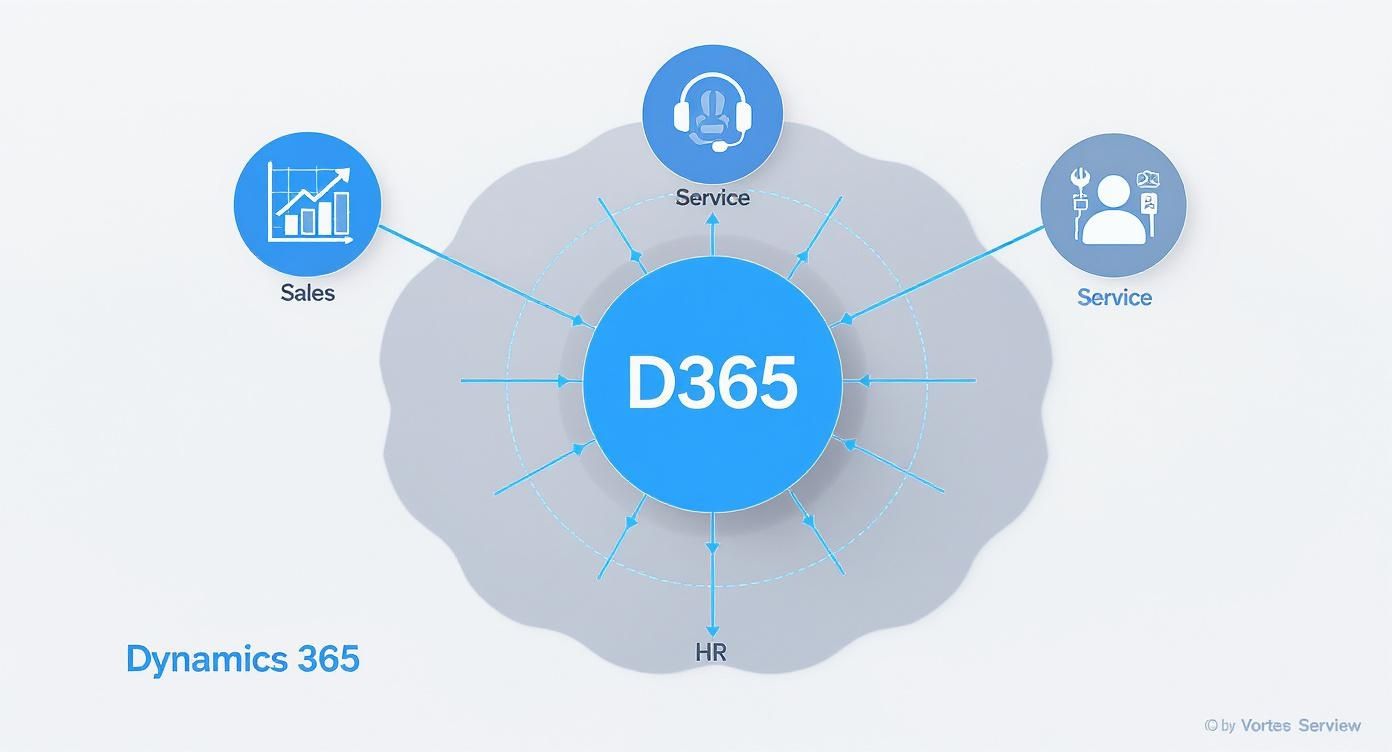
The key takeaway here is that no application is an island. They all share data, creating a single source of truth that everyone in the business can rely on.
Unlocking Data with the Power Platform
Perhaps the most powerful connection is with the Microsoft Power Platform. This suite of low-code tools lets you extend and customise Dynamics 365 without needing an army of developers. It puts the power to analyse data, build custom apps, and automate workflows directly into the hands of your team.
The Power Platform is made up of a few key components that work brilliantly with Dynamics 365:
- Power BI: This is your window into all the data living inside Dynamics 365. It transforms raw numbers into clear, interactive dashboards that help you spot trends, track performance, and make decisions based on facts, not guesswork.
- Power Apps: Got a specific need that isn’t covered out of the box? Power Apps lets your team build custom applications that connect straight to your Dynamics 365 data. You could, for instance, create a simple mobile app for your field engineers to update job statuses on the go, which then instantly feeds back into the main system.
- Power Automate: This is all about putting repetitive tasks on autopilot. You can create automated workflows between Dynamics 365 and over 300 other applications. A classic example is setting up a flow to automatically create a new lead in Dynamics 365 Sales the moment someone fills out a contact form on your website.
For any business using Dynamics 365, turning data into clear insights is a game-changer. You can get a massive head start by revamping your reporting with Power BI, which is essential for making sense of complex information.
UK Business Scenario: A retailer based in Manchester uses Power BI to keep an eye on sales data from Dynamics 365. When a dashboard flags a sudden spike in demand for a certain product, a Power Automate flow kicks in. It automatically raises a purchase order in the supply chain module and pings the warehouse manager an alert via Microsoft Teams—all without a single person having to lift a finger.
A Unified Experience with Microsoft 365
The integration doesn’t stop there. Dynamics 365 is woven right into the fabric of Microsoft 365 (what many of us still know as Office 365), bringing powerful business data directly into the communication and collaboration tools your team lives in.
This creates a truly connected workspace where context and information are always within reach. Imagine opening an email in Outlook and seeing the sender’s entire customer history from Dynamics 365 right there in a side panel. Or collaborating on a sales proposal in a Microsoft Teams channel that’s automatically synced with the opportunity record in your CRM.
This deep-level connection means your people can get key tasks done without ever having to leave the application they’re in. The walls between your business data and your everyday productivity tools just melt away, making for a much smoother and more efficient day.
Getting to Grips with UK Licensing, Security, and Compliance
So, what does bringing Microsoft Dynamics 365 into your business actually look like on the ground? For any UK organisation, it boils down to three make-or-break areas: how you pay for it, how it protects your data, and how it helps you tick all the right legal boxes. These aren’t just minor details; they’re the foundations of a smart technology investment.
Microsoft’s approach is refreshingly flexible. Instead of a huge upfront cost, Dynamics 365 works on a per user, per month subscription. This simple shift from a hefty capital expense (CapEx) to a predictable operational expense (OpEx) makes it far more manageable for mid-market companies.
It’s all about scaling with your needs. You can kick things off with a single app for a small team and then add more users or applications as you grow. The beauty of this is you only ever pay for what you’re actually using.
Making Sense of the Licensing Model
When it comes to licensing, you generally have two paths. You can either pick and choose individual applications à la carte, or you can go for a bundled plan that packages several apps together for a better price. This modular design is one of its biggest strengths—it lets you build a system that fits your business like a glove, without wasting money on features you’ll never touch.
Think of it this way: a business that’s all about boosting its sales pipeline might just start with the Dynamics 365 Sales app. Another company, focused on the complete customer experience, might combine Sales and Customer Service to get that all-important single view of every interaction.
To give you a rough idea of what to expect, here’s a look at some common pricing tiers here in the UK.
Indicative Dynamics 365 UK Pricing Tiers (GBP)
This table gives a sample of what you might expect to pay for some of the more common Dynamics 365 applications. It’s designed to give you an estimated cost framework, but bear in mind that these prices are illustrative and can change.
| Application | User Type | Indicative Price (per user/month) | Ideal For |
|---|---|---|---|
| Dynamics 365 Sales Professional | First User | £53.40 | Businesses needing core sales force automation without advanced features. |
| Dynamics 365 Sales Enterprise | First User | £78.10 | Organisations requiring full sales capabilities, including customisation and intelligence. |
| Dynamics 365 Customer Service Professional | First User | £41.10 | Teams that need essential customer service tools for case and knowledge management. |
| Dynamics 365 HR | Per User | From £98.60 | Companies looking for a complete human resources management solution. |
As you can see, you can really tailor your subscription to match your budget and what you’re trying to achieve. It’s what makes this kind of enterprise-level tech genuinely accessible to the UK mid-market.
Security and GDPR Compliance: A UK Perspective
For any UK business, data security isn’t just a good idea—it’s a legal minefield. When you choose Dynamics 365, you’re placing your most valuable company and customer data in the Microsoft cloud. It’s reassuring to know, then, that Microsoft pours over £800 million annually into cybersecurity, building an incredibly robust security framework that protects the entire platform.
Of course, the big one for any UK organisation is GDPR. Dynamics 365 has been built from the ground up with compliance in mind. Microsoft provides the tools and solid contractual promises you need to meet your GDPR obligations. This includes everything from managing data subject requests to helping with data protection impact assessments.
A huge step forward here is Microsoft’s recently completed EU Data Boundary project. This gives European customers, including us in the UK, the ability to have our data stored and processed right here in Europe. For businesses focused on compliance, that commitment to local data handling and sovereignty is a massive plus. To see how this really works, take a look at our guide on GDPR-compliant HR software with Dynamics 365 and Microsoft Purview integration.
Nailing UK-Specific HR Rules
Beyond general data protection, Dynamics 365 is brilliant at handling specific UK legal requirements, especially in HR. A perfect example is managing UK ‘Right to Work’ checks, something every single employer in the country has to get right.
When set up properly, an HR solution built on Dynamics 365 can:
- Prompt HR staff automatically to carry out the check at the right point in the onboarding process.
- Securely store digital copies of crucial documents like passports and visas.
- Set automated reminders for any follow-up checks needed when an employee’s right to work is time-limited.
By building these checks directly into your standard workflow, the system cuts down on the risk of human error and helps you stay fully compliant with UK employment law, steering you clear of some very nasty penalties. It’s a fantastic demonstration of how Dynamics 365 isn’t just a generic piece of software—it’s a powerful tool for navigating the real-world legal headaches of running a business here in the UK.
Transforming HR with a Hire to Retire Solution

When most people hear ‘Dynamics 365’, they think of sales pipelines or financial ledgers. But its ability to reshape Human Resources is just as powerful, especially when you bring in specialist solutions like HR Management for Dynamics by Hubdrive to create a complete ‘hire to retire’ system. We’re not just talking about digitising a few paper forms here; this is about building a single, intelligent hub to manage an employee’s entire journey with your company.
For mid-market UK firms, this approach offers a welcome escape from the chaos of disconnected spreadsheets and clunky, standalone HR tools. Suddenly, you have one unified system that handles everything—from the moment a CV lands in your inbox right through to an employee’s final day. This doesn’t just tidy things up; it elevates HR from a back-office administrative function to a strategic partner in the business.
Imagine if your HR data wasn’t isolated. With a solution built on the Microsoft Dataverse, all your people information lives right alongside your customer and financial data. This opens the door to workforce insights you simply couldn’t get before.
Mapping the Entire Employee Lifecycle
A true hire-to-retire solution gives you dedicated tools for every single stage of an employee’s career with your company. It’s about creating a smooth, connected experience for both your HR team and your staff.
The journey breaks down into several key stages, each supported by specific modules:
- Attraction and Recruiting: Go beyond basic job ads. You can actively manage candidate pipelines, schedule interviews, and even parse CVs, all within one place.
- Onboarding: Automate the entire welcome process for new starters, from sending contracts and getting IT kit sorted to tracking probation periods.
- Development and Engagement: Keep tabs on training, manage performance reviews, and run employee surveys to build a culture where people can grow.
- Time and Attendance: Effortlessly handle working hours, annual leave requests, and sickness absence through simple self-service portals.
- Offboarding: Ensure a compliant and professional exit when someone leaves, managing everything from exit interviews to getting company assets back.
By covering this entire spectrum, a Dynamics 365-based HR system eliminates the gaps and clumsy manual handovers between different processes. For example, an applicant’s data flows seamlessly from the recruitment stage into their employee record once they’re hired, creating a single source of truth from day one.
The Tangible ROI for UK Businesses
Bringing in a system like this delivers clear, measurable returns. The benefits go far beyond saving a bit of time on paperwork; they impact everything from your bottom line to staff morale.
First off, you’ll see a huge drop in administrative overhead. Automating routine jobs like holiday approvals or onboarding checklists frees up your HR team to focus on what really matters—things like talent development and employee wellbeing. This shift isn’t trivial; studies show HR automation can cut administrative costs by nearly 20%.
Compliance with UK employment law also becomes much simpler. As we’ve touched on, features for tracking ‘Right to Work’ documents or managing GDPR data retention are built right into the workflow, which drastically reduces the risk of expensive penalties.
Finally, employee engagement almost always gets a boost. Modern self-service portals let staff manage their own details, book leave, and find training materials whenever they need to. That sense of autonomy is a massive driver of job satisfaction and can make a real difference to staff retention. To explore this further, check out our detailed guide on how Dynamics 365 for HR can power your people strategy.
From Disconnected to Data-Driven
Let’s take a real-world example: a mid-market manufacturing firm in the Midlands. Their HR team used to fight a daily battle with a messy mix of spreadsheets for tracking leave, a separate payroll system, and filing cabinets groaning with paper records. Onboarding was a manual, error-prone checklist, and getting any kind of meaningful report on the workforce was a nightmare.
After moving to an HR solution on Dynamics 365, the change was immediate. The entire hire-to-retire process now lives in one place. Managers can approve leave from their phones, employees can update their own details, and the HR director can pull up real-time reports on staff turnover or absence rates in seconds. They’ve shifted from being a reactive, administrative team to a proactive, strategic one that uses data to make smarter decisions about their most valuable asset: their people.
How to Implement Dynamics 365 Successfully
Taking on a Dynamics 365 project is a big commitment. Getting it right depends on far more than just the technology itself. The real secret to success lies in having a clear strategy and, crucially, the right implementation partner to see you through.
It’s all about making the platform work for your business goals, not just ticking a box to say a new system is installed.
Finding the Right Implementation Partner
Your choice of partner is probably the most important decision you’ll make in this whole process. They don’t just set up the software; they shape the entire experience, from the first planning session to the support you receive long after you go live.
A great partner gets to know your business inside and out. They take the time to understand your unique operational headaches, the quirks of your industry, and where you want to be in the future. They’re more than just technicians; they’re strategic advisors.
Key Questions to Ask a Potential Partner
Before you sign anything, you need to dig deeper than the sales pitch. Asking a few sharp questions can reveal a lot about a partner’s genuine capabilities.
Here’s a good starting point for your conversations:
- Industry Experience: Have you actually worked with UK businesses like ours before? Can you show us some relevant case studies or let us speak to a reference?
- Support Model: What happens after we go live? We need to know about your support structure, specifically if it’s UK-based and what your service level agreements (SLAs) guarantee.
- Change Management: How will you help our people get on board with this new system? We need a clear plan for user training and for handling the inevitable resistance to change.
- Migration Expertise: What’s your process for getting our data out of our old systems and into Dynamics 365? How do you make sure nothing gets lost and that we have minimal downtime?
Migrating from Legacy Systems
Moving from an old, familiar system to a modern platform like Microsoft Dynamics 365 demands meticulous planning. Without a structured migration process, you risk data loss, errors, and a chaotic transition for your team.
This involves cleaning up your existing data, mapping everything correctly from the old system to the new one, and testing obsessively before you flick the final switch.
A successful implementation is fundamentally a change management project supported by technology. Your partner’s ability to guide your people through this transition is just as important as their technical skill.
The market for Microsoft Dynamics 365 in the UK is growing fast, and it’s claiming a huge slice of the business software pie. To make sure your project is a success story, getting expert guidance isn’t a luxury—it’s a necessity. You can find more detail on this market growth on futuremarketinsights.com.
Got Questions? We’ve Got Answers
After diving into the world of Microsoft Dynamics 365, it’s natural to have a few questions bubbling up. Let’s tackle some of the most common ones we hear from UK businesses.
Is Dynamics 365 a Good Fit for a Small UK Business?
It absolutely is. Don’t let the “enterprise” power fool you; Dynamics 365 is built to scale. You can start small with just one specific app, like Dynamics 365 Sales, to get your team organised and selling more effectively.
Think of it as a ‘pay-for-what-you-need’ system. This makes it a smart, budget-friendly choice for smaller businesses that want technology to grow alongside them, without the hefty price tag of old-school, all-or-nothing software.
What’s the Real Difference Between Dynamics 365 and Salesforce?
This is a big one. The most significant advantage for Dynamics 365 is how deeply it connects with the rest of the Microsoft world. If your team already lives in Microsoft 365, Teams, and Outlook, everything just works together seamlessly. This often translates into a smoother experience and better value for your money.
Beyond that, Dynamics 365 brings both CRM (customer relationship management) and ERP (enterprise resource planning) under one umbrella. Salesforce, on the other hand, is primarily a CRM and often needs other applications bolted on to handle things like finance and operations.
How Long Does It Take to Get Dynamics 365 Up and Running?
The honest answer? It depends. A straightforward setup for a small team, using the system pretty much out of the box, could be sorted in just a few weeks.
However, if you’re looking at a more complex project—rolling it out across several departments with custom features and lots of data to move over—you could be looking at a few months. The best way to get a clear timeline is to chat with a partner who understands your specific needs and can map out a realistic plan.
Phone 01522 508096 today or send us a message.


