

A modern clock in system for employees is far more than a digital punch card. It’s the backbone of your operational efficiency, a safeguard for compliance, and the key to getting payroll right every single time. For UK businesses with anywhere from 50 to 4,000 employees, sticking with manual methods isn't just inefficient—it's a genuine barrier to growth.
Why Modern UK Businesses Need an Integrated Clock In System
Let's be honest, paper timesheets and cobbled-together spreadsheets are a constant source of problems. They practically invite human error, create endless administrative headaches, and make proving compliance with UK Working Time Regulations a nightmare. Every minute your team spends chasing down hours or fixing payroll is a minute they can't focus on what really matters.
If your organisation is already using the Microsoft ecosystem, the case for an integrated system is even stronger. You’re aiming for a single, reliable source of truth for all employee data, and time and attendance is a massive piece of that puzzle.
The Power of Native Integration
A solution like HR Management for Microsoft Dynamics 365 by Hubdrive doesn't just connect to your existing software; it becomes part of it. This native integration is what allows time and attendance data to flow effortlessly across your entire business.
Think about the real-world impact of that:
- No More Payroll Headaches: Once hours are approved, they flow directly into your payroll system. This drastically cuts down on costly mistakes and ensures your team is paid accurately and on schedule.
- Built-in Compliance: The system keeps an eye on weekly hour limits and mandatory rest breaks automatically, flagging potential issues long before they become a legal liability.
- Real-Time Business Insight: Managers can get a live look at labour costs, overtime patterns, and team productivity. This isn't just data; it's the information you need to make smarter, faster decisions.
- Free Up Your People: The tedious, soul-destroying task of manually keying in timesheet data vanishes. Your HR and finance teams are freed up to focus on more strategic work.
This is about more than just tracking time better; it’s about strengthening the very foundations of your operation. When you bring all your HR processes together on one platform, you build a more resilient, transparent, and productive workplace. To see how this fits into the bigger picture, have a look at the best workforce management software available today.
We are DynamicsHub.co.uk. We provide Transformative HR solutions customised to the unique way you work. Human Resource HR Management for Microsoft Dynamics 365 by Hubdrive is the leading hire-to-retire solution for the Microsoft Platform.
Ready to see what modern time and attendance can do for you? Phone 01522 508096 today or send a message through our contact page at https://www.dynamicshub.co.uk/contact/.
Defining Your Time and Attendance Requirements
Before you even start looking at software demos for a clock in system for employees, the real work begins. The most successful projects I've seen are always built on a solid foundation of understanding what the business actually needs. This can't be a decision made in an IT silo; you need HR, operations, and IT in the room together, mapping out the current reality and where you want to go.
First, take a hard look at your existing workflows. How are you tracking hours right now? Where are the bottlenecks, the frustrations, the time sinks? For many businesses, the pain points are glaringly obvious—persistent payroll errors that kill morale, a complete lack of visibility into spiralling overtime costs, or the administrative headache of manually chasing and verifying timesheets.
It's not just a minor inconvenience, either. The American Payroll Association found that manual timekeeping can have an error rate as high as 7%. Think about what that really means: significant overpayments and serious compliance risks adding up month after month.
This whole discovery process is about asking the tough questions upfront to define what this project is really about. Getting your key stakeholders together from the start is the only way to make sure the solution you choose actually solves everyone's problems, not just one department's.
Getting the Right People in the Room
To build a truly comprehensive list of requirements, you need to gather your team and walk through a few key areas. Writing down the answers will give you a clear blueprint for what your ideal system looks like.
- Your HR Director will be thinking: How do we ensure we're compliant with UK Working Time Regulations? What data do we need to properly manage holiday accruals and other leave? And how can this system make our audit trail for Right to Work checks simpler and more robust?
- Your Operations Manager is focused on efficiency: Where are our biggest time-tracking headaches on the ground? Do we need to manage complex shift patterns or rota scheduling? How can we get real-time data on labour costs tied to specific projects or jobs?
- Your IT Leader needs to know: What are our non-negotiable security requirements? How will this system plug into our existing Microsoft Dynamics 365 and Microsoft 365 stack? Does it need to play nicely with Power BI for reporting?
Working through these questions brings everything to the surface—the functional, technical, and compliance needs your new system absolutely must meet.
Matching Features to How Your People Actually Work
Let's be realistic: not all employees work the same way, so a one-size-fits-all system is destined to fail. The way your business operates on a daily basis should dictate the features you prioritise. A company with a large field-based sales team has completely different needs than a manufacturing firm with everyone on the factory floor.
Think about these common scenarios:
- Mobile and Field Teams: Are your people working at multiple client sites or out on the road? If so, a mobile app with GPS tracking isn't a nice-to-have, it's essential. It gives you verifiable proof of location for clock-ins, which is vital for accurate client billing and project costing.
- On-Site and Factory Staff: Is your workforce concentrated in one or two main locations? A shared kiosk terminal is often the most practical and cost-effective approach. It saves you from having to issue individual devices and makes the clock-in process for shift-based work incredibly straightforward.
- Remote and Hybrid Workers: For people working from home, a simple browser-based or desktop application usually does the trick. The most important thing here is that it's dead simple to use and integrates with the tools they already live in, like Microsoft Teams.
The whole point is to find a system that feels natural for your employees to use—something that helps them, not an obstacle they have to navigate. A flexible solution, like the time and attendance module within HR Management for Microsoft Dynamics 365, lets you mix and match these methods for a truly tailored setup.
Thinking Beyond Today
Finally, don't just solve today's problems. Technology moves fast, and the right system should be able to grow with your business. Are you thinking about more advanced features down the line, maybe AI-powered facial recognition for tighter security or deeper integrations with your project management tools?
Choosing a platform that's constantly being updated and supports a wide range of capabilities ensures your investment will still be paying off in a few years. By doing the hard work of defining your requirements now, you can be confident the clock in system for employees you choose is a perfect fit for today's challenges and ready for whatever comes next.
Navigating UK Compliance: GDPR and Working Time Regulations
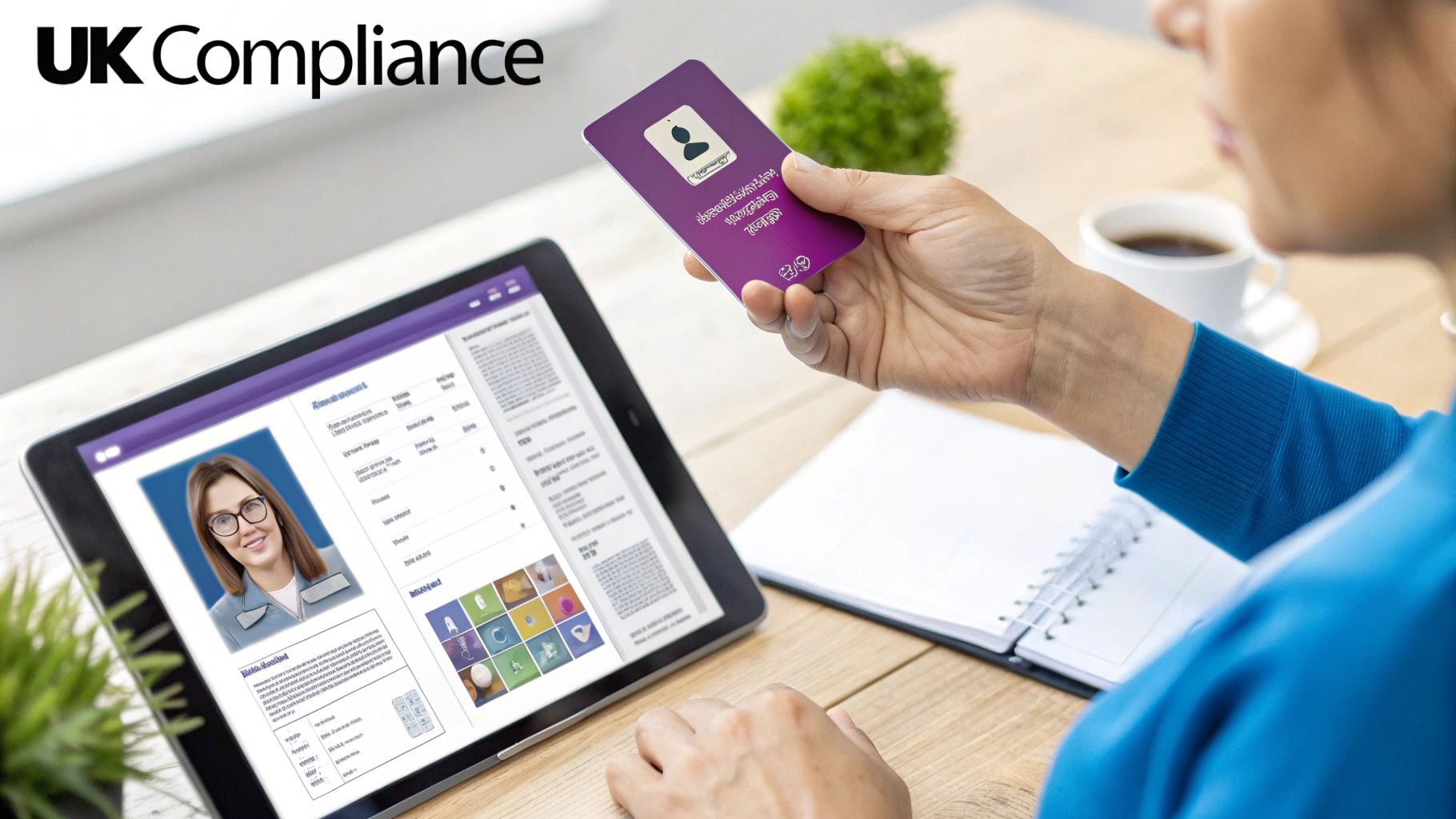
When you bring in a clock in system for employees in the UK, you’re doing more than just tracking hours. You’re stepping into the complex world of employment law, and getting it wrong can be costly. A solid, automated system isn't just a nice-to-have; it's a vital safeguard for the business.
We need to talk about three key areas: UK Right to Work checks, the General Data Protection Regulation (GDPR), and the Working Time Regulations. Each one has its own set of rules, and a modern, integrated system is built to handle them, turning a compliance headache into a clear, auditable process.
Securing Your UK Right to Work Checks
Verifying an employee's right to work in the UK is non-negotiable. The Home Office demands a clear, consistent audit trail, and frankly, a manual process with photocopies in a filing cabinet just doesn't cut it anymore. It's inefficient, risky, and a magnet for human error or even data breaches.
This is where an integrated system like HR Management for Microsoft Dynamics 365 really shines. It gives you a secure, central hub for digital copies of passports, visas, and other key documents. The result is an easily accessible record that proves you’ve done your due diligence, giving you solid proof of compliance whenever you might need it.
Mastering GDPR in Your Own Microsoft Tenant
The moment you start handling employee data—especially sensitive information like working hours—GDPR comes into play. The golden rule for compliance is control. When your clock-in system and all its data live within your own secure Microsoft 365 tenant, you hold the keys. You're in complete command.
This approach gives you some serious advantages:
- Reduced Risk: Your data isn't being passed around and stored by a third-party vendor. This minimises the number of data processors involved and potential points of failure.
- Simplified Policies: Managing data retention and deletion becomes far more straightforward when all your employee information is consolidated within your existing Microsoft setup.
- Enhanced Security: You’re protected by the enterprise-grade security of Microsoft Entra ID (what used to be Azure AD), ensuring access is tightly controlled and properly monitored.
A key part of navigating GDPR is having your documentation in order. Tools for automating your Record of Processing Activities (RoPA) can be a huge help here. Keeping your data in one place makes this much simpler because you have a clear line of sight on what's collected, why it's processed, and for how long.
A well-documented compliance strategy is essential. If you're looking for guidance on defining your internal rules, our article on creating an employment handbook template is a great place to start clarifying your policies.
Upholding the Working Time Regulations Automatically
This is where a clock-in system has its most immediate impact. The UK's Working Time Regulations are strict, and they place the legal responsibility squarely on employers to track hours and ensure staff get their statutory breaks.
In the UK, the rules mandate an 11-hour rest period every 24 hours, an uninterrupted 20-minute break for shifts over six hours, and at least one full day off per week. What’s more, you are legally required to keep these records for two years. A digital system automates this entire process, flagging when staff are approaching legal limits and creating an unshakeable audit trail.
Think about a real-world scenario. You have a dedicated employee who often works late to get a project over the line. A paper timesheet might not catch that their finish time is consistently eating into their mandatory 11-hour rest period. An automated system, however, flags this instantly. A manager gets an alert, allowing them to step in, prevent a breach, and look after that employee's well-being. This proactive approach is simply impossible with outdated manual methods. It doesn't just protect the business from legal risk; it helps build a healthier, more sustainable culture for your team.
We are DynamicsHub.co.uk. We provide Transformative HR solutions customised to the unique way you work. Human Resource HR Management for Microsoft Dynamics 365 by Hubdrive is the leading hire-to-retire solution for the Microsoft Platform.
To learn how we can help you achieve effortless compliance, phone 01522 508096 today or send us a message at https://www.dynamicshub.co.uk/contact/.
Picking the Right Clock In Features for Your Team
Choosing a clock in system for employees isn't about ticking off every feature on a list. It’s about finding the right tools for the people who will actually use them every day. If you force a one-size-fits-all solution on a diverse workforce, you’re just asking for poor adoption and endless headaches.
The goal is to build a system that feels completely natural, whether someone is on the factory floor, out visiting clients, or working from their kitchen table.
A truly modern system gets this. You might need a rugged, wall-mounted kiosk for your warehouse crew, a GPS-aware mobile app for your field service team, and a simple web clock-in for your office staff. A platform like HR Management for Microsoft Dynamics 365 is built for this kind of blended approach, letting you mix and match methods to get the perfect fit.
Mobile Clocking for Teams on the Move
If you have people who aren't chained to a desk, a mobile clock-in app is non-negotiable. Think of your field engineers, sales reps, or remote consultants—they need a dead-simple way to log their time from wherever they are.
The killer feature here is GPS verification. When someone clocks in on their phone, the system can grab their location. This isn't about playing Big Brother; it's about accurate client billing, precise project costing, and, crucially, fulfilling your duty of care for lone workers.
Centralised Kiosks for On-Site Staff
For places like manufacturing sites, distribution centres, or hospitals, a shared kiosk is almost always the best bet. Instead of managing dozens of personal devices, you have one central tablet or terminal that everyone uses.
This approach makes shift changes a breeze. Large groups of people can clock in and out in seconds without causing a bottleneck. The best kiosks now come with options like AI facial recognition, which completely stamps out "buddy punching" (when a colleague clocks in for a friend). That single feature can have a huge impact on the accuracy of your payroll data.
Biometrics: AI Facial Recognition and Fingerprints
When you need absolute certainty, biometrics are the answer. Using a unique identifier like a fingerprint or a face scan means there’s no question about who is clocking in. This isn't sci-fi anymore; it's a practical way for any business to eliminate time theft and get airtight records.
Biometric data is powerful, but you have to handle it carefully. Under UK GDPR, things like facial scans and fingerprints are classed as 'special category data'. This means you need a rock-solid legal basis for collecting and processing it. A system that keeps this data locked down within your own secure Microsoft 365 tenant is a massive advantage, giving you the control you need to stay compliant.
Web Browser Clocking for Office and Home Workers
For your team members glued to their laptops, the simplest solution is usually the most effective. A clean, browser-based portal lets them start and stop their day with a single click, right from the screen they’re already staring at.
This removes all friction for your office and remote staff. Even better, when you integrate it with a tool like Microsoft Teams, they can get reminders and manage their timesheets without ever switching apps. That kind of seamless workflow is what gets everyone on board.
Choosing the right clock-in method really depends on who your employees are and where they work. Thinking about it from their perspective is the key to getting it right.
Comparison of Employee Clock In Methods
The table below breaks down the most common methods, helping you match the right technology to the right teams within your organisation.
| Method | Best For | Key Advantages | Considerations (UK Context) |
|---|---|---|---|
| Mobile App | Field service, sales, remote workers, construction sites | GPS tracking for location verification, convenient for lone workers, real-time data from the field. | Requires employees to use personal or company-issued smartphones. Clear data privacy policies are essential. |
| Shared Kiosk | Manufacturing, warehouses, retail, healthcare | Low cost per employee, eliminates buddy punching (with biometrics), fast for shift changes. | Needs a physical space with power and connectivity. Can create queues during peak times. |
| Biometrics | High-security environments, any role where time theft is a concern | Highest accuracy, completely eliminates buddy punching, provides irrefutable time records. | Strict UK GDPR 'special category data' rules apply. Requires explicit consent and a clear legal basis. |
| Web Browser | Office-based staff, call centres, home workers | Easiest to deploy, no extra hardware needed, integrates well with other desktop tools like Teams. | Relies on employee honesty; lacks location verification for remote workers. |
Ultimately, the most successful implementations often use a combination of these methods, tailored to the specific needs of different employee groups.
As you weigh your options, it's helpful to see what's out there. You can find a good overview of the top employee attendance tracking software for your business to compare different platforms and their feature sets.
Integrating with Microsoft Dynamics 365 and the Power Platform
If your organisation is already invested in Microsoft, the real magic of a clock-in system isn't just about connecting two pieces of software. It’s about choosing a solution that’s built natively on the same platform. This isn't just a technical preference; it's a strategic decision that pays dividends across the business.
This is where the Microsoft Dataverse platform really shines. When your HR solution, like HR Management for Microsoft Dynamics 365 by Hubdrive, is built directly on Dataverse, it’s already speaking the same language as your other core systems. Time and attendance data doesn't need to be imported, synchronised, or patched across. It simply exists where you need it, creating a single, reliable source of truth.
Beyond Time Tracking to Business Intelligence
This native link instantly turns your time-tracking data from a simple log of hours into a rich source of business intelligence. The information flows automatically into your other critical business processes, giving you the kind of real-time insights that lead to smarter decisions.
Just think about these real-world scenarios:
- Live Project Costing: An engineer clocks in against a specific project. That data immediately updates the project operations module in Dynamics 365, giving managers a live, up-to-the-minute view of labour costs against the budget. No more waiting for month-end reports.
- Error-Free Payroll Prep: A manager approves a timesheet, and that approved data is instantly ready for payroll processing, whether you’re using Dynamics 365 Finance or another provider. This completely removes manual data entry and drastically reduces costly payroll errors.
- Dynamic Dashboards: Time data can feed directly into Power BI, letting you build live dashboards to visualise labour costs, track overtime trends, or monitor team productivity—all without any manual data manipulation.
The biggest advantage here is data residency and security. With a native solution, your sensitive employee data never leaves your own Microsoft 365 tenant. You’re not shipping it off to a third-party vendor, which simplifies security, makes GDPR compliance more straightforward, and keeps you in complete control.
This decision tree can help you visualise which clock-in technology makes the most sense as a starting point for different parts of your workforce.
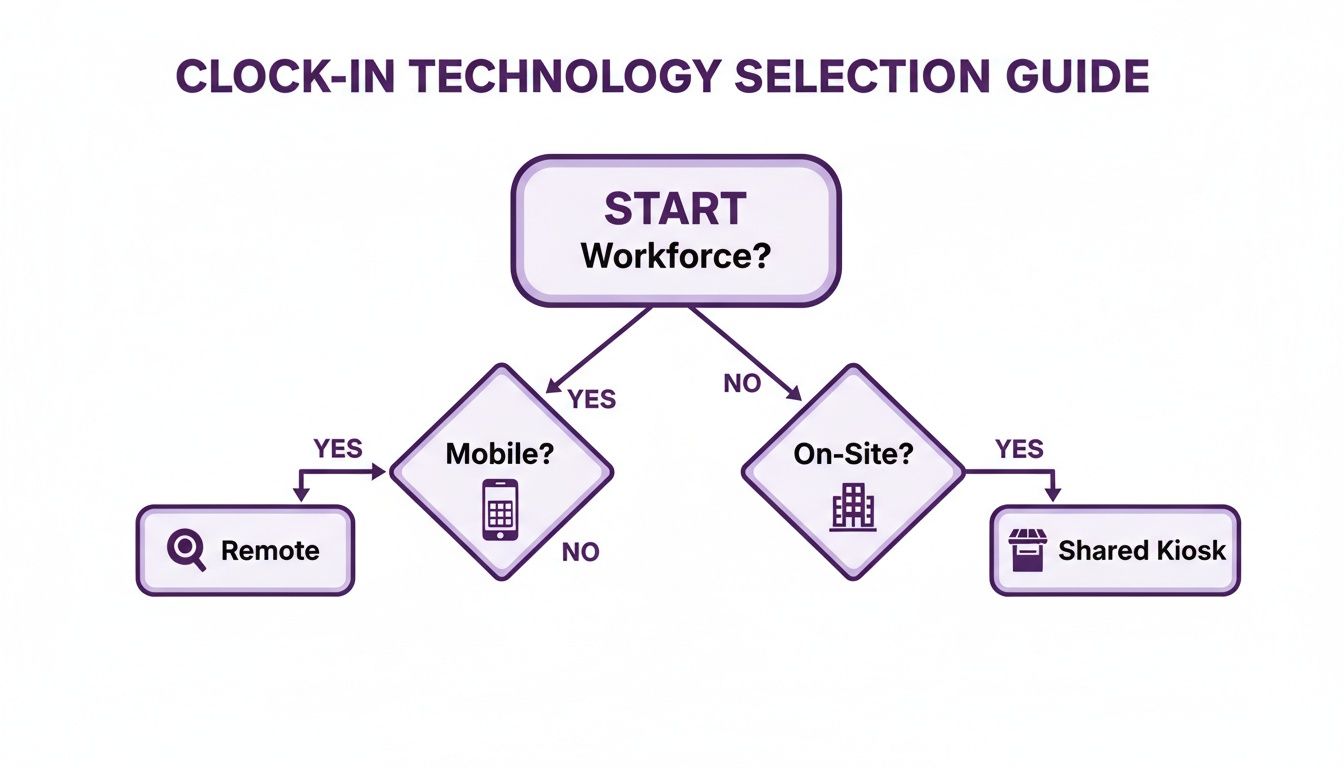
The main takeaway? Your team's physical work environment—whether they’re on-site, on the road, or a mix of both—is the biggest factor in choosing the most practical and user-friendly clock-in method.
Unlocking the Power Platform
The integration doesn't stop with Dynamics 365. Tapping into the wider Microsoft Power Platform opens up a world of automation and customisation. It's all about moulding the system to fit how you work, not forcing your team to adapt to new software. If you're new to the ecosystem, our guide on what Microsoft Dynamics 365 is is a great place to start.
For example, you could use Power Automate to build a flow that sends a Microsoft Teams notification to a manager when an employee is approaching their weekly hour limit. Or, you could quickly build a simple Power App to create a custom, branded interface for your on-site kiosks, maybe showing company news next to the clock-in button.
This level of deep integration means you get a much higher return on your existing Microsoft investment. You aren't just adding another standalone tool; you're extending the power of the platform you already know and trust. This simplifies maintenance, reduces the need for fragile custom integrations, and creates a more unified experience for everyone.
We are DynamicsHub.co.uk. We provide Transformative HR solutions customised to the unique way you work. Human Resource HR Management for Microsoft Dynamics 365 by Hubdrive is the leading hire-to-retire solution for the Microsoft Platform.
To see how a fully integrated system can benefit your business, give us a call on 01522 508096 today, or send us a message at https://www.dynamicshub.co.uk/contact/.
Getting the Rollout Right: A Practical Guide
I’ve seen it time and again: a company invests in a brilliant new clock in system for employees, but the implementation falls flat. Why? Because a successful rollout is as much about people as it is about technology. Even the slickest software will fail if your team doesn’t buy into it or doesn't know how to use it properly.
A thoughtful, phased approach is absolutely essential. You need to build confidence, get honest feedback early, and make the transition as painless as possible for everyone involved. Think of it as a carefully managed change, not a sudden shock to the system.
Don't Skip the Pilot Programme
Before you even think about a company-wide launch, you must run a pilot test with a small but representative group. This is non-negotiable. It’s not just about squashing last-minute technical bugs; it’s your first real-world test of the system's usability and whether your training materials actually make sense to real people.
When you select your pilot group, make sure it's a good mix:
- Bring in some of your most tech-savvy people alongside those who might find new software a bit daunting.
- Get people from different parts of the business—the team on-site using a kiosk, the field engineer using the mobile app, and someone back at the office on the web portal.
- Crucially, you need at least one line manager in the group who will actually be approving timesheets and dealing with queries.
This pilot phase creates a safe space to find the friction points. Is the mobile app actually intuitive? Are the kiosk instructions clear? This direct feedback is gold, allowing you to fine-tune everything before you go live.
Frame the Change, Win the Team
How you introduce the new system will make or break its acceptance. If employees see it as just another way for management to track their every move, you’ll be fighting an uphill battle from day one. Your communication has to centre on what's in it for them.
Position the new clock in system as a tool that works for the employee. Highlight tangible advantages like faster overtime and holiday approvals, consistently accurate pay without manual errors, and a simpler, fairer way to manage their working hours.
When those tricky questions about GPS tracking or biometrics come up, be upfront. Explain why you're using these features—for accurate project billing or secure site access, not for surveillance. Honesty builds trust, and trust is the bedrock of a smooth adoption.
Support Your Team Through the Go-Live
Once the pilot is done and you’ve ironed out the kinks, it’s time to launch. Don't make the mistake of thinking a single training session will cut it. You need to plan for ongoing support and provide resources that suit how different people learn.
- Hands-On Workshops: Run short, sharp, role-specific sessions. Show people exactly what they need to do.
- Cheat Sheets: Create simple one-page PDFs or short videos people can pull up on their phone if they get stuck.
- Floorwalkers & Champions: For the first few weeks, make sure managers and a few designated 'super users' are highly visible and available to answer questions on the spot.
At DynamicsHub.co.uk, we guide UK businesses through this entire process. We deliver HR solutions that are tailored to the way you actually work. The Human Resource HR Management for Microsoft Dynamics 365 by Hubdrive is the leading hire-to-retire solution on the Microsoft Platform, and our team is here to ensure your rollout is a success from pilot to full adoption.
To talk about how we can guide your HR transformation, give us a call on 01522 508096 or send us a message today.
Frequently Asked Questions
We get a lot of questions from UK businesses looking to upgrade their employee clock-in systems, especially when integrating with Microsoft Dynamics 365. Based on our experience implementing Hubdrive solutions, here are some of the most common ones we hear.
How Much Does a Clock-In System for Employees Cost in the UK?
The cost can swing quite a bit, depending on how many people will be using it, what features you need, and how complex the setup is. The good news is that the old model of a massive upfront investment is largely a thing of the past.
Modern solutions like HR Management for Microsoft Dynamics 365 are typically priced on a scalable per-user, per-month basis. You can generally expect this to fall somewhere between £15 and £40 per user. A few key things will influence that final figure:
- Hardware: Will you need physical devices like biometric scanners or tablets for a kiosk setup?
- Advanced Modules: Do you need sophisticated features like AI-powered scheduling or detailed project costing?
- Implementation Scope: How much customisation and integration work is involved to get it just right for your business?
At DynamicsHub, we put together a quote that’s tailored to your specific needs. This way, you’re only paying for what you’ll actually use, making sure you get the best possible return on your investment.
Is an AI Facial Recognition Clock-In System Legal in the UK?
Yes, it absolutely is. However, you need to approach it with your eyes wide open to the strict compliance requirements under GDPR. A person's facial scan is considered 'special category data', which means it requires the highest level of protection.
To use facial recognition legally, you must complete a Data Protection Impact Assessment (DPIA). You also need to establish a clear, lawful basis for processing this sensitive data and be completely transparent with your team about how it’s being used, stored, and secured.
This is where the Hubdrive solution, implemented by DynamicsHub, really shines. It keeps all that biometric data safely within your own Microsoft 365 tenant, not on some third-party server in a different country. This gives you total control, making it much simpler to meet your GDPR obligations and properly protect your employees' privacy.
How Does a Clock-In System Integrate with Payroll Software?
This is often the biggest win for most businesses. When you use a system built on Microsoft Dataverse, like the Hubdrive solution, the approved timesheet data flows directly into your payroll software. It doesn’t matter if you’re using Dynamics 365 Finance or another popular platform like Sage or Xero.
That direct connection completely removes manual data entry, which is where costly human errors creep in. It ensures everyone is paid accurately and on time for every hour they’ve worked, even with tricky overtime rules. The system takes care of all those complex calculations automatically, freeing up your finance team from hours of painful admin every single pay run.
At DynamicsHub.co.uk, we provide transformative HR solutions customised to the unique way you work. Human Resource HR Management for Microsoft Dynamics 365 by Hubdrive is the leading hire-to-retire solution for the Microsoft Platform.
To find out more, phone 01522 508096 today or send us a message.
Let's Get Started
If you're ready to leave manual timesheets behind and move towards a more efficient, compliant, and modern way of working, implementing the right employee clock-in system is a crucial first step. It's about more than just saving time and cutting down on errors; it's about getting the accurate data you need to make genuinely smart business decisions.
As the accredited UK partner for Hubdrive's HR Management for Microsoft Dynamics 365—the leading hire-to-retire solution on the Microsoft Platform—our team at DynamicsHub.co.uk specialises in building HR systems that fit the unique way your business operates.
Let's talk about what your ideal system looks like. Give us a call on 01522 508096 or send a message through our website to get the conversation started.


