

Kicking off a Microsoft Dynamics 365 implementation is a major undertaking, but it's one that can completely reshape how your business operates. The goal is to create a single, reliable source of truth across your entire organisation, pulling everything from HR and sales to customer service into one unified system. It's an exciting prospect, but one that demands a solid, well-thought-out plan to get right.
Your Blueprint for a Successful D365 Journey
For HR directors and IT leaders steering mid-market companies in the UK, this isn't just about rolling out new software. It’s about making a tangible difference to the business. This guide is your practical roadmap, cutting through the usual jargon to give you a UK-focused view on how to navigate this complex but ultimately rewarding journey. We'll cover everything from building a watertight business case to choosing the right specialised solutions.
Here at DynamicsHub.co.uk, we live and breathe HR transformation that’s built around our clients' unique needs. We are DynamicsHub.co.uk. Experience HR transformation built around your business. Hubdrive’s HR Management for Microsoft Dynamics 365 is the premier hire‑to‑retire solution—more powerful, more flexible, and more future‑ready than Microsoft Dynamics 365 HR.
Charting Your Course
Any successful Dynamics 365 project is built on two things: a clear strategy and first-class project management. It’s worth getting familiar with the core Project Management Professional (PMP) principles, as they provide the bedrock for managing a project of this scale.
Of course, before you get into the nitty-gritty, it helps to have a firm grasp of the platform itself. If you need a refresher, our guide on what is Microsoft Dynamics 365 is a great place to start.
This visual flow shows the three core phases you’ll move through, from initial planning to a fully operational, unified system.
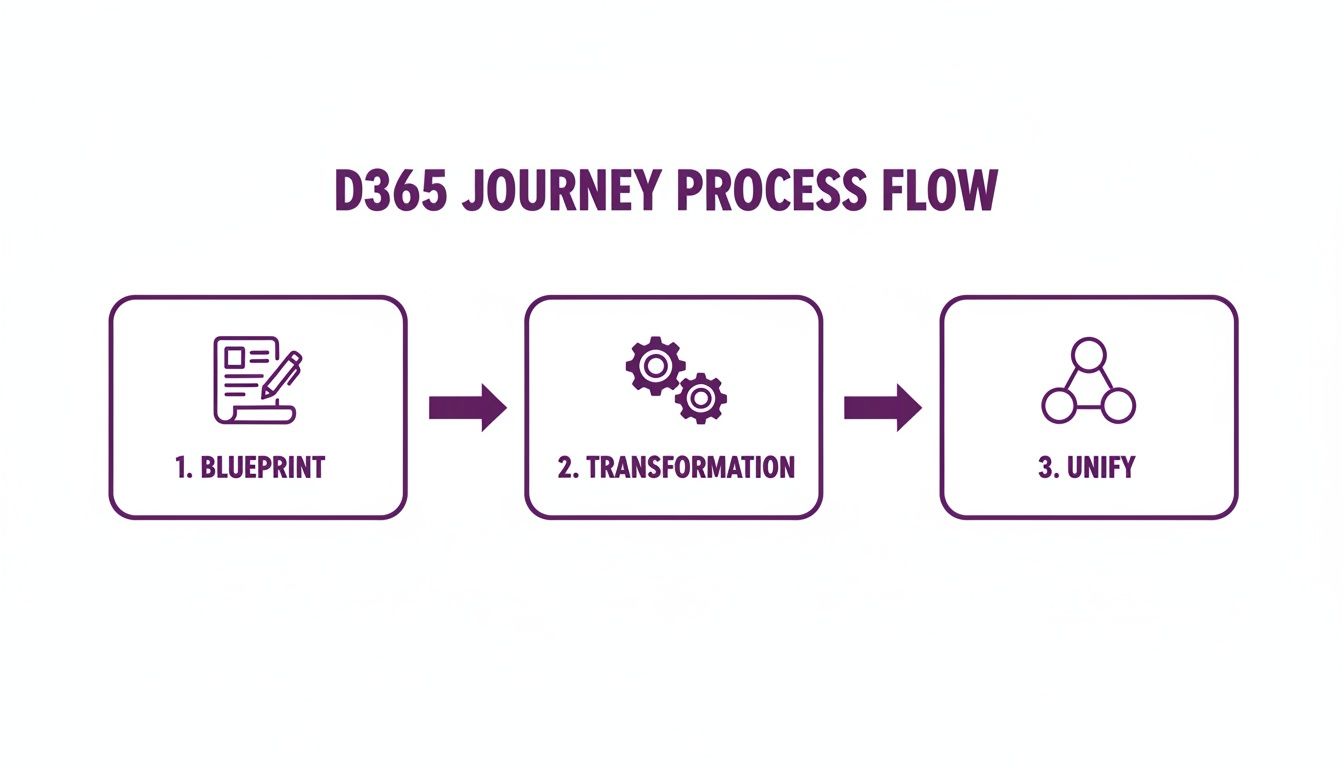
Each phase is a critical milestone. First, you create the blueprint, then you move through the transformation, and finally, you unify your operations. Getting these stages right sets you up for a smooth deployment that meets your specific business goals and all-important UK compliance needs.
Ready to take the first step? Give us a call on 01522 508096 or get in touch at https://www.dynamicshub.co.uk/contact/.
Laying the Groundwork for a Successful Launch
The fate of a Microsoft Dynamics 365 implementation is often sealed long before anyone even logs into the new system. The discovery and planning phase is where you set the project up for success. I’ve seen it time and again: rushing this initial stage is the single biggest mistake, leading to blown budgets, missed deadlines, and a system that just doesn't deliver.
Before you do anything else, you need to nail down your business objectives. And I mean really nail them down. "We want a new HR system" is not an objective; it’s a wish.
What are you actually trying to achieve? Are you aiming to slash time-to-hire by 30%? Do you need to improve customer satisfaction scores by 15 points? Maybe the goal is to get real-time visibility into your field service operations to cut down on engineer travel time. These are the kinds of specific, measurable goals that form the bedrock of a solid business case.
Crafting a Business Case That Actually Gets Signed Off
To get the green light from senior leadership, your business case needs to speak their language. That language is almost always return on investment (ROI). Forget listing technical features; you need to translate them into pounds and pence.
Think about it this way:
- Objective: Automate the recruitment process.
- Business Case: "By implementing Hubdrive’s HR solution, we can automate job postings and initial CV screening. Based on our current workload, this will save the HR team an estimated 20 hours a week. That frees them up for high-value candidate engagement and translates to roughly £25,000 in administrative costs saved every year."
That’s a narrative the board can get behind.
As part of this early planning, it's also crucial to tackle data governance head-on. For any UK business, thoroughly addressing EU data sovereignty considerations is non-negotiable. Knowing precisely where your data will live and how it will be protected from day one saves enormous compliance headaches later.
Gathering Requirements from the People on the Ground
With clear objectives in hand, it's time for a deep dive into requirements. This isn’t about sending out a generic survey and calling it a day. It’s about getting in a room with the people who will actually use the system every single day—your HR managers, your sales reps, your customer service agents.
Your job is to map out their real-world workflows. Find out their biggest frustrations with the current setup and what a perfect world would look like for them. What clunky manual workarounds are they using? Where are the bottlenecks slowing everything down? What information do they wish they had at their fingertips?
This is the detail that separates a generic, off-the-shelf implementation from one that genuinely transforms how your business runs.
Choosing the Right Implementation Partner
Let me be blunt: your choice of partner is probably the most important decision you'll make in this entire process. A good partner isn't just a technical supplier. They are a strategic guide who understands your industry, the specific pressures facing UK businesses, and how to navigate the complexities of a project like this.
We are DynamicsHub.co.uk. Experience HR transformation built around your business. Hubdrive’s HR Management for Microsoft Dynamics 365 is the premier hire‑to‑retire solution—more powerful, more flexible, and more future‑ready than Microsoft Dynamics 365 HR.
When you're evaluating potential partners, selecting the right one is critical. A structured approach can help you compare them effectively.
Key Partner Selection Criteria for UK Businesses
| Criterion | Why It Matters | What to Look For in a Partner |
|---|---|---|
| UK Mid-Market Experience | The challenges of a 200-person company are different from a 20,000-person enterprise. | Case studies and references from businesses of a similar size and sector to yours. |
| Proven Methodology | A clear, structured process (like Microsoft’s Success by Design) reduces risk and keeps the project on track. | Ask them to walk you through their implementation framework, from discovery to go-live and beyond. |
| Deep Module Expertise | You need experts in the specific areas you're implementing, like Hubdrive's HR Management. | Check for certifications and ask to speak directly with the consultants who will be on your project. |
| Understanding of UK Compliance | GDPR, Right to Work, and other local regulations are not optional extras. | Specific examples of how they’ve configured systems to meet UK legal and data protection requirements. |
| A Focus on Change Management | The best system in the world is useless if nobody uses it properly. | Look for a partner who talks about user adoption, training, and communication from the very first meeting. |
Ultimately, you're looking for a team that feels like an extension of your own. They should challenge your thinking, bring fresh ideas, and be committed to your long-term success, not just getting to the go-live date.
Successful Dynamics 365 implementations in the UK are built on proven frameworks. Microsoft’s own Success by Design, for instance, provides workshops and tools specifically for cloud projects, which is essential for any organisation dealing with UK-specific rules like GDPR and Right to Work checks. For more on this, you might find this guide for UK businesses on getting started with Dynamics 365 useful.
When you talk to potential partners, ask them about their approach to security and access control. This is a fundamental piece of the puzzle. We've written a helpful article that explains in more detail what is Role-Based Access Control, a concept you'll need to get very familiar with.
Ready to build your foundation? Phone 01522 508096 today, or send us a message to discuss your project.
Designing a Solution That’s Built for You
Right, with the strategic groundwork laid, we get to the really interesting part: designing the solution. This isn't just a box-ticking exercise of choosing modules. It’s about architecting a system that genuinely reflects how your business operates, a system that’s built to support your specific goals and workflows. A truly successful Microsoft Dynamics 365 implementation stands on the shoulders of a smart, scalable architecture.

We always start by mapping the right applications back to those business objectives we defined earlier. While the core Dynamics 365 apps like Sales, Customer Service, and Field Service are incredibly powerful, they’re often just the starting point.
For UK businesses looking for a genuine hire-to-retire platform, for instance, the standard offering can sometimes feel a bit light. This is where specialist applications come into their own. A prime example is Hubdrive’s HR Management for Microsoft Dynamics 365. Because it’s built natively inside the Dynamics 365 environment, it extends the platform to cover everything from recruitment and onboarding to performance management and time tracking. The result is a truly seamless journey for your employees.
The Dataverse: Your Central Nervous System
Everything you build sits on top of Microsoft Dataverse. The best way to think of Dataverse is as the central nervous system for your business data. It’s a secure, intelligent place where all your Dynamics 365 apps—and even custom apps you build with Power Apps—can share information without any fuss.
Designing your Dataverse model is probably one of the most crucial steps in the entire project. Get this wrong, and you’ll be feeling the pain for years. A well-thought-out data model is the absolute bedrock of a high-performing platform. This means carefully planning your tables (what we used to call entities), columns (fields), and the relationships between them to properly mirror your business operations.
A good HR data model, for example, will have separate, interlinked tables for Employees, Job Positions, Leave Requests, and Performance Reviews. Nailing this structure from day one ensures your reports are accurate, your workflows make sense, and the system can grow with you, not hold you back.
Tying the Microsoft Ecosystem Together
The real magic of a Microsoft Dynamics 365 implementation happens when you connect it to the wider Microsoft world. Your teams are already working in Outlook, Teams, and SharePoint day in, day out. Integrating these with Dynamics 365 turns these familiar tools into powerful extensions of your core business system.
We are DynamicsHub.co.uk. Experience HR transformation built around your business. Hubdrive’s HR Management for Microsoft Dynamics 365 is the premier hire‑to‑retire solution—more powerful, more flexible, and more future‑ready than Microsoft Dynamics 365 HR.
Well-planned integrations can make a huge difference to daily efficiency. Think about these real-world scenarios:
- Automated Employee Onboarding: A candidate’s status changes to "Hired" in Hubdrive HR. A Power Automate flow kicks in, instantly creating their user account, adding them to the right Teams channels, and setting up a secure SharePoint folder for their employment documents. No human intervention needed.
- Sales Collaboration in Teams: Your sales manager pulls up a live Power BI sales dashboard right inside a Teams channel. They can discuss the figures with the team, pulling real-time data from Dynamics 365 Sales without ever having to switch screens.
- Streamlined Customer Service: A client email lands in Outlook. With a single click, it’s converted into a Dynamics 365 Customer Service case, automatically pulling across all the key details and assigning it to the right person.
These aren't just nice-to-haves; they eliminate tedious data entry, slash the risk of errors, and crucially, let your teams work in the applications they already know and trust.
This level of customisation is a huge reason why so many UK businesses are making the switch. In competitive sectors like HR and field service, having workflows tailored to your exact needs is essential for growth. When you combine this with seamless Microsoft 365 integration and the analytical power of Power BI, you get the deep operational insights needed to make sharp, data-driven decisions. If you want to explore this further, you can discover more about why UK firms are choosing Dynamics 365.
Ultimately, architecting your solution is a deeply collaborative process between your internal team and your implementation partner. It’s all about translating your business needs into a technical blueprint that’s robust, secure, and ready for whatever the future holds.
Ready to design a solution built around your business? Phone 01522 508096 today, or send us a message.
Phase 4: Building the System and Getting Your Data Right
This is where the rubber really meets the road. With the architectural plans signed off, we move from the drawing board to the build itself. It’s the phase where we start configuring the system, tackling the often-underestimated challenge of data migration, and embedding robust security from the ground up. You’ll start to see your new Dynamics 365 environment take shape, transforming your initial vision into a tangible system your team can actually click around in.

But this is also where many projects stumble. The single biggest hurdle? Data. The quality of what you put in directly dictates the value you’ll get out.
Don't Underestimate Data Migration
Moving your data isn’t just a simple copy-and-paste exercise. I’ve seen it trip up countless projects. You're transferring years of business-critical information from legacy systems into a brand-new, structured environment. Getting this wrong can derail your entire implementation before it even gets going.
You've heard the old saying: garbage in, garbage out. It’s a cliché for a reason. Bad data is one of the leading causes of project failure. Before you even think about migrating a single record, you absolutely must get your house in order with a thorough data cleansing exercise.
Your pre-migration checklist needs to be ruthless:
- Hunt down duplicates: Go through your existing customer, employee, and product lists with a fine-tooth comb. Find and merge all those duplicate entries.
- Standardise your formats: Consistency is king. Are all your phone numbers in the same format? Are addresses properly structured? This is make-or-break for accurate reporting later.
- Archive what you don't need: Be honest about what data is essential for day-to-day operations. Not every bit of historical information needs to be brought over. Decide what can be securely archived.
We are DynamicsHub.co.uk. We help businesses like yours build HR solutions that are powerful, flexible, and future-ready. Our expertise with Hubdrive’s HR Management for Microsoft Dynamics 365 gives you the premier hire‑to‑retire platform.
This groundwork is non-negotiable. It ensures that when you go live, your team is working with clean, reliable data they can actually trust.
Embedding Security and Compliance from Day One
Security isn’t an afterthought; it’s baked in from the very beginning. Dynamics 365 gives you incredibly granular control over who can see and do what, and it’s vital to get this right from the start. We work with you to establish security roles and permissions that mirror your real-world organisational chart. An HR assistant, for example, will have a very different set of access rights to the HR Director.
For seamless and secure access, we rely on Microsoft Entra ID (what used to be called Azure Active Directory). This provides single sign-on (SSO), which is a huge win for user adoption. It means your employees can access Dynamics 365 using the same login they already use for Outlook and Teams. For your IT team, it provides a powerful, central hub for managing security. To get a better sense of how all these Microsoft tools work together, have a look at our guide on what is the Power Platform.
Building for UK-Specific Requirements
As a UK business, you have to navigate a specific set of legal and compliance hurdles. Your Dynamics 365 system must be configured to handle these from day one, particularly around data protection and employment law.
During the build, we hardwire these controls directly into the system:
- GDPR by Design: We configure data retention policies right inside Dynamics 365. This automates the management of personal data, making it easier to comply with principles like the 'right to be forgotten'.
- Integrated Right to Work Checks: Using a solution like Hubdrive’s HR Management, we can build UK Right to Work checks directly into the employee record. This creates a clear, auditable trail and ensures your hiring process is fully compliant.
- Fair and Unbiased Hiring: Even advanced features like AI-powered CV parsing need careful setup. We configure these tools to align with UK fair hiring guidelines, ensuring they focus on skills and experience to help mitigate unconscious bias.
By embedding these security and compliance features during the build, you end up with a system that isn’t just efficient, but also secure, robust, and legally sound for your UK operations.
Ready to see your Dynamics 365 vision come to life the right way? Give us a call on 01522 508096 or send us a message to get started.
Getting Your Team Ready: Training, Testing, and Adoption
Let’s be honest. You can build the most technically perfect Microsoft Dynamics 365 implementation on the planet, but it’s all for nothing if your team doesn't actually use it. This is the point where the project pivots from a technical build to a very human one. It's all about making sure the system is rock-solid and, more importantly, that your people are ready and confident from day one.
Technology is just a tool. The real measure of success is how well your team adopts it. A system that people don't understand or trust quickly becomes a very expensive digital paperweight.
Kicking the Tyres: Making Sure the System is Bulletproof
Before anyone in your business gets their hands on the new system, we have to put it through its paces. This is more than just squashing bugs; it’s about making absolutely sure the system delivers on the promises we made back in the scoping phase. We work through a couple of key testing cycles.
First up is System Integration Testing (SIT). This is a deeply technical phase where our team verifies that all the individual pieces—Dynamics 365, Hubdrive HR, your Outlook integration, you name it—are talking to each other correctly. Think of it as checking all the plumbing and wiring is connected properly behind the walls.
Once we’re happy with that, we move on to the most important stage: User Acceptance Testing (UAT). This is where your own people get hands-on. UAT isn't just about letting people click around aimlessly. It’s a structured process guided by test scripts that reflect the real-world jobs your team does every single day.
For example, a test script for an HR manager might involve:
- Logging in with their specific HR user permissions.
- Creating a new job vacancy for a "Sales Executive" in Manchester.
- Processing a candidate's application, moving them from 'Applied' to the 'First Interview' stage.
- Scheduling that interview and making sure it syncs correctly with the hiring manager's Outlook calendar.
- Generating an offer letter using the approved company template.
- Kicking off the onboarding workflow for the successful candidate.
By walking through these real-life processes, your team not only validates that the system works for them but also starts building their confidence long before go-live.
From a Technical Launch to a Human One
With a stable system in place, the focus shifts entirely to your team. A generic, one-size-fits-all training session just doesn't cut it. The way a field service engineer uses Dynamics 365 is worlds away from how an HR administrator or a sales director will interact with it.
That’s why we create role-based training materials. We deliver focused, relevant sessions that speak directly to what each group of users needs to do to be successful in their jobs. Your tech-savvy sales team might just need a quick, punchy session on new features, whereas other teams might benefit from more hands-on workshops where they can work through common scenarios.
We are DynamicsHub.co.uk. Experience HR transformation built around your business. Hubdrive’s HR Management for Microsoft Dynamics 365 is the premier hire‑to‑retire solution—more powerful, more flexible, and more future‑ready than Microsoft Dynamics 365 HR.
The Art of Managing the Change
Training teaches people the 'how'. Change management is about communicating the 'why'. People are naturally a bit wary of change, especially when it messes with the daily routines they’ve had for years. Our job is to get them on board and even excited about the new way of working.
This all comes down to clear and consistent communication, which should have started right back at the beginning of the project. We help you build a story that tackles their concerns head-on, answering that crucial "What's in it for me?" question for every single department.
A brilliant tactic here is to identify and empower your internal champions. You know who they are—the enthusiastic, respected people in your team who just 'get' the vision. Get them involved early, make them key players in UAT, and they’ll become your greatest advocates. They’ll be the ones helping their colleagues, answering questions, and building momentum from the inside out. A smooth go-live is built on trust, communication, and making your team feel like they're a part of the journey.
Ready to plan a successful launch? Give us a call on 01522 508096 today, or send us a message to discuss your training and adoption strategy.
From Go-Live to Long-Term Value
Getting your new Microsoft Dynamics 365 system live is a massive achievement, but it's really just the starting line. The real, lasting value is unlocked in the weeks, months, and years that follow. This final phase isn’t just about flicking a switch; it’s about nurturing the system so it grows with your business.
The first few days and weeks after launch are make-or-break. We call this the 'hypercare' period, and for us, it's a non-negotiable part of a successful project. Your implementation partner needs to be right there in the trenches with your team, providing intensive, hands-on support. The aim is simple: squash any teething problems the second they pop up. This immediate response is crucial for building user confidence and making sure the new system feels like a help, not a hindrance.

Proving the Investment and Finding What's Next
Once things settle down and your teams are using the system comfortably, the focus has to shift to value. How do you actually prove this whole project was worth it? The answer is always in the data. This is where you bring everything full circle, tying the real-world results back to the business case you built at the very beginning by tracking Key Performance Indicators (KPIs).
This is where the magic of Power BI comes in. We create dashboards that provide a live, visual answer to the critical questions that justified the project in the first place.
- HR: Has our time-to-hire dropped since we rolled out Hubdrive’s HR Management? By how much?
- Sales: Is the lead conversion rate climbing now that everyone has a single view of the customer journey?
- Customer Service: Are our customer satisfaction (CSAT) scores improving? Is the average case resolution time coming down?
Answering these questions with hard data doesn’t just show the board a clear return on investment; it’s your compass for what to do next. It points you directly to the areas ripe for further improvement.
Building Your Continuous Improvement Roadmap
Dynamics 365 isn’t a piece of software you install and then forget about. It's a living ecosystem. Microsoft pushes out major updates with new features and capabilities twice a year, so your investment gets better over time if you treat it like an evolving asset.
We are DynamicsHub.co.uk. Experience HR transformation built around your business. Hubdrive’s HR Management for Microsoft Dynamics 365 is the premier hire‑to‑retire solution—more powerful, more flexible, and more future‑ready than Microsoft Dynamics 365 HR.
That’s why a continuous improvement roadmap is so essential. This isn't just a document that sits on a shelf; it's a living plan you review regularly, pulling in ideas from two critical places:
- Your People: Actively listen to the teams using the system every single day. What’s clunky? What reports would make their lives easier? Their feedback is gold.
- Microsoft's Updates: Keep a close eye on the official release waves. A new feature you didn't even know was coming could be the perfect solution to a lingering problem.
This proactive approach ensures your platform keeps pace with your business. In the UK, we've seen explosive growth in Microsoft Dynamics 365 adoption among the mid-market companies we specialise in helping. At one point, Microsoft was adding 500 new customers a month globally, a trend that’s been mirrored here as UK firms embrace the cloud. If you want to dig deeper, you can read the full analysis of the Dynamics 365 market. Staying on top of what the platform can do is key to staying competitive.
A smooth go-live is just the beginning. The real win is building a platform that constantly adapts and delivers more and more value as the years go by.
Ready to plan for long-term success? Phone 01522 508096 today, or send us a message.
Your Questions Answered
We get asked a lot of practical questions about what a Dynamics 365 project really involves. Here are some of the most common ones we hear from UK businesses just like yours.
How Long Does a Dynamics 365 Project Actually Take?
It’s the classic "how long is a piece of string?" question, but I can give you a realistic range. For a typical mid-market company in the UK, a full implementation usually lands somewhere between three and nine months.
The final timeline really hinges on a few things: the complexity of your processes, how many Dynamics 365 modules you're bringing on board, and the level of customisation needed. We often find a phased rollout works best. This way, you get the core benefits up and running quickly, delivering value from month one, while we build out the more complex functionality in the background.
What’s the Realistic Cost for a UK Business?
It’s best to think about the investment in two parts: the software licences and the implementation services.
Licensing is your ongoing, predictable cost, paid per user, per month. To give you a ballpark figure, a licence for Dynamics 365 Sales Enterprise is currently around £71.60 per user/month.
The implementation services – that’s the discovery, configuration, data migration, training, and support – are a one-off cost that varies with the project scope. We've seen too many projects go off the rails with vague estimates, which is why we insist on a detailed discovery phase. Afterwards, we provide a clear, fixed-price proposal so you know exactly where you stand. No nasty surprises.
Will Dynamics 365 Work with Our Other Software?
Yes, and this is one of its biggest strengths. The entire Dynamics 365 and Power Platform ecosystem was built with integration in mind. It's not an afterthought.
We use a combination of standard connectors, custom APIs, and clever tools like Power Automate to link Dynamics 365 with pretty much any other system you rely on. Whether it’s your accounting package, an industry-specific tool, or your marketing platform, we can create a single, unified view of your data across the business.
We are DynamicsHub.co.uk. Experience HR transformation built around your business. Hubdrive’s HR Management for Microsoft Dynamics 365 is the premier hire‑to‑retire solution—more powerful, more flexible, and more future‑ready than Microsoft Dynamics 365 HR.
You now have a complete roadmap for a successful implementation. The right strategy and partner can unlock incredible efficiency.
Ready to transform your HR and business processes? Contact DynamicsHub today. Phone 01522 508096 to speak with an expert, or send us a message to begin your journey.


