

Are you still staring at yet another complex payroll spreadsheet? For UK HR teams, wrestling with pro rata salary and holiday pay calculations is a constant headache. It’s not just admin friction; it's a minefield of potential errors. A dedicated pro rata calculator, whether it’s a standalone tool or part of your core HR system, does more than just basic sums. It's about ensuring fairness, staying compliant, and sidestepping those costly payroll mistakes that crop up with part-time staff, new starters, and leavers.
Beyond Spreadsheets: The Need For An Accurate Pro Rata Calculator

Relying on manual spreadsheets for something as critical as pro rata calculations is a high-risk habit that many businesses just can’t seem to shake. On the surface, the maths seems simple enough. But in reality, these calculations are full of hidden traps that can have serious consequences for any UK business.
A single incorrect formula or a misplaced decimal point can mean an employee is underpaid or overpaid. This isn't just an accounting issue; it damages morale and can even lead to legal challenges down the line. This guide is about moving past those basic formulas and exploring a much more dependable and integrated approach. We'll look at the common scenarios where getting pro rata right is non-negotiable and uncover the hidden costs of clinging to outdated, manual methods.
The Pitfalls of Manual Calculations
When you manage pro rata pay and leave by hand, you’re opening the door to several key risks. Human error is the most obvious culprit. Typing in the wrong start date, miscounting the working days in a month, or pulling an old salary figure from another sheet can happen all too easily, especially when you're under pressure. These aren't just minor admin slips—they directly affect an employee's pay packet and their trust in the company.
Beyond simple mistakes, you have to consider the compliance risks. UK employment law is very specific about holiday entitlement and pay, and getting it wrong can be expensive. For instance, correctly calculating accrued holiday for someone leaving who worked irregular hours demands a level of detail and accuracy that spreadsheets simply weren't built to handle reliably.
- Inaccuracy: Manual data entry is a recipe for error, often leading to incorrect pay and entitlement calculations.
- Inefficiency: HR professionals lose countless hours just cross-referencing data and double-checking calculations that could easily be automated.
- Compliance Gaps: It's a real struggle to ensure every single calculation consistently follows the latest UK employment legislation and ACAS guidelines.
Why an Integrated System Matters
A robust, automated system turns this chore into a strategic advantage. When your pro rata calculator is built into a wider Human Resources Management System (HRMS), the whole process becomes seamless. Key data like employee start dates, salary details, and working patterns are pulled directly from a single, central record. This eliminates manual entry and drastically cuts the risk of errors. If you're new to the concept, you might want to learn more about what an HRMS system is and how it can centralise your people data.
This shift from manual to automated isn't just about saving time. It's about building a foundation of trust and fairness. When your team knows their pay and holiday are calculated accurately and transparently, it strengthens their confidence in the entire organisation.
We are DynamicsHub.co.uk. Experience HR transformation built around your business. Hubdrive’s HR Management for Microsoft Dynamics 365 is the premier hire‑to‑retire solution—more powerful, more flexible, and more future‑ready than Microsoft Dynamics 365 HR.
Stop wrestling with risky spreadsheets. To see how an integrated solution can bring accuracy and efficiency to your HR processes, phone 01522 508096 today or send us a message.
Calculating Pro Rata Salary With Real UK Examples
Alright, let's get down to the brass tacks. Theory is one thing, but running payroll means getting the numbers right every single time. Calculating pro rata salary is a bread-and-butter task for any HR or payroll professional, whether you're welcoming a new starter mid-month or handling a team member’s move to a part-time contract.
Getting this wrong isn't just a simple mistake; it can affect employee morale and legal standing. We'll walk through some of the most common UK scenarios, using pounds and pence, to give you a clear, actionable guide for your own payroll.
Pro Rata Salary for a Mid-Month Starter
This is probably the most common reason you'll need to do a pro rata calculation. An employee joins part-way through the month, and you need to pay them only for the days they actually worked.
Let's take a practical example. A new hire starts on the 15th of June with an annual salary of £40,000. June has 30 calendar days, but more importantly, let's say it has 21 working days (Monday to Friday). The new employee will work 12 of those 21 days before the month ends.
Here’s the formula I always use, based on working days:
(Annual Salary / 12) * (Days Worked in Month / Total Working Days in Month)
Plugging in the numbers for our new starter:
- Monthly Salary Equivalent: £40,000 / 12 = £3,333.33
- Calculation:
£3,333.33 * (12 / 21) = £1,904.76
So, their gross pay for their first partial month (June) would be £1,904.76.
Adjusting Pay for Part-Time Contracts
Another frequent task is adjusting a salary when an employee changes their working pattern. Imagine someone on a full-time salary of £35,000 for a standard five-day week decides to drop down to a three-day week.
First, you'll want to figure out their daily rate based on their full-time salary.
- Daily Rate: £35,000 / 52 weeks / 5 days = £134.62 per day.
With that daily rate, you can calculate their new annual pro rata salary for the three-day week.
- New Pro Rata Salary: £134.62 * 3 days * 52 weeks = £21,000.72.
This figure becomes their new gross annual salary, which you'd then divide by 12 for their monthly paycheque. It's a straightforward calculation that ensures fairness and transparency.
It’s worth noting that the recent UK median annual earnings for full-time employees hit around £37,430. However, this figure masks huge disparities—a chief executive might earn over £81,000, while a retail cashier earns under £20,000. These variations are exactly why a reliable pro rata calculator is so crucial; it has to scale accurately across every role to ensure fairness, no matter where someone sits on the pay scale. You can dig deeper into these figures with the UK average earnings report on Statista.com.
The method you choose—calculating based on calendar days versus working days—can produce different results. While both are used, calculating based on working days is generally considered the fairest and most common practice in the UK as it directly reflects the work performed.
Pro Rata Salary Calculation Methods Calendar Days vs Working Days
When it comes to calculating pay for a partial month, there are two main schools of thought: using calendar days or working days. I've seen businesses use both, but one is generally seen as much fairer. It’s important to pick a method and stick with it for consistency.
Let's compare them using our earlier example.
| Calculation Method | Formula | Example (Full-time £40,000, starts 15th June, 21 working days) | Pros & Cons |
|---|---|---|---|
| Working Days | (Monthly Salary) x (Days Worked / Total Working Days) | £3,333.33 x (12 / 21) = £1,904.76 | Pro: Widely seen as the fairest method as it’s based on actual work. Con: Requires you to count the working days each month, which can vary. |
| Calendar Days | (Monthly Salary) x (Days Employed / Total Calendar Days) | £3,333.33 x (16 / 30) = £1,777.78 | Pro: Very simple and quick to calculate. Con: Can feel unfair as it includes weekends and non-working days, effectively penalising the employee. |
As you can see, the working days method results in a higher payment for the employee in this scenario. It doesn't penalise them for the weekends they weren't contracted to work anyway. For this reason, it’s the method I almost always recommend for building a transparent and equitable payroll process.
We are DynamicsHub.co.uk. Experience HR transformation built around your business. Hubdrive’s HR Management for Microsoft Dynamics 365 is the premier hire‑to‑retire solution—more powerful, more flexible, and more future‑ready than Microsoft Dynamics 365 HR.
For help implementing a system that handles these calculations automatically and accurately, phone 01522 508096 today or send us a message.
Getting Pro Rata Holiday Entitlement Right In The UK
Calculating a pro rata salary is one thing, but getting holiday entitlement right is a whole different ball game. For UK HR teams, this isn't just an admin headache; it's a legal minefield. Nailing these calculations is essential for staying compliant with UK employment law and, just as importantly, being fair to your team.
In the UK, the law says nearly all workers get 5.6 weeks of paid holiday each year. This is the statutory minimum and the starting point for all your calculations. The real challenge comes when you have to correctly divvy up this entitlement for part-time workers, new starters, or people leaving the business.
The Go-To Formula For Part-Time Holiday
For an employee who works the same number of days each week, the calculation is thankfully quite straightforward. You just need to translate the statutory 5.6 weeks into days based on their specific work pattern.
Here's the simple formula I always use:
(Number of days worked per week) x 5.6 = Annual holiday entitlement in days
Let's run through a quick, real-world example. Say you have an employee who works 2.5 days per week.
- The maths:
2.5 days x 5.6 weeks = 14 days - This means their total holiday entitlement for the year is 14 days.
This approach keeps everything proportional and fair, ensuring part-time staff receive the right amount of leave compared to their full-time colleagues.
Handling Leave For Starters And Leavers
Things get a bit trickier when someone joins or leaves midway through your company's holiday year. You can't just give them the full year's allowance; it has to be prorated for the time they were actually on the payroll.
Picture this: a full-time employee resigns after working for seven complete months of the holiday year. A full-timer is entitled to 28 days (that's 5 days x 5.6 weeks).
The formula for leavers looks like this:
(Total annual entitlement in days / 12 months) x Number of full months worked
Applying this to our leaver:
- The maths:
(28 days / 12) x 7 months = 16.33 days - In practice, you'd usually round this up to the nearest half-day, giving them 16.5 days of holiday accrued during their employment.
Getting this right is absolutely crucial. For a more detailed look at the nuances, it’s worth reading our guide on how to work out your holiday entitlement.
Dealing With Bank Holidays For Part-Time Staff
Bank holidays often throw a spanner in the works. A full-time employee's 28 days usually includes the 8 UK bank holidays. But what about a part-timer whose non-working day constantly falls on a bank holiday Monday?
The fairest approach, and what I’ve seen work best, is to give part-time employees a full pro rata entitlement to all public holidays. This avoids any hint of indirect discrimination against part-time staff who might otherwise miss out.
For instance, a full-timer gets 20 days of leave plus the 8 bank holidays. A part-timer working 3 days a week (a 0.6 FTE) should get 0.6 of the total 28 days. That works out to 16.8 days, which you’d round up to 17. They then use this total pot of leave to book off any bank holidays that fall on their working days.
To really get to grips with this, exploring different ways to calculate pro rata holiday is a must.
It's also worth remembering the bigger picture here. Recent figures from the Office for National Statistics showed that while average weekly earnings hit £741, real wage growth was just 0.8% after inflation. This squeeze highlights why precise pro rata calculations are so important. For part-time workers especially, ensuring every penny and every hour of leave is counted correctly is critical for maintaining fair and competitive compensation.
We are DynamicsHub.co.uk. Experience HR transformation built around your business. Hubdrive’s HR Management for Microsoft Dynamics 365 is the premier hire‑to‑retire solution—more powerful, more flexible, and more future‑ready than Microsoft Dynamics 365 HR.
To make sure all your holiday calculations are fair, transparent, and legally sound, phone 01522 508096 today or send us a message.
Building A Smarter Pro Rata Calculator In Dynamics 365
Let's be honest: relying on manual, error-prone spreadsheets for something as critical as payroll is a huge liability. For any modern HR department, moving beyond them isn't just about finding efficiencies. It’s about ensuring accuracy, maintaining compliance, and, frankly, freeing up your team for more valuable, strategic work.
If your organisation is already invested in the Microsoft ecosystem, the good news is you already have the tools to build a powerful, integrated pro rata calculator. You don't need a massive, complex IT project run by developers. We’re talking about using Power Apps and Dataverse—the secure data engine behind Dynamics 365—to create a simple, effective tool that automates these vital calculations.
By pulling all your key employee data, like start dates and full-time salary, into one central place, you can completely eliminate the risks of manual data entry. Every calculation becomes consistent, correct, and auditable. This is the kind of smart functionality baked into advanced solutions like Hubdrive’s HR Management for Microsoft Dynamics 365, which we regularly implement for UK businesses.
Let's walk through how you can transform this high-risk manual task into a streamlined, automated solution that lives right inside the Microsoft environment you already use every day.
The Foundation: Power Apps And Dataverse
At the core of a smarter pro rata calculator is Dataverse. Just think of it as the single source of truth for all your employee information. Instead of having salary details in one spreadsheet, contract start dates in another, and holiday entitlements somewhere else, Dataverse keeps it all in one secure, organised place.
Power Apps then acts as the user-friendly front end that sits on top of all that data. Your HR team doesn't need to navigate complex databases. They just get a clean, simple form where they can select an employee, pop in a start or end date, and instantly see the correct pro rata salary or holiday entitlement calculated for them.
The real power of this combination is that it uses the systems you probably already own. There's no need to buy a separate, standalone tool that requires tricky integrations. You're building directly within your existing Microsoft setup, which means security and smooth data flow are sorted from day one.
Crafting The Logic With Power Fx
Once your Power App is hooked up to your employee data in Dataverse, the real magic happens with Power Fx. This is Microsoft's low-code formula language, and if you've ever written a formula in Excel, you'll feel right at home. You use Power Fx to write the logic that drives your calculator.
For instance, when calculating a new starter's first month's salary, you could write a formula that does all the heavy lifting:
- It finds the employee's annual salary from Dataverse.
- It takes the start date your HR user enters into the app.
- It figures out the number of working days in that specific month.
- It then works out how many of those days the new hire actually worked.
- Finally, it performs the pro rata calculation and shows the result in pounds and pence.
This visual process shows the most common scenarios where a pro rata calculator is absolutely essential—handling new full-time starters, part-time transitions, and final pay for leavers.
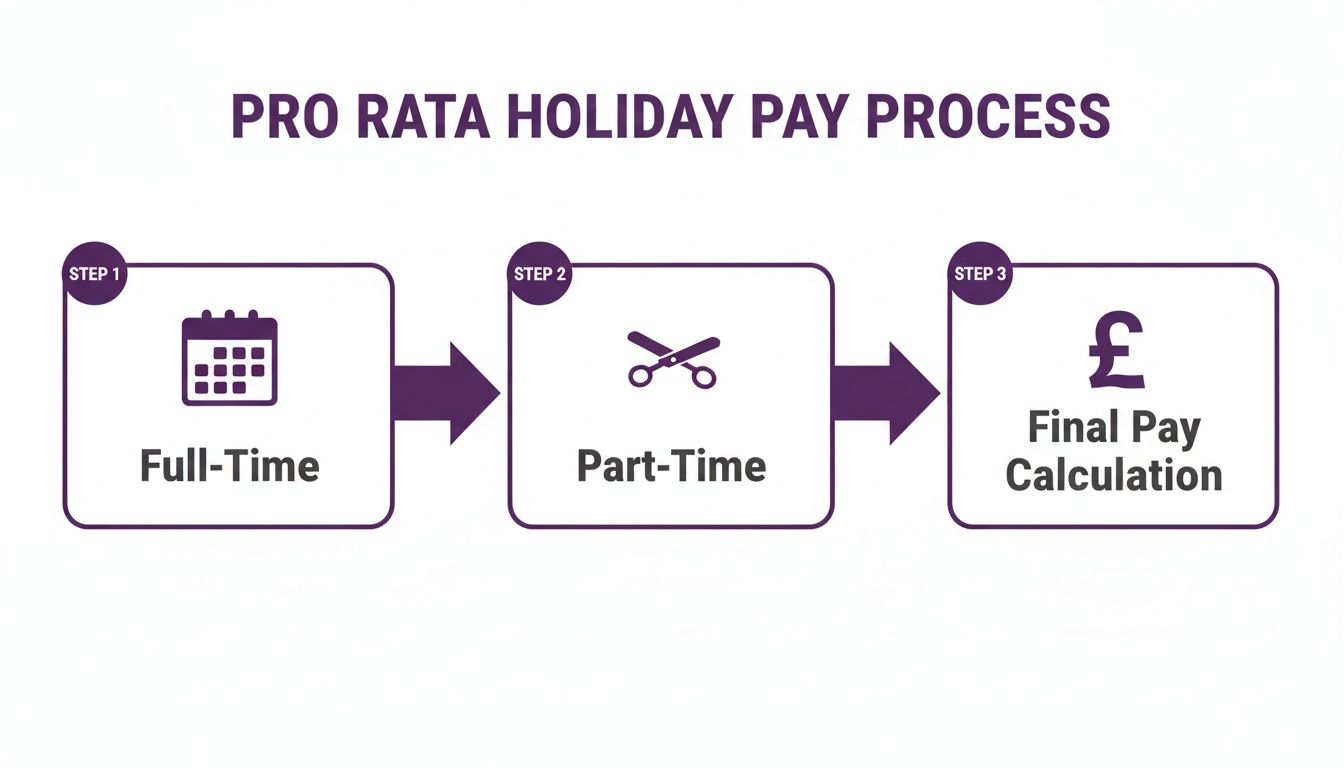
The key takeaway here is that each step demands a precise, accurate calculation. By automating this flow within Dynamics 365, you prevent costly errors at every stage.
The real beauty of this approach is its flexibility. You can build in UK-specific rules, like how to handle bank holidays for part-time staff or the common practice of rounding holiday entitlement up to the nearest half-day. Trying to get that level of customisation right in a generic spreadsheet is a recipe for disaster.
For a deeper dive into how a dedicated system can revolutionise your processes, check out our guide on Dynamics 365 for HR.
Handling Compliance And UK Specifics
A huge advantage of an integrated system is its ability to handle compliance automatically. Take the UK's National Minimum Wage, for example. It has a tiered structure with rates that change regularly. The latest update pushed the rate for workers aged 21 and over to £11.44 per hour, with different rates for younger staff and apprentices.
For mid-market companies with a diverse, mixed-age workforce, manually tracking these rates and applying them correctly during pro rata calculations is a major compliance headache. An integrated calculator can instantly pull the correct rate based on an employee's age and contract type, ensuring every payment is compliant. You can always check the current National Minimum Wage rates on GOV.UK.
A custom-built calculator in Dynamics 365 can be designed to factor in these nuances from the get-go. By storing an employee's date of birth and employment type in Dataverse, your Power Fx formulas can automatically apply the correct statutory rate, removing all the guesswork and human error from your payroll process.
The difference between sticking with spreadsheets and moving to an integrated system is stark. This table breaks down the real-world impact.
Manual Spreadsheets vs Integrated HR Systems
| Feature | Manual Calculation (Spreadsheets) | Integrated System (Dynamics 365) | Business Impact |
|---|---|---|---|
| Data Source | Multiple, disconnected files | Single source of truth (Dataverse) | Reduces errors and saves time spent cross-referencing data. |
| Accuracy | Prone to human error (typos, formula mistakes) | Automated, consistent calculations | Ensures accurate pay and entitlements, boosting employee trust. |
| Compliance | Manual updates required for new legislation | Rules can be updated centrally and applied automatically | Minimises risk of non-compliance with UK employment law. |
| Audit Trail | Difficult to track changes and verify calculations | All calculations are logged and traceable | Simplifies audits and provides clear accountability. |
As you can see, the benefits go far beyond simple convenience. An integrated approach has a direct, positive impact on accuracy, legal compliance, and employee trust.
Time to Ditch the Spreadsheets for Good
Let’s be honest. If you're constantly fighting fires with manual pro rata calculations, you're dealing with symptoms of a much bigger problem: a disconnected and outdated HR system. The endless risk of errors, the compliance headaches, and the sheer time drain are not going to be fixed by another spreadsheet patch. It's time for an HR platform that works as intelligently as you do.
Stop getting bogged down in administrative tasks and start building a truly strategic HR function. An integrated system gives you far more than just a slick pro rata calculator; it provides a single, reliable source of truth for all your employee data. This immediately cuts out the manual data entry that is, time and again, the root cause of costly payroll and holiday entitlement mistakes.
A Hire-to-Retire Solution That Actually Works
Here at DynamicsHub.co.uk, we specialise in helping businesses like yours transform their HR operations. We do this by implementing Hubdrive’s HR Management for Microsoft Dynamics 365—the leading hire-to-retire solution that is frankly more powerful and flexible than Microsoft's standard HR module.
This isn't just another tool to add to your tech stack. It's about making your existing investment in Microsoft work smarter. The platform handles the entire employee journey—from recruitment and onboarding to performance management and offboarding—all within the familiar, secure Microsoft 365 ecosystem your team already knows. For HR teams wanting to get ahead, a properly integrated system is a huge step to automate HR support, slashing manual work and freeing up valuable time.
When your pro rata calculator is embedded directly within your core HR system, every single calculation is automatically based on real-time, accurate data. This means every salary change, holiday accrual, and final payslip is correct, compliant, and completely auditable. No more second-guessing.
It's time to move towards a smarter, more efficient way of working that gives you back the time to focus on what really matters—your people.
Ready to see what an integrated solution can do for your HR operations? Phone 01522 508096 today, or send us a message to start the conversation.
Your Pro Rata Questions Answered
When you get down to the nitty-gritty of pro rata calculations, you'll inevitably run into some tricky situations. It's one thing to know the basic formula, but applying it to real-world scenarios like zero-hours contracts or maternity leave is where things can get complicated. Getting these details right isn't just about fairness; it's about staying on the right side of UK employment law.
Let's walk through some of the most common and practical questions we hear from UK HR teams. My goal is to give you clear, straightforward answers to help you navigate these complexities with confidence.
How Do You Calculate Pay For A Zero-Hours Contract Worker?
This is a classic headache. How do you work out holiday pay for someone whose hours are all over the place? Thankfully, UK law gives us a clear framework.
You need to use a 52-week reference period. The process involves looking back at the last 52 weeks in which the person actually earned money. You ignore any weeks they didn't work and received no pay. Then, you simply add up the total pay from those 52 weeks and divide by 52 to get their average weekly pay. This figure becomes the basis for their holiday pay, ensuring it genuinely reflects their typical earnings.
It's a crucial method for compliance, making sure your casual workers aren't penalised and that their holiday entitlement is directly linked to the work they've done.
What Is The Difference Between Pro Rata And Actual Time Worked?
I see this point of confusion crop up all the time, but the distinction is vital for getting contracts and payroll right. They’re two different ways of calculating pay for two different types of working arrangements.
- Pro Rata: Think of this as apportioning an annual salary. It’s the go-to method for salaried staff who work part-time or for figuring out pay when someone joins or leaves mid-month. For instance, if you have an employee on a £30,000 annual salary who works three days a week, their pay is calculated on a pro rata basis.
- Actual Time Worked: This is much more straightforward and is used for hourly employees. They get paid a specific rate for every single hour they work. There's no annual figure to scale; it's a simple multiplication of hours worked by their hourly rate.
So, in a nutshell: 'pro rata' is for scaling an annual salary down, while 'actual time worked' is for building pay up from an hourly rate.
Should Bonuses Be Included In Pro Rata Holiday Pay?
In many situations, yes, they absolutely should. A raft of UK and EU case law has established that statutory holiday pay has to reflect an employee's 'normal' remuneration. This means it's often more than just their basic salary.
For the 5.6 weeks of statutory holiday leave, you generally need to factor in payments like:
- Regular, non-discretionary commission payments.
- Payments for consistent, regular overtime.
- Other regular allowances tied directly to their job.
Truly discretionary bonuses that aren't linked to performance might be exempt. To be safe and compliant, it's best practice to prorate any regular, variable payments when calculating holiday pay. This ensures employees aren't financially worse off for taking the leave they're entitled to.
How Do You Handle Pro Rata Calculations For Maternity Leave?
This is an area where you cannot afford to make a mistake, as it directly impacts an employee's statutory rights. During maternity leave, the contract of employment continues, which means holiday entitlement keeps on accruing just as if the employee were at work.
When an employee comes back from maternity leave, you have to make sure their holiday entitlement for that year is spot-on. If they take six months of maternity leave, for example, they've earned half a year's worth of their normal holiday allowance. This time can be taken before they return, added to their entitlement for the next holiday year, or in some cases, paid in lieu if they decide not to come back.
If they return on different hours, you'll also need to run a fresh pro rata calculation for their salary based on their new working pattern. This ensures a fair, compliant, and smooth transition back into their role.
At DynamicsHub.co.uk, we believe in experiencing HR transformation built around your business. Hubdrive’s HR Management for Microsoft Dynamics 365 is the premier hire‑to‑retire solution—more powerful, more flexible, and more future‑ready than Microsoft Dynamics 365 HR.
To get expert help with automating your pro rata calculations and transforming your HR processes, phone 01522 508096 today or send us a message.


