

Effective GDPR training for staff isn't just another task to tick off an IT to-do list; it’s a core business strategy. When you get it right, you're not just complying with regulations. You’re arming every single employee with the knowledge to handle personal data correctly, protecting the business from eye-watering fines and the kind of reputational damage that’s hard to come back from.
Why GDPR Training Is a Business Essential, Not an IT Problem
It’s a common mistake to think data protection is purely the domain of the IT department. While your tech team is busy managing firewalls, encryption, and the technical side of security, the biggest risks are often human ones. Think about it: almost everyone in your organisation, from the front desk to the boardroom, handles personal data every day.
Take a look at these everyday situations in any typical UK business:
- An HR manager is processing a new starter’s Right to Work documents, which means handling passports and visa details within your HR system.
- Someone in sales uploads a list of contacts from a trade show into the CRM, but did they get clear consent for marketing emails?
- A customer service agent is on the phone, noting down sensitive personal details to sort out a customer's problem.
Each of these is a routine, necessary part of the job. But without the right training, they are also potential minefields. One simple mistake—an email accidentally sent to the wrong person, a work laptop left on a train, or just not understanding the rules around consent—can spiral into a serious data breach.
The Real-World Cost of Getting It Wrong
The consequences here aren't just theoretical. According to the Information Commissioner's Office (ICO), a staggering 80% of reported data breaches in the UK are caused by human error. For a mid-market company, a single breach could result in a fine of up to 4% of global annual turnover under UK GDPR.
We only need to look at the ICO's decision to fine the Cabinet Office £500,000 to see how seriously this is taken. A key factor in that decision was that their staff training was incomplete. This is a stark reminder that the financial hit is very real.
"Viewing GDPR as just an IT problem is like saying only the driver needs to wear a seatbelt. In reality, data protection is a collective responsibility, and every employee is a passenger who needs to understand the rules of the road to ensure a safe journey for the entire organisation."
Shifting from a Compliance Chore to a Company Culture
The goal is to move beyond seeing data protection as a box-ticking exercise and build it into your company's DNA. When your people understand why the rules exist, they become your most powerful line of defence. This takes more than a once-a-year, click-through slideshow. It’s about creating an environment where privacy is genuinely valued by everyone.
Proper GDPR training ensures employees don't just memorise the rules, but know how to apply them to their specific jobs. An HR professional, for instance, needs to be crystal clear on data retention policies for former employees. That’s a completely different challenge from a marketer who needs to navigate the complexities of e-privacy regulations for a new campaign. This kind of role-specific knowledge is what builds true resilience. A key part of this strategy is also defining who can access what, which you can read more about in our guide on what is role-based access control.
Building Your GDPR Training Curriculum
Deciding what to actually include in your GDPR training can feel like a huge task, but it doesn't need to be. From my experience, the most effective approach is a two-tiered one: lay a solid foundation for everyone, then build on it with specialised, role-specific training for teams handling sensitive data.
This way, everyone gets the essential knowledge they need to prevent common mistakes, while your high-risk departments get the detailed, practical guidance that keeps them—and the business—safe.
Core GDPR Concepts for All Staff
Every single person in your organisation, from the CEO to the newest apprentice, handles personal data in some way. That's why your universal training module needs to be sharp, concise, and focused on the absolute fundamentals.
Think of it as the basic data safety training everyone needs to have. It's about building muscle memory around good data habits. To do this, you need to cover three critical areas that give staff the practical tools to act responsibly every day.
- The Seven Key GDPR Principles: Don't just list them; make them relatable. Explain concepts like purpose limitation (only using data for the reason you got it) and data minimisation (not grabbing more data than you need). I often use an analogy: treat personal data like a valuable item you've borrowed from a friend. You’d only use it for the agreed-upon reason, you'd keep it safe, and you'd return it promptly. It just clicks.
- Essential Individual Rights: Your team doesn't need to be lawyers, but they absolutely must recognise when a customer or colleague is exercising a right. Focus on the most common ones, like the right to access their data or the right to erasure (the ‘right to be forgotten’). The key takeaway for them is simple: spot the request and immediately escalate it to the right person.
- How to Spot and Report a Potential Data Breach: This is non-negotiable and arguably the most important piece. Everyone needs to understand that a "breach" isn't always some massive cyber-attack. It could be as simple as sending an email to the wrong person or leaving a work laptop on the train. A crucial part of this is hammering home a no-blame culture for reporting. The sooner you know, the faster you can act.
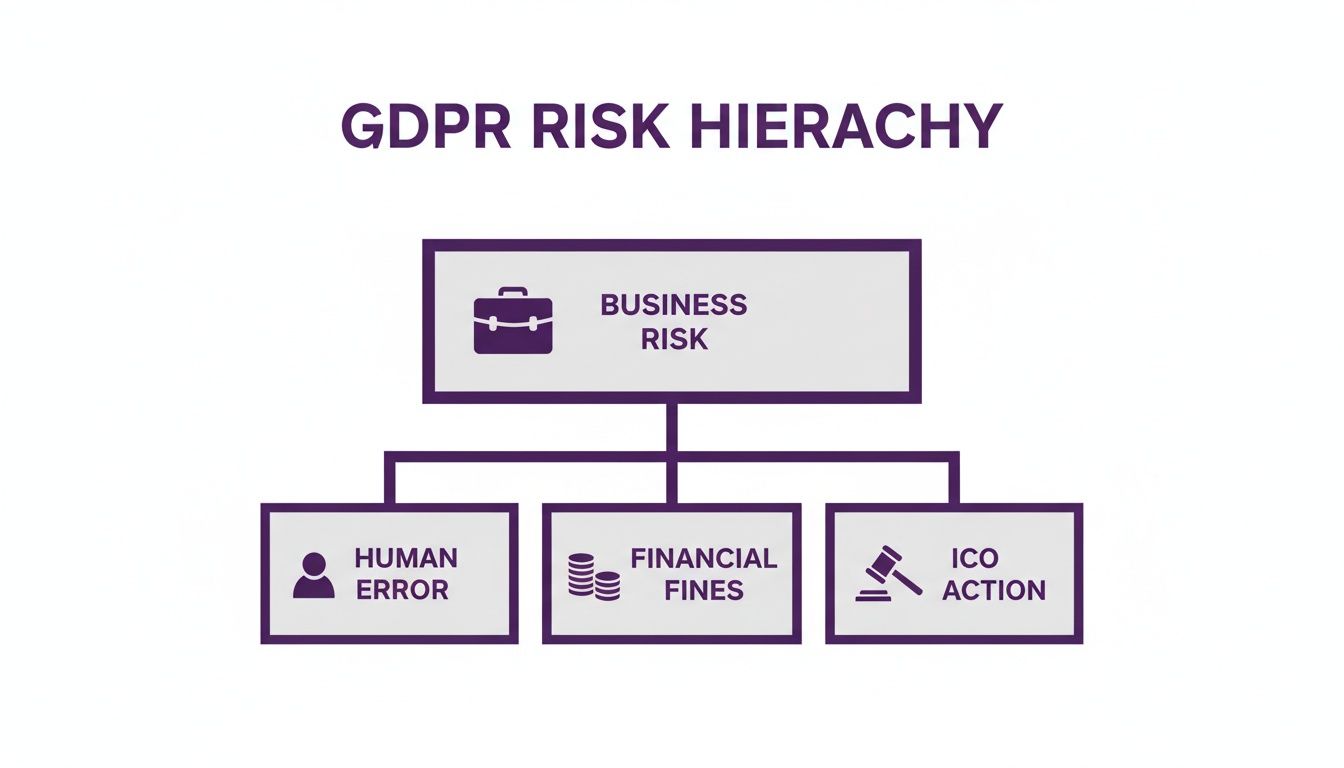
As you can see, human error is the starting point for some very serious business risks. Effective training is your first and best line of defence.
Tailoring Training for High-Risk Roles
Once that baseline is set, it's time to get specific. The departments that handle the most sensitive data need more than the basics; they need training that speaks directly to their daily work.
A one-size-fits-all approach to GDPR training is a recipe for failure. Your HR team's data challenges are vastly different from your sales team's. Effective training acknowledges this by providing relevant, role-specific scenarios that resonate with their day-to-day work.
Let’s get practical and look at what this means for a few key departments.
To help structure this, here’s a framework that breaks down the essential modules for different teams.
GDPR Training Curriculum Framework
This table outlines a sample curriculum, separating the universal foundation from the more specialised, department-specific content.
| Module Topic | Target Audience | Key Learning Objectives |
|---|---|---|
| GDPR Fundamentals | All Staff | Understand the 7 key principles, recognise individual rights requests, and know how to report a potential data breach immediately. |
| HR Data Management | HR Department | Correctly identify the lawful basis for processing employee data, manage special category data, and apply correct data retention periods. |
| Marketing & Sales Compliance | Sales, Marketing | Differentiate between opt-in and soft opt-in consent, manage CRM data hygiene, and provide clear privacy notices at data capture points. |
| Technical & Security Measures | IT, Security | Implement robust access controls in Microsoft 365, follow the technical incident response plan, and conduct due diligence on third-party vendors. |
This tiered structure ensures training is always relevant and effective, rather than a generic box-ticking exercise.
Human Resources
Your HR team holds the keys to some of the most sensitive data in the entire business. Their training needs to be rock-solid, especially if they're using a powerful, centralised system like Hubdrive's HR Management for Microsoft Dynamics 365.
Key topics should include:
- Lawful Basis for Processing: When do you rely on a contract versus legitimate interest for processing employee data? They need to know the difference.
- Special Category Data: Handling sensitive information like health records or trade union membership requires the highest level of care.
- Data Retention: Knowing the official retention periods for applicant data, ex-employee files, and disciplinary records—and how to automate this in the HR system. For a deeper dive on this, check out our guide to Data Protection by Design.
Sales and Marketing
These teams are on the front line, collecting data from prospects and customers every day. Their training has to be laser-focused on consent and clear communication.
- Consent Management: What really constitutes valid consent for marketing? The difference between a soft opt-in and explicit consent is a common tripwire.
- CRM Data Hygiene: How to manage contact lists, action unsubscribe requests instantly, and ensure the data in your Dynamics 365 Sales hub is accurate and relevant.
- Privacy Notices: Making sure clear, simple privacy information is provided right at the point of data collection, whether that’s a web form or a sign-up sheet at an event.
IT and Security
Your tech teams are the guardians of the infrastructure. Their training must go beyond the basics and get into the specific technical and organisational measures required by GDPR.
- Security in Microsoft 365: Actually using the tools at their disposal, like Microsoft Entra ID for tight access control and implementing data loss prevention (DLP) policies.
- Incident Response: Knowing the technical playbook for a data breach inside-out, from containment and investigation through to recovery.
- Vendor Due Diligence: How to properly assess the data protection standards of any third-party software or service before it gets anywhere near your systems.
By building your curriculum with these two layers—a universal foundation and role-specific modules—you create a programme that is not only efficient but genuinely effective at reducing your organisation's risk.
Choosing the Right Way to Deliver Your GDPR Training
You've mapped out a solid curriculum. Now comes the crunch decision: how are you actually going to deliver this GDPR training for staff? Get this right, and you’ll have an engaged team that genuinely understands their responsibilities. Get it wrong, and you’re just ticking a box, with people clicking through slides just to make the notification go away.
Too many organisations stumble here. They default to the cheapest or quickest option, overlooking their own culture, how their teams are structured, or the specific risks different roles carry. Trust me, a generic, one-size-fits-all approach is a recipe for failure.
Old School vs. New School Training
Let's look at the options. A traditional, in-person workshop can be fantastic for getting people involved. You get real-time questions, lively group discussions, and can really dig into complex scenarios. The snag? They're often pricey and a logistical nightmare to scale, especially if your teams are spread out or work remotely.
On the flip side, self-paced e-learning modules offer total flexibility. They're consistent, scalable, and staff can complete them whenever it suits. The big risk, however, is that they can be incredibly dry. If the design is poor, you’ll see engagement and knowledge retention plummet.
The secret I've seen work time and again is a blended approach. Think of it like this: a foundational e-learning module for everyone gets the basics covered. Then, for your high-risk HR team, you follow up with an interactive, scenario-based workshop on Microsoft Teams. This hybrid model gives you scale and targeted, meaningful learning.
It's about finding that sweet spot that gives you the best of both worlds.
Making the Most of Your Microsoft 365 Toolkit
For most UK businesses, the tools you need to build a brilliant, integrated training programme are already part of your Microsoft 365 subscription. This isn't about splashing out on another system; it's about making your existing investment work harder for you. It’s not just cost-effective – it slots learning right into your team’s daily routine.
Here are a few practical ways to do it:
- Run interactive sessions on Microsoft Teams: Don't just lecture over a video call. Use breakout rooms for small groups to tackle specific data protection problems. Run polls to check understanding on the fly and use the Q&A feature to clear up confusion as it happens.
- Build learning paths with Microsoft Viva: With Viva Learning, you can pull together all your training content—your own custom videos, documents on SharePoint, and even external courses—into a structured programme. You can then assign modules to specific teams and track their progress, all within the Teams environment they use all day.
- Create on-demand resources with SharePoint and Stream: Set up a central GDPR hub on SharePoint. Record short, sharp training videos with Microsoft Stream explaining key tasks, like handling a data subject access request. Make them easy to find so staff can get a quick refresher exactly when they need it.
The Power of "Just-in-Time" Micro-learning
The real game-changer is shifting from one-off training events to continuous, contextual learning. This means giving people small, relevant bits of information at the precise moment they need them. This is where a deeply integrated HR system really proves its worth.
Take a platform like Hubdrive’s HR Management for Microsoft Dynamics 365, which we implement and support for organisations in the UK. It's built on the same core platform as your other Microsoft tools, allowing you to create these powerful, in-the-moment learning opportunities.
Here’s a real-world example:
An HR manager starts the offboarding process for a departing employee in the system. As they do, a pop-up appears with a concise reminder of your data retention policy for leavers, complete with a direct link to the full policy document on SharePoint. That's not just training; it's practical, real-time guidance that prevents mistakes.
Comparing the Cost and Impact
When you're budgeting, you need to look past the initial price tag. Think about the total cost of ownership and, more importantly, the actual impact on your business.
Here’s a rough breakdown for training a team of 100 employees in the UK:
| Delivery Method | Estimated Cost (GBP) | Key Pros | Key Cons |
|---|---|---|---|
| External In-Person Workshop | £5,000 – £10,000+ | High engagement, direct expert access. | High cost per head, logistical challenges, poor scalability. |
| Off-the-Shelf E-Learning | £1,500 – £4,000 (annual licence) | Scalable, consistent, lower cost. | Can be generic, low engagement, may not fit your specific processes. |
| Internal Microsoft 365 Delivery | £500 – £2,000 (content creation) | Highly customised, integrated into workflow, uses existing tech. | Requires internal time and effort to create and maintain content. |
As you can see, using the tools you already have in Microsoft 365 is often the most cost-effective and powerful option. The upfront effort to create your own content pays off massively in relevance and long-term effectiveness. This way, your GDPR training for staff becomes a living part of your operations, not just an annual chore.
How to Assess Understanding and Prove Compliance
Ticking a box to say someone has "completed" training is one thing. Knowing they've actually understood it is another entirely. If the Information Commissioner's Office (ICO) ever comes knocking after a data breach, a simple attendance list won't be enough. They'll want to see real evidence that your GDPR training for staff was effective, that your people grasped their responsibilities, and that you have the records to prove it.
This is where you build your audit trail. It’s not just paperwork; it’s the definitive proof that you take data protection seriously. The goal is to shift from just tracking course completion to actively measuring comprehension, creating a rock-solid record-keeping system that will stand up to any scrutiny.
Going Beyond the Completion Certificate
A certificate of completion is a good start, but it’s certainly not the finish line. To be truly confident in your compliance, you need to test how your employees would apply what they’ve learned in their day-to-day roles. The good news is that the tools you likely already use within Microsoft 365 make this much easier than you might think.
Here are a few practical ways we see clients measure understanding:
-
Quick Quizzes in Microsoft Forms: Right after a training module, deploy a short, multiple-choice quiz. Focus on the essentials, like spotting the seven GDPR principles or knowing what a subject access request looks like. The aim here isn't to fail people, but to reinforce the key takeaways and quickly identify any topics the team is struggling with.
-
Real-World Scenario Tests: This is where the rubber really hits the road. Give your team realistic situations they could genuinely face. For example: "A customer sends a message on LinkedIn asking for a copy of all their data. What are the first three things you must do?" This tests practical application, not just rote memorisation.
-
Live Polls in Microsoft Teams: If you're running a live training session, use the polling feature in Teams for some quick-fire questions. It’s a brilliant way to keep everyone engaged and gives you an immediate feel for whether a concept has landed or needs more explanation.
The true measure of great training isn't a pass mark on a quiz. It’s the confident, correct actions your staff take when faced with a real-life data protection challenge. Your entire assessment process should be geared towards building that confidence.
By mixing these methods, you start to gather incredibly valuable data. You move from knowing who was trained to understanding how well they were trained.
Building an Audit-Ready Record-Keeping System
Once you've got this assessment data, it needs a home—a single, reliable, and centralised one. Scattered spreadsheets and old email chains just won't cut it during an ICO audit. You need a single source of truth that ties training records directly to employee profiles, creating a complete and instantly accessible compliance history for every single person.
This is where integrating your HR and compliance processes really starts to pay off, and the Microsoft ecosystem provides the perfect foundation.
Your Record-Keeping Toolkit:
- SharePoint Lists: Think of this as your master log for all training activities. You can easily create columns to track employee names, completion dates, quiz scores, and even the specific version of the training they took. It provides a clean, chronological record of your entire programme.
- Power BI Dashboards: This is where your data comes to life. By connecting Power BI to your SharePoint list and Microsoft Forms results, you can build visual, interactive dashboards. At a glance, you can see overall completion rates, pinpoint departments that might need a refresher, and track your progress over time.
- Power Automate for Reminders: Put your annual refresher training on autopilot. With Power Automate, you can set up a simple workflow that automatically sends a reminder email and a Teams notification to an employee when their annual GDPR training is due, triggered by their last completion date in SharePoint.
To help you decide on the best approach for your organisation, let's look at the different ways you can manage these records within the Microsoft stack.
Training Assessment and Record-Keeping Options
| Method | Description | Pros | Cons |
|---|---|---|---|
| Microsoft Forms & SharePoint | Use Forms for quizzes and store results manually or via Power Automate in a central SharePoint list. | Low cost (uses existing M365 licences). Highly customisable. Good for smaller organisations. | Can be manual to manage. Reporting requires separate Power BI setup. Not directly linked to a core HR profile. |
| Learning Management System (LMS) | A dedicated platform for delivering and tracking training, which may or may not integrate with M365. | Purpose-built for training. Often has advanced features like course authoring and gamification. | Adds another system and cost. Integration with HR systems can be complex or non-existent. Data is siloed. |
| Embedded in Dynamics Hub (HR) | Training, assessment, and record-keeping are all managed within the core HR system in Dynamics 365. | Single source of truth. Training records are part of the permanent employee file. Powerful, integrated reporting. | Requires investment in a unified HR solution. Might be overkill for very small companies. |
While standalone tools can work, the real power comes from a fully integrated system where training records are a natural part of your central HR solution.
The Power of an Integrated HR Solution
These individual tools are great, but their true potential is unlocked when they're part of a central HR management system. A solution like Hubdrive’s HR Management for Microsoft Dynamics 365, which we implement and support for organisations in the UK, becomes the command centre for all employee data, including their complete training and compliance history.
Picture this: an auditor asks for proof of GDPR training for your entire marketing team, covering the last three years.
Instead of a frantic scramble through different files and spreadsheets, you simply run a report from your HR system. In seconds, that report pulls together:
- Every team member’s complete training history.
- The exact dates of their initial and refresher courses.
- Their assessment scores for each module.
- Direct links to the training materials they reviewed.
This level of integration turns a stressful, time-consuming audit request into a simple, two-minute task. More importantly, it provides the ICO with a clear, professional, and undeniable record of your commitment to data protection. It demonstrates that your GDPR training for staff isn’t just a policy you wrote down once, but a managed, measured, and living part of your company culture.
Keeping Data Protection Top of Mind All Year Round
Getting that initial round of GDPR training for staff done and dusted is a great achievement. But it’s the beginning, not the end. The single biggest mistake I see organisations make is treating data protection like a project with a finish line. To really ingrain a culture of privacy, you have to shift from a once-a-year event to a constant, everyday conversation.
That's how you turn abstract knowledge into instinct. It's about creating an environment where checking for data privacy is as automatic as locking the office door when you leave. The aim is to keep GDPR principles front and centre all year, not just during a scheduled training slot.
From Annual Chore to Continuous Reinforcement
An annual refresher is a must-have for compliance, but its true power is unlocked when it's part of a wider, continuous strategy. Let's be honest, a once-a-year session often feels like a box-ticking exercise that people rush through. Consistent, gentle reinforcement is what makes the knowledge stick.
You can automate a huge chunk of this using the Microsoft tools you likely already have. Think about it: using Power Automate, you can set up a simple workflow. When an employee's training completion date (stored in your HR system) is approaching its one-year anniversary, the flow can automatically ping them a reminder on Teams and Outlook. Just like that, no one falls through the cracks.
I’ve found that the most effective data protection cultures are built on small, consistent actions, not grand annual gestures. A quick, two-minute chat about a recent data breach in a team meeting often has more staying power than a two-hour yearly presentation.
Practical Tips for Everyday Awareness
Beyond the formal training, there are plenty of simple but powerful ways to keep data security in everyone's minds. The trick is to weave these reminders into the communication channels you already use, making them a natural part of the workday.
- Chat on Microsoft Teams: Set up a dedicated channel for security and compliance updates. You can drop in links to news stories about recent data breaches, share quick tips on spotting a phishing email, or announce a minor update to your internal privacy policy.
- Talk in Team Meetings: Add a five-minute "Data Privacy Moment" to your regular meeting agendas. It could be a quick discussion about a real-world scenario or a reminder of a specific process, like how to securely dispose of documents.
- Use Visual Cues: Don't underestimate the power of simple posters or digital screen messages in shared spaces. A well-placed "Think before you click" or "Protect our customers' data" can make a real difference.
- Recognise Good Behaviour: When someone spots a potential phishing attempt or handles a data request perfectly, call it out. A bit of positive reinforcement demonstrates that the business genuinely values this stuff.
These small, steady nudges are what keep security front and centre. It creates an ongoing dialogue, which is always going to be more effective than a once-a-year lecture.
Fostering a Culture with Privacy Champions
To really embed this culture, it helps to have advocates on the inside. This might be a formal Data Protection Officer (DPO), or it could be an informal network of "privacy champions"—people from different departments who are enthusiastic and can act as the first point of contact for questions.
These champions are brilliant because they can translate broad GDPR principles into the specific context of their team's daily work. They can lead discussions, flag concerns, and serve as a crucial bridge between staff and the compliance leadership. Their role is to make data protection feel accessible and relevant, turning it from a set of abstract rules into a shared responsibility. This proactive stance is key to building a resilient business and aligns with the policies we detail in resources like our employment handbook template.
So, What’s Next?
Getting your GDPR training right is a massive win, but let's be honest, it's just one piece of the puzzle. Real HR transformation is about weaving security and efficiency into the very fabric of your organisation. It’s about building something that’s not just compliant today, but ready for whatever comes next.
That’s where we can really help. We've seen firsthand how Hubdrive’s HR Management for Microsoft Dynamics 365 can completely change the game. It’s a comprehensive hire-to-retire solution that goes far beyond the standard Microsoft Dynamics 365 HR, embedding compliance and best practices directly into your daily workflows. Think of it as your foundation for a smarter, more secure HR function.
If you’re ready to move beyond ticking boxes and build a truly robust HR ecosystem, let's have a chat. Give us a call on 01522 508096, or if you prefer, send us a quick message and we'll get right back to you.
Common Questions About GDPR Staff Training Answered
When you're rolling out a GDPR training programme, a few key questions always come up. Here are the straight answers we've learned from years of helping UK businesses get this right.
How Often Do We Really Need to Train Staff?
The ICO is clear on this: every new starter needs GDPR training as part of their induction. No exceptions. After that, you need to run a mandatory refresher for everyone at least once a year. Think of it as an annual MOT for your data protection knowledge.
But let's be realistic. For teams handling a lot of personal data – I’m looking at you, HR, marketing, and finance – once a year isn't going to cut it. For these high-risk roles, we strongly recommend more focused sessions. A quarterly or bi-annual check-in is a great rhythm to keep everyone sharp and up-to-date on new threats.
What Kind of Training Records Will Satisfy the ICO?
If the ICO ever comes knocking, a simple sign-in sheet won't be enough to prove you've done your due diligence. You need to be able to show them a complete picture of your training efforts.
Your records must be detailed and easy to access. Make sure you're logging:
- Which employees attended and when.
- A clear outline of the topics you covered.
- Copies of the actual training materials you used.
- Crucially, the results of any tests or quizzes that prove people actually understood it.
This is where a centralised system becomes invaluable. Using a tool like Hubdrive's HR Management (which sits right inside Microsoft Dynamics 365) means you can attach these training records directly to each employee's profile. It creates a single, audit-ready report that's always up to date.
Can We Just Use an Online Course and Be Done With It?
Yes, online e-learning can absolutely be a compliant and effective way to deliver your GDPR training for staff. But there's a catch.
A boring, click-through slideshow with no real interaction just won't cut it. To be truly compliant, your e-learning must have a proper assessment at the end to prove that your staff have absorbed the information.
The content needs to be thorough, engaging, and specifically relevant to UK GDPR.
From what we've seen, the best results often come from a 'blended' approach. You can use a scalable e-learning module for the foundational knowledge and then follow up with interactive Q&A sessions on Microsoft Teams. This allows you to dive into specific, real-world scenarios that are relevant to different departments.
We are DynamicsHub.co.uk. Experience HR transformation built around your business. Hubdrive’s HR Management for Microsoft Dynamics 365 is the premier hire‑to‑retire solution—more powerful, more flexible, and more future‑ready than Microsoft Dynamics 365 HR.
Phone 01522 508096 today, or send us a message.


