A successful employee journey begins long before their first day. A structured, comprehensive onboarding process is the single most effective tool for transforming a promising new hire into a productive, engaged, and long-term member of your team. Yet, many UK mid-market organisations struggle with disjointed, manual, and inconsistent onboarding, leading to confusion, early disengagement, and costly turnover. A poorly executed first impression can undermine an employee's confidence and connection to the company from the outset, increasing the likelihood of them leaving within the first year.
This article provides the ultimate 10-point onboarding checklist new employees deserve, designed specifically for UK businesses operating on the Microsoft 365 ecosystem. We will explore each critical stage, from pre-boarding paperwork and UK-specific compliance like 'Right to Work' checks, to first-week integration and a 90-day development plan. It's about creating a seamless, professional welcome that makes new hires feel valued and prepared. Part of making a great first impression involves establishing a professional digital presence from the start, such as by securing professional AI corporate headshots for internal profiles and company directories.
Crucially, we’ll demonstrate how each step of this checklist can be automated and optimised using the power of Microsoft Dynamics 365 and the Power Platform. By leveraging these tools, you can create a world-class, consistent experience that not only meets compliance requirements but also sets the stage for success from day one. This guide offers actionable steps to move beyond manual processes and build an onboarding system that actively contributes to employee retention and organisational growth.
1. Complete Paperwork and Legal Documentation
The foundational first step in any robust onboarding checklist for new employees is managing the essential paperwork and legal documentation. This administrative phase is critical for establishing a formal employment relationship, ensuring legal compliance, and protecting both the organisation and the new hire from the outset. It involves the systematic collection and processing of all necessary documents, including employment contracts, tax forms (such as the P45 or starter checklist for HMRC), and bank details for payroll.
For UK mid-market organisations, this stage carries specific compliance burdens, most notably conducting mandatory Right to Work checks and obtaining GDPR consents. Mishandling these can lead to significant legal penalties and reputational damage. This is why automating the process is no longer a luxury but a necessity for efficient and compliant onboarding.
How to Automate and Streamline Documentation
At DynamicsHub, our HR Management for Dynamics 365 solution transforms this traditionally manual process into a seamless, automated workflow. Instead of a disjointed series of emails and attachments, new hires receive a single, secure link to a personalised pre-boarding portal.
Within this portal, they can:
- Digitally Sign Contracts: Review and electronically sign their employment contract, with the signed copy automatically filed in their secure digital employee record within your Microsoft 365 tenant.
- Complete HMRC Forms: Fill out the necessary starter checklist details for payroll, eliminating manual data entry and reducing errors.
- Submit Right to Work Evidence: Our integrated UK Right to Work module provides a guided process for uploading required identity documents, such as a passport or visa. You can find out more about your obligations by reading our guide to compliant UK Right to Work checks.
This entire workflow is tracked, with automated reminders sent for any outstanding items and alerts flagging potential issues for HR. For example, a new Sales Director can complete their entire document submission from their personal device before day one, ensuring they are fully compliant and ready to be added to the payroll system without any last-minute administrative panic.
2. IT Setup and Equipment Provisioning
A seamless start for any new employee is impossible without the right tools, making IT setup and equipment provisioning a cornerstone of an effective onboarding checklist for new employees. This critical pre-boarding step involves preparing all the necessary hardware, software licences, and system access before an employee’s first day. It ensures that from the moment they arrive, they are equipped to be productive, integrated, and secure within your technical ecosystem.
For UK mid-market organisations, this process is not just about convenience; it is a vital security and compliance measure. Properly provisioning access to systems like Dynamics 365 and Microsoft 365, while adhering to GDPR principles of data minimisation, is essential. A disorganised IT onboarding process creates security vulnerabilities, frustrates new hires, and wastes valuable time for both the employee and the IT team on day one.

How to Automate and Streamline IT Provisioning
At DynamicsHub, we leverage the power of the Microsoft Power Platform to automate the entire IT provisioning workflow, triggered directly from our HR Management for Dynamics 365 solution. When an HR manager marks a new hire’s contract as signed, it initiates a secure, automated process that eliminates manual email chains and spreadsheets.
This integrated workflow automatically:
- Creates Service Tickets: A ticket is generated in your IT service management system (like ServiceNow or a Power App) with all necessary details, specifying the required hardware (laptop, monitor, phone) based on the new hire’s role.
- Provisions User Accounts: A Power Automate flow triggers the creation of a new user account in Microsoft Entra ID (formerly Azure AD), automatically assigning them to the correct security groups and distribution lists.
- Assigns Software Licences: The system assigns necessary licences for Microsoft 365, Dynamics 365, and other integrated applications, ensuring the correct permissions are applied from the start.
This automated sequence ensures everything is tested and ready before the new employee arrives. For instance, when a new Finance Analyst joins, the system can automatically provision their laptop with the required security software, grant them access to the Finance team’s SharePoint site, and assign a Dynamics 365 Finance licence, all without manual intervention. You can explore how different platforms compare in our guide to the best employee onboarding software.
3. Office Access and Security Clearance
A seamless transition into the workplace relies heavily on granting the new hire appropriate physical and digital access. This crucial component of the onboarding checklist for new employees involves arranging building access, assigning parking spaces, and issuing security credentials. Neglecting this step can lead to a frustrating first day where an employee is left waiting for access, unable to enter the office or log into essential systems, immediately hindering their productivity and integration.
For UK mid-market organisations, particularly those in regulated industries, this process is intertwined with stringent security protocols and data protection responsibilities. It's not just about convenience; it’s about maintaining a secure environment and ensuring that access levels are correctly assigned according to role-specific requirements from day one. This prevents unauthorised access to sensitive company or client information, safeguarding against potential breaches.
How to Automate and Streamline Access Management
DynamicsHub extends its HR Management for Dynamics 365 solution to integrate with your IT and facilities management processes, creating a unified and automated access request system. This eliminates manual, insecure email chains and ensures all access permissions are pre-approved and provisioned before the employee’s start date.
Our platform enables you to:
- Trigger Automated Access Requests: Once an employment contract is signed within the pre-boarding portal, the system automatically triggers tasks for IT and Facilities. This can include creating network credentials, setting up an email address, and requesting a security pass.
- Manage Role-Based Permissions: Define access templates based on job roles within Dynamics 365. When a new "Finance Analyst" is hired, the system automatically requests the standard access levels for finance systems, shared drives, and specific office zones.
- Track Provisioning Status: HR and hiring managers can view the status of all access-related tasks in a centralised dashboard. Automated reminders are sent to IT or Facilities for any pending actions, ensuring nothing is missed.
For example, when a new Project Manager joins, their line manager can confirm their required software licences and building access level during the pre-boarding stage. This information flows directly to the relevant departments, ensuring their laptop, login details, and security badge are ready for collection on their first morning, providing a secure and welcoming start.
4. Department Introduction and Team Meetings
Beyond the technology and paperwork, successful onboarding hinges on human connection. Structuring department introductions and team meetings is a crucial part of the onboarding checklist for new employees, transforming a new starter from an outsider to an integrated team member. This involves a carefully planned series of one-on-one meetings with their direct manager, introductions to the immediate team, and initial conversations with key cross-functional partners.

This process is about more than just names and job titles; it's about establishing communication channels, clarifying roles and responsibilities, and fostering a sense of belonging from day one. A well-orchestrated introduction plan prevents the new hire from feeling isolated and helps them understand the organisational landscape quickly.
How to Automate and Streamline Introductions
DynamicsHub's HR Management for Dynamics 365 automates the logistical challenges of scheduling and tracking these vital introductory meetings. Instead of a manager manually piecing together a calendar, our solution can trigger an automated workflow as soon as the new hire’s profile is created.
This automated onboarding journey can:
- Generate a Meeting Schedule: Automatically populate the new employee’s Outlook calendar with a pre-defined series of introductory meetings spread across their first two weeks. This includes meetings with their manager, key team members, and an assigned onboarding buddy.
- Provide Context and Agendas: Each calendar invitation can be pre-populated with a template that includes the attendees' roles, key talking points, and links to relevant documents on SharePoint, ensuring every meeting is productive.
- Track Completion: The HR team and the hiring manager can view a dashboard within Dynamics 365 to see which introductory meetings have been completed, ensuring no crucial connection is missed.
For example, a new Marketing Manager joining your team can have their first week’s calendar automatically filled with a daily check-in with their line manager, an informal team coffee chat, and one-on-one sessions with the Head of Sales and the Product Development lead, all scheduled and tracked through a centralised, automated system. This ensures they build the necessary network to succeed without manual oversight.
5. Job Role and Responsibilities Clarity
One of the most critical elements in any effective onboarding checklist for new employees is establishing absolute clarity around their job role and responsibilities. Ambiguity is the enemy of productivity and engagement; without a clear understanding of what success looks like, even the most talented new hire will struggle. This step involves a comprehensive discussion and clear documentation of specific duties, performance expectations, key metrics, and decision-making authority.
For UK mid-market organisations, defining roles with precision is essential for aligning individual contributions with broader business objectives. It moves beyond a simple job description to a dynamic framework for performance. This ensures new starters understand not just what they need to do, but why it matters and how their performance will be measured from day one.
How to Automate and Streamline Role Clarity
At DynamicsHub, our HR Management for Dynamics 365 solution integrates role clarity directly into the onboarding journey. It provides a centralised platform for managers and new hires to collaboratively define, track, and review performance expectations, preventing crucial details from getting lost in email chains or forgotten after initial meetings.
Within our integrated platform, you can:
- Create and Assign 90-Day Plans: Build structured 30-60-90 day plan templates with specific milestones, learning objectives, and performance targets. These can be assigned directly to the new employee’s profile for transparent tracking.
- Set and Monitor KPIs: Define and document key performance indicators (KPIs) for the role. These are visible to both the employee and their manager, creating a shared understanding of success.
- Automate Review Cadences: Schedule and automate reminders for weekly check-ins and formal progress reviews (e.g., at the 30, 60, and 90-day marks), ensuring consistent feedback and support are built into the process.
This workflow ensures a new Marketing Manager, for example, has their first 90 days mapped out with clear targets for lead generation, campaign execution, and team integration. This structured approach, managed within Dynamics 365, transforms role clarity from a one-off conversation into a continuous, data-driven process that empowers new employees to succeed.
6. Company Culture and Values Orientation
Beyond the practicalities of a new role, immersing a new hire in your company’s culture and values is a vital part of a successful onboarding checklist for new employees. This orientation moves beyond tasks and processes to explain the why behind your organisation: its mission, vision, core beliefs, and the behavioural norms that shape everyday interactions. A strong cultural induction helps new starters align with your identity and understand how they contribute to the bigger picture.
For UK mid-market organisations, a clear and early cultural orientation is crucial for retention and engagement. It establishes a sense of belonging and purpose from day one, helping to integrate new employees into the fabric of the company quickly. Neglecting this step can lead to a disconnect where an employee performs tasks but never truly feels part of the team or committed to the company’s long-term success.
How to Automate and Streamline Cultural Onboarding
At DynamicsHub, our HR Management for Dynamics 365 solution facilitates a consistent and engaging cultural introduction by integrating it directly into the onboarding journey. You can use the pre-boarding portal and onboarding tasks to deliver a structured, media-rich cultural orientation.
Within the onboarding workflow, you can:
- Share a CEO Welcome Video: Embed a video message from your leadership team discussing the company's history, mission, and vision, creating an immediate personal connection.
- Deliver Interactive Values Training: Assign a learning module or presentation through Microsoft Viva that details your core values with real-world examples, such as case studies of how those values influenced key business decisions.
- Schedule Culture-Focused Meetings: Automatically schedule introductory meetings with a designated "culture buddy" or key team members whose roles exemplify the company’s values, ensuring new hires see the culture in action.
This ensures every employee, regardless of their role, understands the foundational principles that drive the business, creating a more cohesive and motivated workforce.
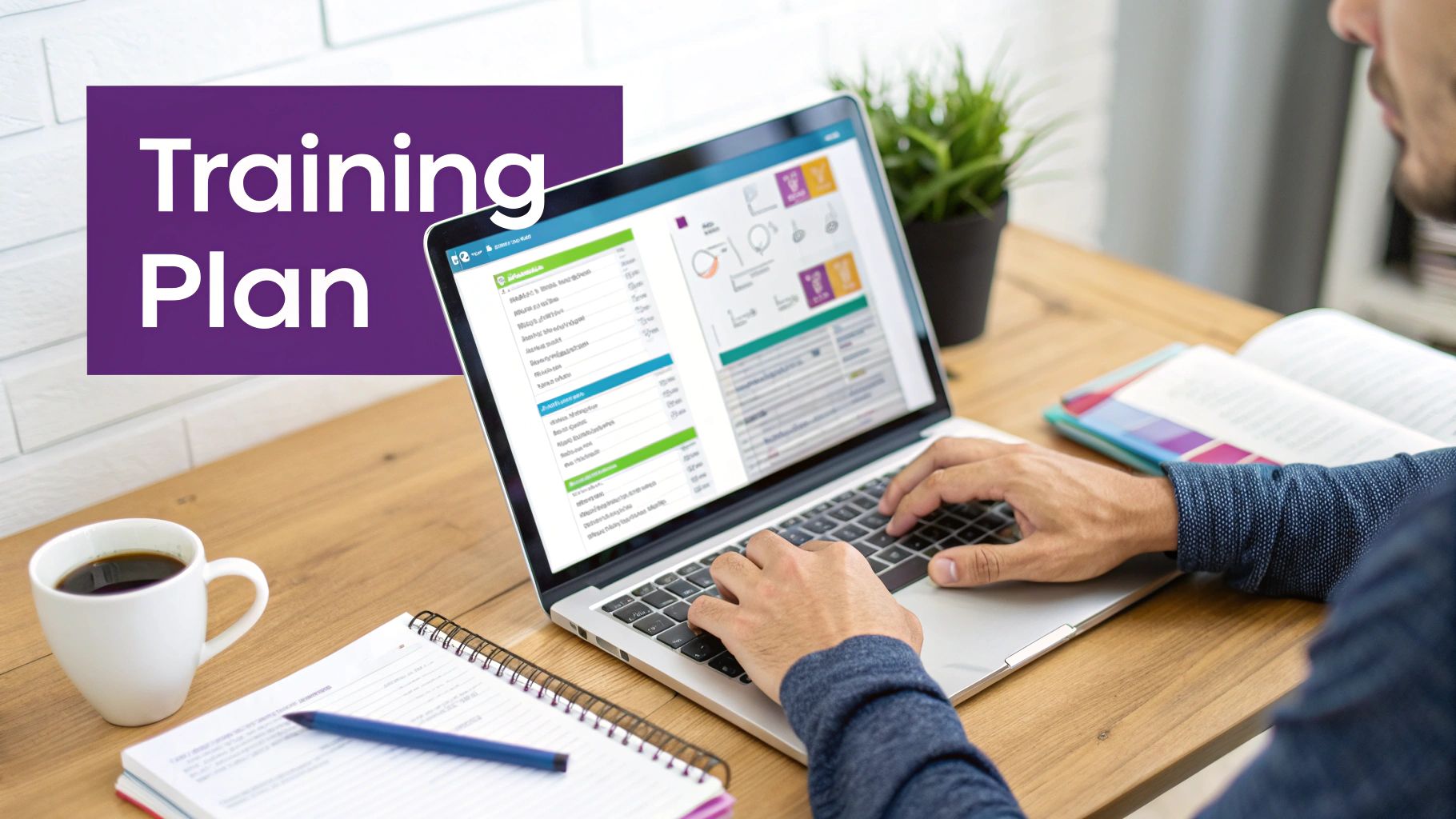
7. Training and Skill Development Plan
A crucial element of any successful onboarding checklist for new employees is a structured training and skill development plan. Simply providing access to company systems is not enough; a new hire must have a clear, guided path to proficiency. This plan outlines all necessary training, courses, certifications, and hands-on activities required for the role, establishing a clear timeline and providing the resources needed to accelerate their journey from newcomer to confident contributor.
For UK mid-market organisations, a formalised training plan is essential for ensuring consistency, measuring progress, and maximising the return on investment in new talent. It transforms onboarding from a passive orientation into an active, engaging learning experience. Leading companies recognise that structured learning is the bedrock of long-term employee success and retention.
How to Automate and Streamline Training Plans
At DynamicsHub, we leverage the power of the Microsoft ecosystem to build and manage dynamic training plans directly within your HR Management for Dynamics 365 solution. This eliminates the need for disparate spreadsheets or static documents, creating a centralised, interactive learning journey.
Within our platform, managers and HR can:
- Create Role-Based Templates: Design and save standardised training plan templates for different roles across the business, ensuring every new hire in a specific team receives the same high-quality, consistent training.
- Integrate with Microsoft Learn: Link directly to relevant Microsoft Learn modules, Power Platform courses, or other internal and external learning resources, tracking completion automatically.
- Schedule and Track Progress: Assign training modules with deadlines over the first 30, 60, and 90 days. The system automatically sends reminders to the employee and their manager, and dashboards provide a clear view of progress against milestones.
For example, a new Finance Assistant’s plan could automatically assign specific Dynamics 365 Finance modules, internal policy e-learning courses, and schedule shadow sessions with a senior team member. This ensures they gain both the technical and practical skills needed, with their progress tracked in one central location.
8. Benefits, Compensation, and Payroll Review
A crucial element of any effective onboarding checklist for new employees is a clear and comprehensive review of their total compensation package. This step moves beyond just the salary figure, providing a complete picture of the value the organisation offers. It involves a detailed breakdown of salary, bonus structures, health insurance, pension schemes, paid time off, and other perks, ensuring the new hire understands their full remuneration and can make informed choices.
For UK mid-market organisations, this is a prime opportunity to demonstrate employee value and drive engagement from day one. Failing to articulate this total reward package can lead to misunderstandings and a diminished sense of appreciation. Clearly explaining pension contributions, private medical options, and cycle-to-work schemes is vital for retention and setting a positive tone for the employment relationship.
How to Automate and Streamline Benefits Communication
At DynamicsHub, our HR Management for Dynamics 365 solution simplifies this complex conversation by centralising all compensation and benefits information within the new hire's pre-boarding portal. This empowers them to review and digest the details at their own pace, before their first day.
Within this personalised portal, they can:
- View a Total Reward Statement: Access a dynamically generated statement that visualises their entire package, including salary, potential bonus, and the monetary value of company pension contributions and health benefits.
- Access Benefits Information: Review detailed guides, policy documents, and comparison tables for all available benefits, from private health to life assurance. You can explore our guide to designing competitive employee benefits packages.
- Make Initial Selections: Where applicable, new hires can indicate their initial benefits choices directly in the portal, which automatically notifies HR and payroll to prepare for formal enrolment.
This automated process ensures every new employee, from a new Finance Assistant to a senior executive, receives consistent and accurate information. It eliminates the risk of missed details and gives them the confidence that they understand their full compensation, laying a strong foundation for their career with your organisation.
9. Workspace Setup and Facilities Orientation
A welcoming and well-prepared physical environment is a cornerstone of an exceptional onboarding experience. This step in the onboarding checklist for new employees focuses on the practical arrangement of the employee's workspace and a thorough orientation to the office facilities. It moves beyond the digital realm to ensure a new hire feels comfortable, equipped, and confident navigating their new workplace from the moment they arrive.
For UK mid-market organisations, a positive first impression of the physical workspace can significantly impact engagement and retention. A messy desk or a lack of basic supplies sends an unintentional message of disorganisation. Conversely, a thoughtfully prepared space demonstrates that the new starter is valued and expected. This step is about creating a sense of belonging and removing practical barriers to productivity.
How to Automate and Streamline Workspace Preparation
While the physical setup itself is manual, the coordination can be seamlessly managed using DynamicsHub. Our HR Management for Dynamics 365 solution integrates with Microsoft 365 tools to create automated tasks and checklists, ensuring nothing is missed.
The onboarding workflow can automatically trigger tasks for different departments:
- Notify IT and Facilities: As soon as an employment contract is signed, a task can be assigned via Microsoft Planner or To Do to the Facilities Manager to prepare a desk, chair, and any ergonomic equipment.
- Trigger Supply Orders: The system can alert the Office Manager to stock the designated workspace with essential stationery, a welcome pack, and company-branded merchandise.
- Schedule Orientation Tours: A calendar invitation for a building tour and introduction to key facilities can be automatically added to the new hire's and their manager's Outlook calendars for day one.
Imagine a new Marketing Executive arriving on their first day. Their manager receives an automated reminder to conduct a facilities tour. They find their desk is fully set up with a laptop, monitors, a welcome note, a building map, and information on emergency procedures, all because the automated checklist in Dynamics 365 ensured every stakeholder completed their part. This organised welcome allows them to settle in quickly and focus on meeting their new team.
10. First Week Check-in and Feedback Session
A crucial, yet often overlooked, part of any effective onboarding checklist for new employees is the structured first-week check-in. This is not an informal chat but a dedicated meeting designed to assess the initial onboarding experience, address immediate concerns, and make real-time adjustments. It provides an early opportunity to course-correct, build trust, and ensure the new hire feels supported and heard from the very beginning.
For UK mid-market organisations, this initial touchpoint is invaluable for gauging cultural integration and identifying any friction points before they escalate. This proactive feedback loop is fundamental to improving retention and accelerating a new employee's journey to full productivity.
How to Automate and Streamline Feedback
At DynamicsHub, our HR Management for Dynamics 365 solution embeds this vital step directly into the onboarding workflow. Instead of relying on manual calendar reminders, the system can automatically schedule this check-in and equip managers with the right tools for a productive conversation.
Our platform helps you to:
- Trigger Automated Scheduling: Set up a Power Automate flow to create a meeting invitation in the manager’s and new hire’s Outlook calendars for day four or five, ensuring the meeting is never missed.
- Provide Guided Questionnaires: Equip managers with a structured feedback form within the HR portal, featuring key questions about the onboarding process, role clarity, and initial team interactions.
- Document and Track Actions: Managers can log key discussion points, feedback, and action items directly against the employee's onboarding record. This creates a transparent, auditable trail of support provided.
For example, a new Marketing Executive joins and their manager is automatically prompted to conduct a check-in on Friday. During the meeting, the manager uses the guided form in Dynamics 365 to learn that the new hire needs more clarity on a specific software tool. This feedback is logged, an action is created to schedule training, and HR has full visibility, ensuring a smooth and responsive onboarding experience.
10-Point New Employee Onboarding Comparison
| Item | Implementation Complexity | Resource Requirements | Expected Outcomes | Ideal Use Cases | Key Advantages |
|---|---|---|---|---|---|
| Complete Paperwork and Legal Documentation | Moderate — administrative detail and verification | HR time, secure document systems, legal review | Legal compliance, payroll readiness, official records | All hires, regulatory-sensitive roles | Mitigates liability; ensures correct tax/status and payroll |
| IT Setup and Equipment Provisioning | High — multiple systems and integrations | Hardware, software licences, IT staff coordination | Day‑one productivity and secure access | Remote/technical roles, knowledge workers | Reduces downtime; consistent user environment |
| Office Access and Security Clearance | Moderate — facilities and security coordination | Badge systems, facilities/security team, provisioning tools | Safe facility access and audit trails | On‑site staff, secure or regulated facilities | Protects assets; enforces access policies |
| Department Introduction and Team Meetings | Low–Moderate — scheduling and facilitation | Time from manager and team, meeting coordination | Faster social integration and role context | Team‑based roles, collaborative functions | Builds relationships; clarifies communication lines |
| Job Role and Responsibilities Clarity | Moderate — managerial preparation and documentation | Manager time, role documents, KPIs | Clear expectations and measurable goals | Complex roles, performance‑driven teams | Aligns priorities; reduces confusion and ramp time |
| Company Culture and Values Orientation | Low — presentation and facilitation | Leadership time, training materials, examples | Cultural alignment and engagement | New hires, scaling organisations, retention focus | Strengthens identity; improves long‑term retention |
| Training and Skill Development Plan | Moderate–High — curricular design and delivery | Trainers, LMS, time, course materials | Accelerated proficiency and measurable skills | Technical or regulated roles, career growth paths | Builds competence; demonstrates investment in employees |
| Benefits, Compensation, and Payroll Review | Moderate — explanation and enrolment support | HR/benefits specialists, enrolment systems, guides | Informed benefits elections and compensation clarity | Offers, benefits enrolment periods, negotiable hires | Improves satisfaction; clarifies total reward value |
| Workspace Setup and Facilities Orientation | Low–Moderate — physical prep and tours | Facilities management, supplies, signage | Comfortable workspace and logistical familiarity | On‑site hires, office relocations | Reduces anxiety; enables quick physical settling |
| First Week Check‑in and Feedback Session | Low — short, structured meetings | Manager time, meeting schedule, note tracking | Early issue identification and onboarding adjustments | All hires, remote or high‑risk roles | Early course correction; builds trust and psychological safety |
Transform Your Onboarding from a Checklist to an Experience with DynamicsHub
Moving beyond a simple "onboarding checklist new employees" is no longer a luxury for growing UK mid-market organisations; it is a strategic imperative. As we have explored, the journey from pre-boarding to full integration at the 90-day mark is composed of critical touchpoints. Each one, from ensuring airtight UK Right to Work compliance to provisioning the correct Microsoft 365 licences and setting up a productive workspace, represents an opportunity to either impress or disengage your new talent. A disjointed, manual process built on spreadsheets and email chains introduces risk, creates administrative drag, and, most importantly, fails to make your new hire feel valued and set up for success from day one.
The true power lies not in merely ticking boxes but in weaving these disparate tasks into a cohesive, automated, and personalised experience. This is the fundamental shift from a transactional checklist to a transformational journey. When a new starter’s IT equipment arrives on time, their access permissions are active, and their initial training modules are assigned automatically within a familiar platform like Microsoft Teams, it sends a powerful message: "We are organised, we are prepared for you, and we are invested in your success." This is the standard that top talent now expects, and it's the standard that directly impacts retention, engagement, and how quickly an employee can begin delivering real value to your organisation.
Key Takeaways: From Manual Tasks to Strategic Automation
Recapping the core principles of an effective onboarding programme, several themes emerge. Firstly, proactive pre-boarding sets the stage, handling critical compliance and administrative tasks before the first day to create a welcoming and stress-free start. Secondly, a structured first week is non-negotiable, focusing on clarity around roles, team introductions, and cultural immersion. Finally, the extended 90-day plan is where long-term success is forged, through consistent check-ins, targeted training, and clear performance objectives.
However, the most crucial takeaway is that managing these stages effectively at scale is nearly impossible without the right technological foundation. The challenges of manual tracking, data silos between HR and IT, and ensuring consistent GDPR compliance across the board are significant hurdles.
Key Insight: A modern onboarding process is not an HR function alone; it is an orchestrated effort between HR, IT, and departmental managers. Success depends on a single, unified platform that provides visibility and automates workflows for all stakeholders involved.
Your Next Step: Unify and Elevate with Dynamics 365
The path forward involves centralising these processes within your existing Microsoft ecosystem. By leveraging Dynamics 365 Human Resources, integrated with the Power Platform, you can transform every checklist item we've discussed into an automated, trackable, and seamless workflow.
- Automate Compliance: Trigger automated Right to Work checks and securely store documentation.
- Streamline IT Provisioning: Automatically create IT support tickets for equipment and software access upon contract signing.
- Enhance Engagement: Deliver personalised welcome messages, training content, and feedback surveys through Microsoft Teams.
- Ensure Consistency: Utilise templates to create standardised yet customisable onboarding plans for different roles and departments.
We are DynamicsHub.co.uk and we provide Transformative HR solutions customised to your unique workflows. Human Resource (HR) Management for Dynamics 365 is the leading hire-to-retire solution for the Microsoft Platform, integrating seamlessly with the tools you use every day, like Teams, Outlook, and SharePoint. Don't let a disjointed onboarding process undermine your talent investment. Let us show you how to build a strategic onboarding journey that makes new employees feel valued, prepared, and excited to grow with your organisation.
Ready to transform your employee onboarding? Phone 01522 508096 today or send us a message at https://www.dynamicshub.co.uk/contact/ to schedule a personalised demo.
Ready to elevate your "onboarding checklist new employees" from a static document to a dynamic, automated experience? DynamicsHub provides transformative HR solutions built on the Microsoft platform, turning complex processes into seamless workflows. Discover how we can customise Dynamics 365 to fit your unique organisational needs by visiting us at DynamicsHub.