At its heart, Role Based Access Control (RBAC) is a straightforward security model that links access rights to a person's job function. Instead of micromanaging permissions for every single employee, you group people into roles. This ensures they can only get to the information they genuinely need to do their job—and not a byte more.
A Practical Guide to Understanding Role Based Access Control

Think of your business as a large hotel. You wouldn't hand every employee a master key that opens every single door, would you? Of course not.
Receptionists get keys for guest rooms, cleaners have access limited to their assigned floors, and the general manager can get into the main office and the safe. That’s the simple but powerful idea behind Role Based Access Control. It’s a security method that gives people access only to the tools and data essential for their role within the organisation.
Moving Beyond Individual Permissions
The old way of assigning permissions to each person individually is chaotic and prone to error. RBAC tidies this up by organising access based on job function.
Here's how that might look in practice:
- An ‘HR Manager’ role gets full access to payroll, personal employee files, and performance data.
- A ‘Salesperson’ role can see customer contacts and sales pipelines but is locked out of sensitive staff information.
- A ‘Recruitment Coordinator’ role can view candidate applications and CVs but has no access to existing employee salary details.
This approach is grounded in the ‘principle of least privilege’, a cornerstone of modern data security. It means every team member gets exactly what they need to be productive, but no more. This concept is vital for UK businesses handling sensitive data in systems like Microsoft Dynamics 365, particularly when using integrated solutions like Hubdrive’s HR Management.
At its core, RBAC simplifies security administration. By assigning permissions to roles rather than individuals, you create a scalable, consistent, and easily auditable system that reduces both administrative workload and the risk of human error.
The growing importance of this model is clear from its market growth. The global RBAC market was valued at around £6.8 billion in 2022 and is expected to hit £17 billion by 2030. The standard RBAC model, which held a dominant 52.2% market share in 2022, gives organisations the simplicity and control needed to assign very specific permissions across their entire workforce. You can explore more about these market trends and the growth of RBAC to see just how significant it has become.
The Core Components of RBAC
To really get to grips with RBAC, it helps to understand its three fundamental building blocks. These components work together to create a clear and manageable security structure.
| Component | Description | HR System Example |
|---|---|---|
| Roles | A defined job function with specific responsibilities. | HR Manager, Recruiter, Line Manager, Employee |
| Permissions | The specific actions a user is allowed to take. | View salary, Edit personal details, Approve holiday |
| Users | The individuals who are assigned to one or more roles. | Jane Doe, John Smith |
These three pieces form the foundation of any RBAC system, making it easy to see who can do what, and why. It’s a logical framework that scales as your business grows.
Why RBAC Is a Game-Changer for UK Businesses
For any modern UK business, getting Role-Based Access Control right isn't just another IT project; it's a core business strategy. When you stop assigning permissions one person at a time and start thinking in terms of job functions, you build a much more secure, efficient, and compliant organisation.
The first and most obvious win is a huge uplift in data security. RBAC shrinks your company's 'attack surface' dramatically, making it tougher for both external hackers and accidental internal leaks to happen. By strictly limiting who can see what, you prevent people from stumbling upon sensitive HR data like salaries or personal information they have no business seeing. It’s a powerful defence built from the inside out.
Streamlining Day-to-Day Operations
Beyond the security angle, RBAC just makes life easier. Think about the admin headache of manually tweaking permissions every single time someone joins, moves department, or leaves. It’s a slow, painstaking process that’s wide open to human error.
With a solid RBAC model in place, these everyday tasks become incredibly straightforward:
- Onboarding: A new starter joins the marketing team? You just assign them the "Marketing Executive" role, and they instantly get all the access they need. No fuss.
- Promotions: When that person gets promoted to "Marketing Manager," you simply switch their role. Their permissions update automatically to reflect their new responsibilities.
- Offboarding: When someone leaves, removing their access is as clean as deleting the role assignment. This ensures no old, forgotten permissions are left lingering as a security risk.
This approach frees up countless hours for your HR and IT teams, letting them focus on work that adds real value. It also brings consistency and takes all the guesswork out of managing who can access what.
Nailing Strict UK Compliance Demands
For businesses operating in the UK, this is perhaps the most critical benefit. RBAC gives you a clear, auditable trail that stands up to regulatory scrutiny. In fact, the surge in cybersecurity threats has pushed many UK organisations, especially in tightly regulated sectors like finance and healthcare, to adopt RBAC. This level of control is vital for meeting the tough data protection standards required by certifications like ISO 27001.
A robust RBAC strategy creates a transparent system where you can easily demonstrate who has access to what data and why. This is fundamental for meeting the demands of regulations like GDPR and for verifying UK Right to Work status.
Getting to grips with the regulatory landscape is essential for creating a secure and compliant workplace. Taking the time to explore the top Governance, Risk, and Compliance (GRC) frameworks will give you invaluable context.
Even better, you can integrate RBAC directly into your core systems. We cover how to do this in our guide on using GDPR-compliant HR software. For HR and IT leaders, this isn't just about ticking boxes; it's about reducing risk and achieving real peace of mind.
Putting RBAC to Work in the Microsoft Ecosystem
Theory is one thing, but it’s when you see Role-Based Access Control in action within the systems you use every day that its value really clicks. For most UK businesses, this means looking at the Microsoft ecosystem, which uses a clever, layered approach to security that gives you powerful, fine-tuned control over your data.
It all starts with Microsoft Entra ID (you might know it as Azure Active Directory). Think of Entra ID as the digital bouncer for your entire organisation. It stands at the front door of your Microsoft 365 world, checking everyone's credentials and making sure only authorised people get inside. This is your first and most important line of defence, governing access to everything from Outlook and Teams right through to your core business apps.
Granular Control in Dynamics 365 and Dataverse
Once a user gets past the bouncer, the security becomes much more specific inside Dynamics 365 and its underlying database, Dataverse. This is where the true power of RBAC shines. It’s no longer just about who can open an application; it’s about precisely what they can see and do once they’re in.
Within Dynamics 365, you set up Security Roles. These roles define exactly which bits of the system a person can interact with, right down to individual fields on a form. Take an HR example using Hubdrive’s HR Management for Microsoft Dynamics 365. You could create a ‘Recruitment Coordinator’ role with a very specific set of permissions.
- Allowed: They can create and view new candidate application records.
- Allowed: They can access the table listing all current job vacancies.
- Denied: They are completely blocked from viewing tables that store performance reviews for existing employees.
- Denied: They cannot see the salary fields on anyone's record.
This is the principle of least privilege in practice, and it’s fundamental to good data governance.
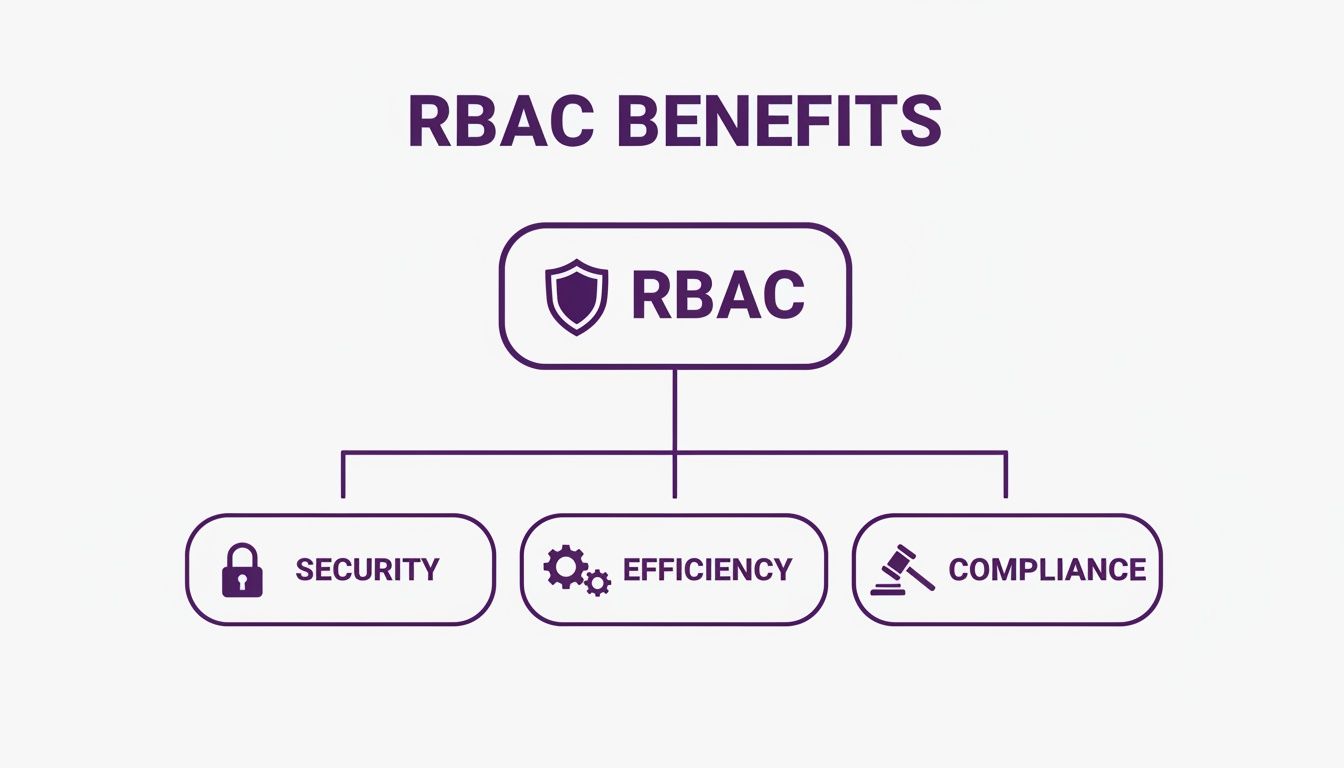
As the diagram shows, a well-structured security model like this brings huge benefits in security, day-to-day efficiency, and staying on the right side of regulations.
This multi-layered security model is central to protecting your organisation's most valuable asset: its data. Big tech providers are always improving these tools. Microsoft, for instance, introduced an enhanced 365 Defender RBAC model in January 2023, showing a clear commitment to meeting the UK's evolving security and compliance needs.
By using the full capabilities of the Microsoft stack, you build a security posture that is both robust and flexible. To see how these elements fit together, you can learn more about what the Power Platform is and its role in modern business applications. This joined-up approach makes the power of Microsoft's security model tangible and highly effective.
How RBAC Compares to Other Access Models
To really get a feel for why Role-Based Access Control has become the go-to for so many businesses, it helps to see how it stacks up against the alternatives. Each access model has a different philosophy, and RBAC’s strengths really shine when you compare them side-by-side.
The other two big players in access control are Discretionary Access Control (DAC) and Mandatory Access Control (MAC). They sit at opposite ends of the security spectrum, with RBAC occupying a very practical sweet spot in the middle.
Discretionary Access Control (DAC) – The Wild West
With Discretionary Access Control (DAC), the owner of a resource calls the shots. Imagine you create a spreadsheet on a shared drive; you get to decide who can see it and who can edit it. It's entirely at your discretion.
This is fine for a small, tight-knit team, but it quickly descends into chaos as a company grows. Without any central control, you end up with a messy, inconsistent web of permissions. It's a security nightmare and an administrative headache.
Mandatory Access Control (MAC) – The Fortress
On the other end of the scale is Mandatory Access Control (MAC). This is a top-down, highly rigid system where a central authority dictates everything. Access is based on security labels assigned to both users (e.g., clearance level) and data (e.g., classification level).
MAC is the kind of high-security model you'd expect to find in government or military organisations. For a fast-moving business, this level of inflexibility can seriously get in the way of getting work done.
The RBAC Sweet Spot
This is where RBAC comes in. It strikes a brilliant balance, offering the centralised security that DAC lacks while providing the flexibility that MAC can't. Control is managed from the centre by assigning permissions to roles, but those roles can be tweaked and adapted as the business changes.
This table gives a clearer picture of how they differ:
RBAC vs Other Access Control Models
| Model | Control Basis | Best For | Flexibility |
|---|---|---|---|
| RBAC | User's job role and responsibilities | Most commercial organisations, from mid-market to enterprise | High |
| DAC | Resource owner's discretion | Small, collaborative teams or personal file sharing | Very High |
| MAC | System-wide security labels and clearances | Government, military, and high-security environments | Low |
For platforms like Microsoft Dynamics 365, RBAC is the clear winner. It delivers strong, predictable security without tying the hands of your team, making it the most logical and effective way to manage who can do what.
A Practical Blueprint for Implementing RBAC

Putting Role-Based Access Control into practice isn’t a simple flick of a switch. Think of it as a strategic business project, where the real work begins long before you touch a single setting in your systems. It all starts with a deep dive into how your organisation truly operates.
The first, most critical step is to map out every job function. This isn't about looking at individual employees; it's about understanding the roles they fill. You need to get crystal clear on what information and system access each role needs to do their job well—and, crucially, what they absolutely do not need. This analysis is the foundation your entire security model will be built on.
Creating Your Role Matrix
Once you have that clear picture, you can start building a role matrix. This is essentially your master plan, mapping each job function to specific permissions. For example, in Hubdrive’s HR solution, a ‘Line Manager’ role might be granted permission to approve their team's holiday requests but blocked from seeing salary details for anyone outside their direct reports.
This is where you live and breathe the ‘principle of least privilege’. It’s your North Star. Every permission you grant must be strictly necessary for that role to function. Taking this careful, methodical approach is what prevents you from accidentally handing out keys to the whole kingdom—a surprisingly common security blunder.
A strong RBAC implementation is proactive, not reactive. It’s about defining roles based on business needs first, so the technical setup becomes a perfect mirror of your operational and security policies.
Avoiding Common Implementation Pitfalls
As you move from planning to execution, watch out for a few common traps. One of the biggest is ‘role explosion’, where you end up creating dozens of highly specific, overlapping roles. It sounds precise, but it just makes the system a nightmare to manage, undoing all the simplicity you were aiming for.
Another classic mistake is making permissions too broad. On paper, it looks like you have a secure system, but in reality, it’s full of holes. The best way to sidestep these issues is to follow established guidelines. When you're putting your plan together, lean on Role Based Access Control best practices to keep your model lean and effective.
Finally, remember that RBAC is never "set and forget." Businesses change, people move, and roles evolve. You absolutely must schedule regular access reviews—at least quarterly or annually—to make sure your permissions still align with people’s current jobs. This ongoing maintenance is what keeps your security posture strong and relevant as your organisation grows.
Your Partner for a Secure HR Transformation
As we've seen, Role-Based Access Control is far more than just a technical box-ticking exercise; it's a foundational business strategy. It’s about safeguarding your most sensitive data, staying on the right side of compliance, and giving your team the tools they need to work both efficiently and securely. At DynamicsHub, our job is to turn that strategy into a working reality for UK businesses like yours.
We specialise in configuring Hubdrive’s HR Management for Microsoft Dynamics 365, building robust, custom-fit RBAC models that mirror the way your organisation actually works. We know from experience that getting this right from day one is crucial for building a secure and efficient foundation for all your HR operations. A proper setup prevents data leaks and simplifies daily administration, letting you focus on your people.
Experience a Better HR Solution
We are DynamicsHub.co.uk. Experience HR transformation built around your business. Hubdrive’s HR Management for Microsoft Dynamics 365 is the premier hire‑to‑retire solution—more powerful, more flexible, and more future‑ready than Microsoft Dynamics 365 HR.
Partnering with us means you're not just installing software. You're adopting a complete, integrated approach to human resources. You can discover more about how this solution helps HR departments in our detailed look at Dynamics 365 for HR. We'll make sure your system is set up to support your growth, adapt to change, and uphold the highest security standards.
Let us help you build the secure, compliant, and effective HR system your business deserves. Phone 01522 508096 today, or send us a message to discuss your needs with one of our specialists.
Got Questions About RBAC? We've Got Answers
Thinking about Role-Based Access Control often sparks a few practical questions. It’s one thing to understand the theory, but how does it actually play out in a real business? Let's tackle some of the most common queries we hear.
How Tricky Is It to Set Up RBAC in Dynamics 365?
Getting RBAC up and running in Dynamics 365 is less about technical difficulty and more about thoughtful planning. The core of the job is to define roles that mirror your real-world job functions, figure out exactly what each role needs to see and do, and then assign your people to those roles.
While the tools inside Dynamics are incredibly capable, it’s easy to get lost in the weeds. That’s why working with a specialist like DynamicsHub is a smart move. We make sure your RBAC setup is a perfect fit for your business processes and security policies right from the start, helping you sidestep those common early mistakes.
Will RBAC Keep Up as My Company Grows and Roles Evolve?
Absolutely. In fact, this is where RBAC really shines. Because you’re managing permissions at the role level—not for every single person—adapting to change becomes refreshingly simple.
When someone gets a promotion, you just switch their user account to the new role. Done. If a whole department's duties shift, you only have to tweak the permissions for that one departmental role, and the update instantly cascades to everyone in it. This built-in flexibility is a massive advantage for growing UK businesses.
What's the Biggest Mistake Companies Make with RBAC?
Hands down, the most common pitfall is diving into the technical setup without a solid plan. It's tempting to start creating roles right away, but without a proper analysis of your business processes and who really needs access to what, you're setting yourself up for problems.
This rush to implement often leads to one of two outcomes: a messy explosion of too many roles (we call this 'role proliferation'), or roles with dangerously broad permissions. Either way, you lose the very security and efficiency you were trying to gain. A thorough audit upfront isn't just a nice-to-have; it's essential for success.
We are DynamicsHub.co.uk. Experience HR transformation built around your business. Hubdrive’s HR Management for Microsoft Dynamics 365 is the premier hire‑to‑retire solution—more powerful, more flexible, and more future‑ready than Microsoft Dynamics 365 HR.
Ready to build a more secure and efficient HR system? Phone 01522 508096 today, or send us a message at https://www.dynamicshub.co.uk/contact/