Let’s be honest, a skills gap analysis sounds like another piece of HR jargon. But what it really boils down to is figuring out two simple things: the skills your team has right now, and the skills you actually need to hit your business goals. It’s the process of finding that gap and, more importantly, creating a plan to close it.
Why a Skills Gap Is More Than Just an HR Problem in the UK
In the current UK business climate, ignoring a skills gap isn’t just an administrative oversight—it’s a genuine threat to your company’s health. If projects are stalling, productivity is dipping, or you’re watching competitors beat you to the punch, there’s a good chance a lack of the right skills is the root cause. This elevates a skills analysis from a once-a-year chore to a critical tool for survival and growth.

The scale of this issue is startling. The Open University’s latest Business Barometer report found that the UK skills shortage is hitting a critical point, with 73% of organisations admitting they have gaps that are directly holding them back. The problem is set to get worse, with forecasts suggesting nearly 7 million workers could be under-skilled for their jobs by 2030.
To give you a clearer picture, here is a breakdown of what a modern skills gap analysis involves. Think of it as your roadmap from identifying the problem to implementing a solution.
Core Components of a Modern Skills Gap Analysis
| Stage | Objective | Key Action |
|---|---|---|
| 1. Define Objectives | Align the analysis with specific business goals. | Identify a key business challenge, such as launching a new product or improving customer service. |
| 2. Map Competencies | Define the exact skills needed for each role. | Create a ‘skills library’ or competency framework for your organisation. |
| 3. Collect Data | Gather information on current employee skills. | Use a mix of self-assessments, manager reviews, CV parsing, and performance data. |
| 4. Analyse & Visualise | Identify and prioritise the most critical gaps. | Build skills matrices and heatmaps to clearly see where the biggest shortfalls are. |
| 5. Design Interventions | Create targeted plans to close the identified gaps. | Develop personalised learning paths, mentoring programmes, or strategic recruitment plans. |
| 6. Measure & Integrate | Track progress and embed the process into workflows. | Use dashboards in Power BI and automated workflows in Dynamics 365 to monitor ROI. |
This table shows a structured approach, but the real magic happens when you move away from the old, manual methods and embrace a more dynamic process.
From Annual Headache to Continuous Strategy
For years, a skills gap analysis meant wrestling with clunky spreadsheets and relying on subjective manager ratings. The result? A static, instantly outdated report that offered very little practical value. That approach just doesn't cut it anymore.
This is where the right technology completely shifts the dynamic. At DynamicsHub.co.uk, we specialise in HR transformation built around your business, using premier solutions like Hubdrive’s HR Management for Microsoft Dynamics 365. These tools help turn the skills analysis from a painful annual task into a continuous, data-driven strategy that feeds directly into every part of your people operations. It's a move from reactive problem-solving to proactive workforce-building.
The Real-World Cost of Doing Nothing
For mid-market UK companies, the consequences of ignoring the gap between the skills you have and the skills you need are very real and very expensive. These aren't just abstract risks; they show up in your daily operations.
The impact often surfaces in a few key areas:
- Lagging Productivity: When people don't have the right training, simple tasks take longer, mistakes happen more often, and entire workflows grind to a halt. This hits your efficiency and your bottom line.
- Stalled Growth: You can't expand into new markets or launch innovative services without the right capabilities on your team. Big strategic goals get stuck on the whiteboard.
- Poor Morale and High Staff Turnover: Employees who feel their skills are stagnating or see no path for development quickly become disengaged. They're the first ones to look for opportunities elsewhere.
- Spiralling Recruitment Costs: Constantly hiring externally is always more expensive than upskilling from within. Remember, a single bad hire can easily cost a business over £50,000 in recruitment fees, wasted training, and lost productivity.
By proactively identifying and addressing these gaps, you not only avoid these pitfalls but also build a more engaged, capable, and future-ready workforce. This process is a cornerstone of effective talent management.
As we see firsthand, the right technology is central to making this happen. Solutions built on the Microsoft stack, like Hubdrive's HR Management for Microsoft Dynamics 365, allow businesses to weave skills management directly into their daily work, turning raw talent data into decisive action. To understand how this fits into the bigger picture, you can learn more by checking out our guide on what is talent management.
Laying the Groundwork for a Meaningful Analysis
Before you even think about collecting data, a successful skills gap analysis needs a solid plan. You wouldn't build a house without a blueprint, and you shouldn't start assessing your workforce without knowing exactly what you’re trying to achieve. This foundational stage is what separates a report that gathers dust from a strategy that genuinely drives change.
It all comes down to aligning the entire process with your organisation's most important goals from the very start. This simple step prevents the analysis from becoming a purely academic exercise. It connects the "what"—the skills you're measuring—with the "why"—the business outcome you're aiming for. Without that link, the project just lacks purpose and will struggle to get traction with leadership and employees.
Start with Your Strategic Objectives
First things first: your skills gap analysis must serve a clear business purpose. Are you gearing up for a major digital transformation? Expanding into a new market? Or maybe you're trying to lift those customer satisfaction scores? Your objective will dictate which skills actually matter.
For example, a company shifting to an e-commerce model needs a completely different skillset than one focusing on improving its field service operations.
Vague goals will only ever lead to vague results. Instead of a woolly ambition like "becoming more digital," set a concrete objective. Something like, “Increase our online sales by 30% within 18 months by improving our digital marketing and data analytics capabilities.” That kind of clarity provides a direct line of sight between the skills you need and the business result you're chasing.
Here are a few real-world examples of strategic objectives that can anchor your analysis:
- Improve Operational Efficiency: Reduce project completion times by 20% by upskilling project managers in agile methodologies and Power BI reporting.
- Enhance the Customer Experience: Boost customer satisfaction ratings by 15% by training the support team in advanced problem-solving and Dynamics 365 Customer Service.
- Drive Innovation: Launch two new service lines next fiscal year by building expertise in AI integration and market research within the product development team.
The key is to always start with the desired business outcome and work backwards to identify the critical skills required. This ensures your analysis becomes a strategic tool, not just another HR audit.
Map Roles to Concrete Competencies
Once you’ve got your objectives locked down, the next job is to translate them into specific, measurable skills. This is where I see many organisations falter. They often rely on fuzzy terms like "good communicator" or "team player." To be effective, you have to define what these skills actually look like in practice, inside your organisation.
It's time to move beyond vague job descriptions. Instead of "team player," get specific: "Collaborates effectively on cross-departmental projects using Microsoft Teams and SharePoint." Rather than "good with data," define it properly: "Can analyse sales data in Power BI to identify trends and create actionable reports for management."
This isn't just about current roles; you need to look ahead. What skills do your top performers consistently demonstrate? What new technologies or processes are on the horizon that will require new capabilities? A forward-looking approach means you’re not just plugging today's holes but building a workforce that’s ready for tomorrow's challenges.
A great way to manage this is by creating a competency framework within a system like Hubdrive’s HR Management for Microsoft Dynamics 365. This allows you to build a central, organised library of all these skills.
Secure Backing from the Top and the Team
Let's be blunt: an analysis conducted in an HR silo is doomed from the start. For the process to have any real impact, you need enthusiastic backing from both senior leadership and the employees you're assessing. Leaders must champion the initiative, and employees need to see it as a chance for growth, not a critique of their abilities.
Getting leaders on board means speaking their language. Frame the analysis in business terms. Present it as a solution to a problem they already care about, whether that's hitting revenue targets, outmanoeuvring a competitor, or reducing staff turnover. Use data to show them the real cost of your existing gaps—for instance, the price tag on delayed projects or lost sales.
When leaders see the direct link to the bottom line, they’re far more likely to provide the resources and support you need. Getting this buy-in early on is what turns a simple skills analysis into a powerful catalyst for growth.
Now that you have your objectives clear and a solid competency map for your key roles, it’s time to get into the nitty-gritty: the data. This is the point where a modern, data-driven skills analysis really shows its value, moving you far beyond wrestling with messy spreadsheets. The goal is to create one unified, reliable inventory of all the skills your organisation has today.
The best place to start is often with the rich data you already hold within your Microsoft ecosystem. I’ve seen too many companies rely on a single source, like self-assessments, which can be riddled with bias. To get a truly accurate picture of your workforce, you need to look at capabilities from several different angles.
The diagram below shows how this data gathering phase builds on the foundational work you’ve already done.

Without a clear plan, defined roles, and buy-in from leadership, even the best data in the world won’t lead to meaningful action.
Let CV Parsing Do the Heavy Lifting
Think about the wealth of information sitting in your employees' CVs. Manually digging through hundreds or thousands of them is a non-starter. This is a perfect job for AI-powered tools. Solutions like Hubdrive's HR Management for Microsoft Dynamics 365 can automatically parse CVs and employee records, pulling out and categorising skills without anyone lifting a finger.
For instance, when a new employee's CV is uploaded, the system can instantly identify skills like “Python,” “PRINCE2 Certification,” and “Client Negotiation,” then add them to that person's profile in Dynamics 365. It's a massive time-saver, and it starts building your skills database from day one. To make this work smoothly, many organisations first centralise their documents using employee records management software for HR efficiency.
Look Beyond the CV for Real-World Proof
A CV tells you what skills someone claims to have, but you need to see how those skills play out in the real world. A well-rounded analysis pulls in different types of data to get a more objective view.
Here are a few practical ways to do this right within your Microsoft setup:
- Manager Evaluations: Keep it simple. Use Microsoft Forms to send short, structured questionnaires to line managers, asking them to rate their direct reports against the competencies you've already defined for each role.
- Performance Reviews: Don't forget the data you already have. Your performance review notes in Dynamics 365 are a goldmine of documented strengths and development goals.
- Project Outcomes: Practical skills often become obvious through project work. If someone is consistently leading successful projects in Azure DevOps or Planner, that’s a strong signal of their project management and leadership abilities.
- 360-Degree Feedback: For a truly holistic view, especially for leadership positions, consider using 360-degree feedback tools. Gathering anonymous input from peers, reports, and managers gives you a much fuller picture of someone's impact.
The real power comes from combining these data points. A skill listed on a CV is one thing; seeing it confirmed in a performance review and demonstrated in a successful project is what provides true validation.
Clean Up Your Data for a Single Source of Truth
As you pull data from all these places, you'll run into a common, frustrating problem: inconsistency. One manager might enter "Data Analysis," a CV might say "Data Interpretation," and a performance review could mention "Data Analytics." This kind of noise can make your entire analysis useless.
This is where data normalisation becomes absolutely critical. It’s the process of cleaning up all these variations and standardising them against a master skills library. This isn't something you do by hand; it’s a core feature of a good HR platform like Hubdrive’s HR Management. The system can be set up to recognise different terms and map them to a single, official skill.
For example, the system would automatically standardise:
- 'Project Mgmt', 'PM', and 'Project Management' into Project Management.
- 'Customer Svc', 'Client Support', and 'Customer Service' into Customer Service.
Taking the time to normalise your data is what turns a messy collection of words into a clean, trustworthy skills inventory. This is the bedrock for everything that comes next—visualising the data to find the gaps and strengths that will shape your talent strategy. It's a foundational concept in the growing field of people analytics.
Making Your Data Tell a Story: The Skills Landscape
Okay, you’ve done the hard work of gathering and cleaning your skills data. Now what? A database full of raw information has potential, but it doesn't drive decisions. This is where we turn that data into something your leadership team can actually get their hands around and use.
We’re moving from data collection to visual storytelling. The goal is to build a clear, interactive picture of your organisation's capabilities using Power BI.
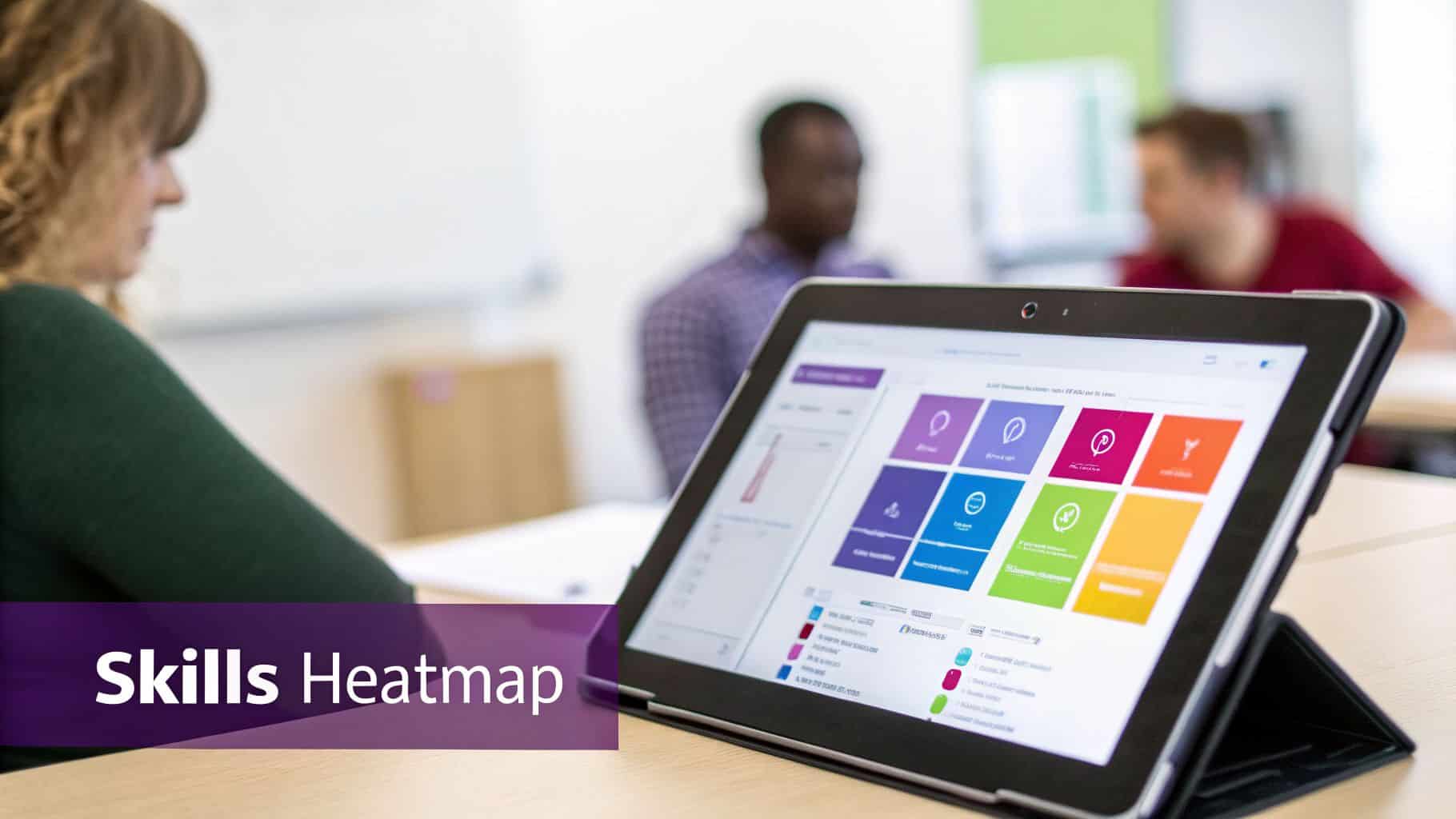
One of the best things about building your HR tech on the Microsoft stack is how smoothly everything connects. The skills data you’ve organised in Dynamics 365, using a solution like Hubdrive's HR Management, pipes directly into Power BI. This lets you create live dashboards that are always up to date, transforming rows of text into a dynamic skills landscape.
Building Your Skills Heatmap in Power BI
The centrepiece of your visual analysis will almost always be a skills heatmap. It’s a simple concept with a huge impact: a colour-coded grid that shows skill strengths and weaknesses across the business. I’ve seen this be the one visual that gets an immediate reaction from executives because it’s so intuitive.
Think of it as a weather map for talent. Deep greens show where you're strong, while bright reds instantly highlight problem areas that need attention.
When your data is already sitting in Dynamics 365, creating this in Power BI is quite straightforward.
- Set up your grid: You’ll put your critical skills on one axis (I usually use the rows) and your teams, departments, or job roles on the other (the columns).
- Choose your metric: What determines the colour? It could be the raw count of people with a skill, the average proficiency score, or a weighted value that combines both.
- Apply conditional formatting: This is the key. You set rules that colour the cells based on the value—high scores get green, low scores get red, and the middle values get shades of yellow or orange.
The result is a powerful tool for quick analysis. If you see a solid green line for 'Project Management' in your Operations team, that’s fantastic. But a glaring red box where 'Power BI' skill meets the 'Finance Department' tells you exactly where your next training investment should go.
Digging for Insights Beyond the Obvious Gaps
A good dashboard does more than just confirm what you already suspect. By giving you the ability to filter, slice, and drill down, it helps you uncover the hidden patterns that a spreadsheet would never reveal. You’re no longer looking at a static report; you're actively exploring your workforce's true capabilities.
The goal isn't just to find gaps. It's about understanding the shape of your talent. Where are your hidden strengths? Who are your undiscovered experts? Where is critical knowledge dangerously concentrated in just one or two people?
This level of insight is vital for tackling broader economic headwinds. Take STEM skills, for instance. Shortages in this area are estimated to cost the UK economy £1.5 billion every year. For a mid-market company that relies on Dynamics 365, this isn't an abstract problem—it's a direct threat to finding the IT pros and data analysts needed to grow. By visualising these specific skills on your heatmap, you can see precisely how this national issue is playing out inside your own walls. You can read more about these findings on the UK skills opportunity.
Identifying Flight Risks and Hidden Strengths
Once you move past the basic red-green view, your dashboard becomes an essential tool for risk management and succession planning. You can start spotting more subtle, but critically important, trends.
-
Spotting Flight Risks: Filter your heatmap to show skills where proficiency is high but only held by one or two people. These are your 'single points of failure'. If that key person leaves, that capability is gone. That's a massive risk that needs an immediate plan, whether it's through a new hire, a mentorship programme, or urgent cross-training.
-
Uncovering Hidden Experts: You might discover your best Excel wizard isn't in Finance but is sitting in the marketing department. This person is a hidden asset. They could become an internal trainer, a go-to mentor, or help automate processes for other teams.
-
Finding Upskilling Opportunities: Look for teams with a solid block of 'yellow' for a group of related skills. This signals a team that has a foundational understanding and is primed for development. A relatively small training investment could quickly turn that entire team 'green', delivering a huge return.
This is how your skills data comes to life. It stops being a simple inventory and becomes the strategic intelligence you need to make smart, data-driven decisions on hiring, training, and workforce planning. You’re not just managing HR; you’re directly influencing the company's future success.
Alright, you've mapped your skills landscape and can see exactly where the gaps are. That’s a huge step, but let's be honest, knowing what’s missing is the easy part. The real work begins now: figuring out how to close those gaps effectively.
Throwing a generic training budget at the problem is a common mistake. It’s expensive, inefficient, and rarely moves the needle on your biggest challenges. You need to be more strategic. Start by prioritising. Look at each gap and ask a few tough questions: How badly does this affect our core business goals? How urgent is the need? And how difficult will it be to find or build this skill?
A critical gap in a role that’s nearly impossible to hire for needs a very different response than a minor soft skill that can be coached.
Go Beyond Training With a Blended Approach
Once you know which fires to put out first, you can build a blended plan. This simply means recognising that a one-size-fits-all solution doesn't exist. The best strategies mix and match different methods to get the job done. Formal training has its place, but it's just one tool in the box.
This is where a system like Hubdrive's HR Management for Microsoft Dynamics 365 becomes incredibly useful. It helps you turn your analysis into action by building targeted development plans right on an employee’s profile. You can assign courses, track certifications, and link everything back to the data you gathered. It creates a complete circle, so you can actually measure if your efforts are working.
A smart, individualised plan might blend these four approaches:
- Targeted Upskilling: This is about making your people even better at what they already do. For example, you might have a finance analyst who’s great with Excel. A targeted learning path could turn them into your team's Power BI guru, taking them from 'proficient' to 'expert'.
- Structured Reskilling: This is a bigger commitment, aimed at moving someone into a completely new role. Maybe you have an administrator who's a natural problem-solver. Instead of losing them, you could put them on a structured programme to become a junior IT support technician.
- Strategic Hiring: Sometimes, you just don't have the time. If a new project demands a certified cybersecurity architect now, looking externally is the only sensible option.
- Mentorship Programmes: Never underestimate the power of pairing people up. It's a low-cost, high-impact way to pass on valuable experience. Partnering a senior project manager with a promising junior colleague develops real-world skills and leadership instincts far better than any online course.
Once you’ve identified a skills gap, interventions like performance coaching can also be a powerful way to help individuals and teams reach their true potential.
A truly effective talent strategy isn't about choosing between building or buying talent; it's about knowing when to do each. Your skills gap analysis provides the data to make that decision intelligently.
Tackling Today’s Regional and Demographic Hurdles
Focusing on internal talent isn't just a good idea—it’s becoming a necessity. In the UK, we're seeing huge regional divides in skill availability. The Midlands, for example, saw skill-shortage vacancies jump by a staggering 156% between 2017 and 2022. This shows a growing mismatch between the skills employers need and the local talent pool, especially in tech and other high-growth fields.
Compounding this is a simple demographic fact: the UK's working-age population is set to shrink over the next couple of decades. You can read more about the research on UK skill gaps and labour. The days of easily finding perfect candidates are fading. We all have to get much, much better at developing the people we already have.
Investing in your own team isn't just a defensive move. By upskilling and creating clear career paths, you do more than just fill a gap on a spreadsheet—you boost morale, improve retention, and build loyalty. Our guide on training and staff development dives deeper into creating a culture of learning that pays dividends. This is how you build a resilient organisation that's ready for whatever comes next.
Measuring Success and Building a Continuous Cycle
You’ve put in the hard work to analyse skills gaps and create intervention plans. But the project doesn't stop there. Now comes the part that really matters: proving it was all worth it and turning this one-off exercise into a permanent part of your business rhythm.
This is how you build a powerful feedback loop. It's how you show the board the direct line between your talent strategy and tangible business outcomes. We're not just collecting data for an HR report; we're connecting the dots between upskilling, recruitment, and the bottom-line results that leadership actually cares about.
What Does Success Actually Look Like? The KPIs That Matter
To measure the real impact, you have to look past vanity metrics like course completion rates. Instead, focus on the numbers that tell a clear story about performance, efficiency, and stability within the organisation.
Here are the key indicators we see delivering the most compelling arguments for our clients:
- Time-to-Fill for Key Roles: Are you filling more senior or specialist posts with internal talent? If those roles are being filled faster than before, it’s a strong signal your upskilling programmes are working.
- Internal Promotion Rate: This is the ultimate proof that you’re building talent from within. A steady increase here shows your development paths are clear and effective.
- Improved Employee Retention: People stay where they feel invested in. Keep a close eye on retention, especially for the teams or roles you targeted with specific learning initiatives. When you can point to a cost-saving of £10,000s for every skilled employee you didn't have to replace, it’s a powerful argument.
- Measurable Performance Improvements: This is about tying your efforts back to core business goals. Have customer satisfaction scores improved since the service desk was retrained? Have project delivery times dropped after the team adopted new agile skills?
By tracking these outcomes, you shift the conversation from the cost of training to the value of building talent. It gives you the concrete evidence needed to justify ongoing investment in your people.
Creating a Living Strategy with Integrated Workflows
This is where an integrated Microsoft ecosystem truly proves its worth. A modern skills analysis isn't a static report that gathers dust; it's a living, breathing strategy managed within your daily HR systems.
By embedding the entire workflow into a solution like Hubdrive’s HR Management for Microsoft Dynamics 365, you create a dynamic, automated process.
Imagine this: new skills from performance reviews, completed training courses, and fresh certifications are automatically added to employee profiles. This isn't data that needs to be manually exported or compiled. It flows directly into your Power BI dashboards in near real-time.
Suddenly, HR leaders and department heads aren't waiting for a quarterly report. They can monitor progress against goals whenever they want, spot emerging gaps as they happen, and adapt their strategies on the fly.
This continuous cycle ensures your skills data is never out of date. It allows you to be proactive, anticipating future needs rather than just reacting to past problems. This transforms your skills gap analysis from a painful annual event into an ongoing, strategic conversation about the most valuable asset you have: your people.
At DynamicsHub.co.uk, we deliver HR transformation built around your business. Hubdrive’s HR Management for Microsoft Dynamics 365 is the premier hire‑to‑retire solution—more powerful, more flexible, and more future‑ready than Microsoft Dynamics 365 HR.
Ready to build a more resilient and capable workforce? Phone 01522 508096 today, or send us a message to start the conversation.