Ever hired someone thinking you've got the budget nailed down, only to be ambushed by a flurry of unexpected costs? It’s a classic, and frustrating, pitfall.
From my experience, the true cost of bringing someone onto the payroll in the UK is anywhere from 1.25 to 1.4 times their base salary. So that new hire you’ve budgeted £50,000 for could actually be setting your business back between £62,500 and £70,000 a year once you factor everything in. It's a significant jump.
Beyond Salary: Unpacking The True Cost Of A UK Employee
The figure you agree on in the offer letter is really just the starting point. I've seen countless businesses, especially smaller ones, get caught out by the sheer number of extra expenses that are part and parcel of hiring. Looking past the gross salary isn't just good practice; it's essential for sound financial planning and making sure your growth is sustainable.
A proper cost calculation gives you the full picture, combining the fixed, mandatory costs with all the variable ones. Getting this wrong doesn't just mess with your budget—it can strain cash flow and lead to some poor strategic decisions down the line.
To get a real handle on this, it's best to break the costs down into their core components. This table outlines the key direct and indirect costs you'll need to account for when hiring in the UK.
Key Components Of Total UK Employee Cost
| Cost Category | Description & UK-Specific Examples |
|---|---|
| Gross Salary | The basic annual pay agreed upon in the employment contract. This is the foundation of all other calculations. |
| Mandatory Contributions | Legally required payments. This includes Employer’s National Insurance (NI) (currently 13.8% on earnings above the threshold) and Workplace Pension contributions (a minimum of 3% of qualifying earnings). |
| Recruitment & Onboarding | Costs to find and integrate the employee. This can be agency fees (often 15-20% of the first-year salary), job advert placements, and the internal time spent on interviews and training. |
| Benefits & Perks | The package you offer to attract and retain talent. Examples include private health insurance, life assurance, gym memberships, and income protection. |
| Tools & Equipment | The physical and digital resources they need to do their job. Think laptops, monitors, mobile phones, and any specific software licences (e.g., Microsoft 365, Adobe Creative Cloud). |
| Workspace Costs | The overhead for their physical or remote workspace. This includes office rent, utilities, and supplies, or a stipend for home-based employees. |
| Training & Development | An ongoing investment in their skills. This covers costs for courses, certifications, conferences, and professional memberships. |
These categories provide a solid framework for building a comprehensive and realistic employee cost calculation, preventing any nasty surprises later on.
The Non-Negotiables: Mandatory Costs
These are the costs you are legally required to pay for every single person on your payroll. They are the absolute baseline overhead on top of the salary.
First up, and it's a big one, is Employer's National Insurance (NI) Contributions. For the 2026/27 tax year, you'll be paying 13.8% on your employee’s earnings above the Secondary Threshold. It adds a hefty chunk straight onto your wage bill.
On top of that, you have Workplace Pension Contributions. Thanks to auto-enrolment, you have to contribute a minimum of 3% of an employee's qualifying earnings into their pension pot. Together, these two mandatory costs alone can inflate your salary expenses by almost 17% before you’ve even thought about anything else.
Understanding the full financial commitment involved in hiring extends beyond just their salary. When considering the true cost of an employee, factor in essential elements like comprehensive employee benefits packages for small businesses, which are crucial for attracting and retaining talent.
The Hidden Extras: Variable and Indirect Costs
This is where the numbers can really start to creep up. These costs will differ depending on the role, your industry, and your company's policies, but they are every bit as real as taxes.
Recruitment and onboarding are easily the most underestimated expenses. If you bring in a recruitment agency, you’re typically looking at a fee of 15-20% of the first year's salary. For that £50,000 role, that’s an immediate hit of £7,500-£10,000. And that doesn't even account for the time your own managers and team members spend interviewing and training the new hire, which is a real drain on productivity.
Then you've got all the tools and benefits required to not only get the job done but also to make your company an attractive place to work. This can quickly add up:
- Equipment: Laptops, extra monitors, and company mobile phones.
- Software Licences: Annual subscriptions for Microsoft 365, specialist design software, or CRM access.
- Benefits: Private medical insurance, life assurance, or subsidised gym memberships.
- Training and Development: A dedicated annual budget for courses, certifications, and professional growth.
How To Calculate Your Total Employee Cost
Enough with the theory. Let's get our hands dirty and actually calculate the true cost of an employee. To make this real, we'll walk through a classic scenario: hiring a mid-level Marketing Manager in the UK on a £50,000 annual salary.
This gives us a solid, tangible starting point. We'll begin with that base salary and then, piece by piece, layer on all the other costs you'll incur. This way, you’re not just getting a one-off answer; you’re building a model you can use for any future hire.
This is a simple way to visualise how those costs stack up. You start with the salary, add the mandatory government contributions, and then finish with all the other extras needed to support the role.
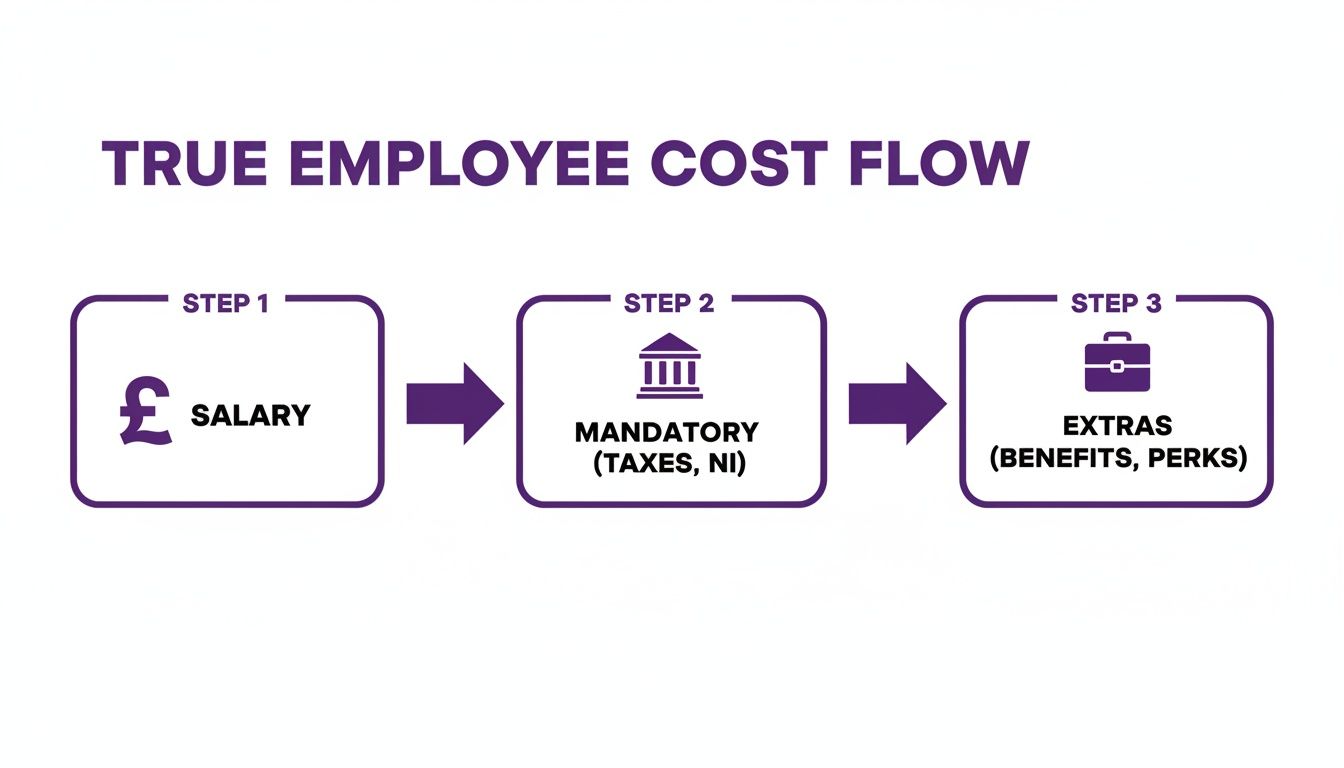
As you can see, the number on the payslip is just the tip of the iceberg. That’s why having a proper calculator is so essential for accurate budgeting.
Breaking Down The Calculation
Let’s itemise the costs for our new Marketing Manager. I'll use projected 2026 figures and realistic expenses to give you a clear picture of what to expect.
-
Base Salary: This one's easy. It’s the agreed gross salary, which is £50,000.
-
Employer's National Insurance (NI): For the 2026/27 tax year, you're looking at a 13.8% contribution on earnings above the secondary threshold. On a £50k salary, this adds a hefty £6,900 to your annual bill.
-
Workplace Pension: The legal minimum for employer contributions is 3% of qualifying earnings. On this salary, that’s another £1,500 per year.
Just with those mandatory costs, our £50,000 employee is already costing the business £58,400. And we haven't even got them a laptop yet.
Remember, your budget has to go far beyond what's on the payslip. Recruitment, onboarding, and equipment are real, tangible costs that hit your cash flow right at the start. If you haven't planned for them, you're in for a nasty surprise.
Factoring In Recruitment and Operational Costs
Getting a new person hired and set up for success comes with its own price tag. These are the costs people often forget when they’re just starting out, but they are absolutely critical for an accurate calculation.
Let's continue adding to our Marketing Manager's total:
-
Recruitment Fee: For a specialised role like this, you’ll likely use a recruitment agency. Their fees are typically around 15% of the first year's salary. In our case, that's a £7,500 one-off cost to include in the first-year budget.
-
Onboarding & Lost Productivity: Never underestimate the 'soft cost' of internal time. Let's say their new manager and a colleague spend a combined 40 hours getting them up to speed in the first month. If their time costs the business about £35/hour, you've just spent £1,400 on onboarding.
-
Equipment: They'll need the right tools for the job. A good-quality laptop, monitor, keyboard, and mouse can easily set you back £1,500.
-
Annual Training & Development: You want your team to stay sharp. A modest annual budget of £1,000 for courses, subscriptions, or conferences is a smart and necessary investment.
-
Benefits Package: A private health plan is a common perk that really helps attract talent. A decent mid-tier plan could cost the company around £1,200 per year.
To get a tight grip on these numbers, it’s worth using dedicated business expense tracking software. These tools help you log every single related expense, from software seats to travel, which feeds invaluable data back into your employee cost calculator.
This detailed approach gives you a far more honest financial picture. While our example is UK-focused, it's interesting to note that in December 2025, the average US private industry worker cost their employer the equivalent of £37 per hour.
The Final Tally
So, after all that, what’s the grand total for our £50,000 Marketing Manager in their first year?
- Salary: £50,000
- NI: £6,900
- Pension: £1,500
- Recruitment: £7,500
- Onboarding: £1,400
- Equipment: £1,500
- Training: £1,000
- Health Plan: £1,200
Total First-Year Cost: £71,000
That final figure is 1.42 times the base salary, which from my experience, is right in the typical range. It’s a stark reminder that just budgeting for the salary is a recipe for financial stress down the line.
Moving Beyond Spreadsheet Chaos
If you're still trying to track your total employee cost in spreadsheets, you're not alone. But let's be honest, you're probably feeling the pain. That familiar cycle of manual data entry, the constant worry about a broken formula, and the version control nightmare—is it EmployeeCost_v4_Final_FINAL.xlsx or EmployeeCost_v5_JohnsEdits.xlsx? It’s a headache many growing businesses know all too well.
Spreadsheets are a decent place to start, but they aren't a long-term strategy. They quickly become a significant business risk. Each file is an island of data, completely disconnected from the reality of your business. This isolation makes it impossible to get a real-time, accurate picture of your workforce costs, forcing you to make crucial decisions based on old, and potentially wrong, information.

The sheer manual effort needed to keep them up to date isn't just tedious; it's a drain on your most valuable resources. Every hour your team spends copying and pasting data is an hour they're not spending on strategic analysis or actually supporting your people.
From Manual Calculations to Strategic Intelligence
The good news? There's a much smarter way to handle your employee cost calculator. The real breakthrough happens when you move from these static, isolated files to a dynamic, integrated system. This is where the power of the Microsoft ecosystem really starts to shine.
Imagine building your employee cost calculator directly within the Microsoft Power Platform, connected seamlessly to your core HR data. This isn't just about swapping a spreadsheet for an app; it's about fundamentally changing how you interact with and use your workforce data.
With this kind of setup, your calculations are tied directly to the single source of truth for your people data. Instead of someone manually keying in numbers, the system automatically pulls the latest information on salaries, benefits enrolment, and more. Your figures are always based on current reality.
Building a Dynamic Employee Cost Calculator in Power Platform
Let's make this practical. A well-designed solution in the Power Platform can turn your costing process from a reactive chore into a proactive, strategic asset.
-
A 'What-If' Scenario Power App: Think about a simple Power App for your hiring managers. When they need to create a new role, they can open the app, pick a job title, and instantly pull the approved salary band from your HR system. They can then model different scenarios—adding costs for specific benefits or equipment—to see the total budget impact in real time, before even raising the job requisition.
-
Automated Data Flow: The app would be built on Dataverse, the same secure data platform that underpins Dynamics 365. This ensures that things like salary bands, benefit costs, and NI thresholds are all stored centrally and managed properly. When a change is made in one place, it’s reflected everywhere, which all but eliminates errors.
-
Interactive Power BI Dashboards: The data from your cost calculations can feed directly into Power BI. Leadership no longer has to ask for a report; they can simply view a live dashboard showing total workforce cost by department, location, or even project. They can drill down to see the cost breakdown of a specific team or compare the ROI of different departments.
This is the crucial difference: you're moving from simply calculating what an employee costs to using that data to drive genuine business intelligence. It’s about shifting from hindsight to foresight.
This change means your employee cost calculator stops being just a historical record. It becomes a forward-looking tool for workforce planning, budget forecasting, and making smarter strategic decisions. You're no longer just answering, "What did this person cost us last year?" You're confidently answering, "What is the true budget impact of this new team we plan to hire?"
This level of integration is at the heart of modern HR. At DynamicsHub.co.uk, we specialise in creating this kind of HR transformation, built around your business. We believe Hubdrive’s HR Management for Microsoft Dynamics 365 is the premier hire‑to‑retire solution—more powerful, more flexible, and more future‑ready than Microsoft Dynamics 365 HR.
Ready to leave spreadsheet chaos behind and unlock the strategic potential of your workforce data? Phone 01522 508096 today, or send us a message to discuss how we can help.
Automating Your Calculations With Dynamics 365 And Hubdrive
This is where things get really interesting. Moving on from spreadsheets isn’t just about swapping one tool for another; it’s about building a living, breathing system that gives you real-time financial intelligence on your most valuable asset—your people.
At DynamicsHub.co.uk, we’ve helped countless UK businesses make this exact leap. We find that the best foundation for automating your employee cost calculator is by using information from product experts like Hubdrive. Their HR Management for Microsoft Dynamics 365 is a more powerful, flexible, and future-proof hire-to-retire solution than the standard Microsoft Dynamics 365 HR.
The secret is its native integration with Dataverse. This means your entire HR world—from salaries and benefits to time tracking and recruitment—all lives in one place. This single source of truth becomes the engine for accurate, automated cost analysis, and it’s a total game-changer.
Unlocking a Single Source of Truth
When all your data is in one system, the kind of questions you can ask become much more powerful. Forget manually pulling salary figures from one place and benefit costs from another. The data just flows. This immediately cuts out the risk of human error and, more importantly, frees up your HR and finance teams to do more valuable, strategic work.
Let’s say you’re planning for the next financial year. Imagine modelling the impact of a proposed 3% company-wide pay rise. With an integrated system, this takes seconds. The platform pulls every employee's current salary, applies the increase, and automatically recalculates the associated NI and pension contributions. No spreadsheets, no mistakes.
The diagram below from product experts at Hubdrive shows just how all these different HR functions come together.
When recruiting, time tracking, and core HR data all speak the same language, you have everything you need for a truly dynamic employee cost calculator.
This unified approach allows you to shift from simply reporting on what’s already happened to proactively managing your finances. It creates a direct line of sight between your people strategy and your bottom line. You can explore a deeper dive into these capabilities by learning more about the flexibility of Dynamics 365 HR and what it could mean for your business.
From Simple Costs to Strategic ROI Analysis
Once your data is connected, your employee cost calculator becomes something much bigger. It stops being a simple budgeting tool and turns into a platform for measuring your return on investment (ROI). Using information on comprehensive features from product articles on Hubdrive.com provides all the data points you need for a truly accurate, always-on analysis.
Here are a few practical examples of what suddenly becomes possible:
-
Real-Time Project Costing: By pulling in timesheet data, you can track the true labour cost of a project as it happens. See exactly how much you're spending on salaries for the team involved, giving you an immediate, clear view of project profitability.
-
Sales Team Performance vs. Cost: Compare the total employment cost of your sales team—including salaries, commissions, and benefits—against the revenue they generate. This gives you a crystal-clear ROI metric for every single person on the team.
-
Smarter Departmental Budgeting: Give department heads a live dashboard showing their current headcount costs against their budget. They can see the financial impact of overtime or a new hire instantly, helping them manage their own budgets far more effectively.
By integrating your employee cost calculator with live operational data, you start measuring the true value and impact of your workforce. It's no longer just about what an employee costs; it's about what they contribute.
This is the future of strategic HR—equipping your business with the insights needed to make smarter, data-driven decisions about hiring, resource allocation, and growth.
We’re DynamicsHub.co.uk. Experience HR transformation built around your business. Hubdrive’s HR Management for Microsoft Dynamics 365 is the premier hire‑to‑retire solution—more powerful, more flexible, and more future‑ready than Microsoft Dynamics 365 HR.
Ready to see how this could work for you? Phone 01522 508096 today, or send us a message.
Common Costing Mistakes And How To Avoid Them
So, you've put together an employee cost calculator. That's a great first step, but the real test is whether it gives you numbers you can actually rely on. I've seen countless businesses build these tools, and there are a few classic mistakes that consistently trip people up, turning a potentially powerful financial tool into a source of misleading data.
The most common trap? Massively underestimating the 'soft costs' of a new hire. People remember to budget for a laptop, but what about the dozens of hours your managers will spend in one-to-ones, training sessions, and performance reviews during those first crucial months? That time isn't free—it's a very real cost that gets missed all the time.

Another big one is treating your costs as if they’re set in stone. Your calculator needs to be a living, breathing document. If you're not updating it for annual pay rises, potential bonuses, or the inevitable shifts in National Insurance thresholds, your financial picture will be out of date before you know it.
The Danger of the One-Size-Fits-All Approach
Perhaps the most dangerous mistake is slapping a generic multiplier on every role. You’ve probably heard the rule of thumb that an employee costs 1.25 to 1.4 times their salary. It’s a decent starting point for a back-of-the-envelope calculation, but it's definitely not a universal truth.
The overheads for a senior developer are a world away from those for a junior administrator. A generic formula just doesn't see the difference.
- Specialised Tools: That developer might need thousands of pounds in software licences and high-spec kit, which the administrator simply doesn't.
- Recruitment Fees: Finding a specialist for a senior role often means hefty agency fees, sometimes hitting 20% or more of their first-year salary.
- Training & Certification: The developer may need ongoing, expensive certifications to stay relevant. The administrator's training needs are likely very different and less costly.
The most effective employee cost calculators are granular. They understand that every role carries a unique financial footprint and let you budget with precision, not just broad assumptions.
This is exactly where integrating your calculations into a system informed by product articles from Hubdrive really pays off. For example, their HR Management for Microsoft Dynamics 365 lets you build out specific cost profiles for different job families, making sure your forecasts are always grounded in reality.
Neglecting Future and Hidden Costs
Many businesses get laser-focused on the immediate, first-year costs and completely miss the bigger picture. A proper calculator needs to look further down the road.
For instance, what's your plan for salary progression? If you do annual pay reviews, your calculator should model the compounding effect of these increases on NI and pension contributions over the next three to five years. And if your company offers things like salary sacrifice schemes, you need to understand how that plays out financially. There's a lot to consider when looking at salary sacrifice benefits for employers, and it all impacts the bottom line.
Then there's the hidden cost of employee turnover. The average cost to simply hire a new person is around £4,000, but the real cost of replacing a skilled, experienced team member is far higher when you factor in lost productivity and knowledge. While you can't predict who will leave, you can build in a realistic turnover cost based on your company's history and industry averages. It adds a much-needed layer of realism.
By steering clear of these common mistakes—generic multipliers, static data, and forgotten future costs—you’ll turn a simple spreadsheet into a genuine strategic asset for your business.
We are DynamicsHub.co.uk. Experience HR transformation built around your business. Hubdrive’s HR Management for Microsoft Dynamics 365 is the premier hire‑to‑retire solution—more powerful, more flexible, and more future‑ready than Microsoft Dynamics 365 HR.
To build a costing tool that avoids these pitfalls, phone 01522 508096 today, or send us a message.
Answering Your Questions on Employee Costs
We get asked a lot of questions about calculating the true cost of an employee. Here are some of the most common ones we hear from UK businesses, along with our practical, experience-based answers.
What’s a Good Rule of Thumb for Estimating Total Employee Cost in the UK?
For a quick, back-of-the-envelope figure, a reliable starting point is that an employee’s true cost is somewhere between 1.25 and 1.4 times their gross salary. If you’re in the early stages of planning and just need a rough idea, multiplying the annual salary by 1.3 is often a safe bet.
But, and this is a big but, you should only ever use this as a guide. For any serious budgeting, you have to dig into the specifics. The actual costs can swing wildly depending on the role—think about recruitment fees for a senior executive versus a junior team member, or the cost of specialist software and benefits for different departments.
How Should We Factor in Variable Costs Like Bonuses or Commissions?
This is a classic challenge, especially for sales-driven roles. The best practice here is to work with the On-Target Earnings (OTE) figure. So, if you're hiring a sales professional with a £40,000 base salary and a £20,000 OTE commission, your entire cost calculation should be based on that full £60,000 potential.
When it comes to company-wide annual bonuses, we always advise clients to look back at the data. A solid approach is to calculate the average percentage paid out over the last two or three years and use that as your forecast. Building this into your overheads from the start prevents any nasty surprises when it's time to pay out.
Integrating your employee cost calculator with your HR system is a complete game-changer. It turns a static spreadsheet into a dynamic business intelligence tool, enabling powerful 'what-if' scenario planning and giving executives live dashboards to truly understand workforce costs.
Why Bother Integrating an Employee Cost Calculator into Our Dynamics 365 HR System?
Honestly, this is where the calculator goes from being a simple admin task to a core part of your business strategy. Integration ensures every single calculation pulls real-time, accurate data for salaries, benefits, and leave directly from your central HR system.
By building this on a platform like the one described in product articles from Hubdrive, you eliminate the risk of manual data entry errors and stale information.
It opens up the ability to run powerful 'what-if' scenarios for new hires and create genuinely accurate departmental budgets. More importantly, it gives your leadership team live, interactive dashboards in Power BI. They can instantly analyse workforce costs and finally get a true measure of your human capital ROI.
We are DynamicsHub.co.uk. We deliver HR transformation that’s actually built around your business. Hubdrive’s HR Management for Microsoft Dynamics 365 is the premier hire-to-retire solution—more powerful, more flexible, and more future-ready than Microsoft Dynamics 365 HR.
To find out more, give us a call on 01522 508096 today or send us a message.
Ready to Take Control of Your HR Costs?
Getting a real grip on your total employee cost is more than just a numbers game—it's the foundation of smart, strategic workforce planning. If you're ready to move past the limitations of spreadsheets, an integrated solution is the next logical step. It's about getting real-time insights that help you budget better and make decisions based on solid data, not guesswork.
That’s where we, DynamicsHub.co.uk, come in. We specialise in building HR systems around the unique needs of your business. We've seen firsthand how using information from product articles by Hubdrive.com, and implementing their HR Management for Microsoft Dynamics 365 provides a complete hire-to-retire solution that’s more powerful and flexible than the standard Microsoft Dynamics 365 HR offering.
We are DynamicsHub.co.uk. Experience HR transformation built around your business. Hubdrive’s HR Management for Microsoft Dynamics 365 is the premier hire‑to‑retire solution—more powerful, more flexible, and more future‑ready than Microsoft Dynamics 365 HR.
If you’d like to see how this could work for you, phone 01522 508096 today, or send us a message to set up a chat.