

Let’s start with a simple question: what exactly is the Microsoft Power Platform?
Think of it less as a single piece of software and more like a professional-grade toolkit for your business. It’s a suite of low-code tools from Microsoft designed to let your team analyse data, build custom apps, and automate workflows—all without needing to be expert coders.
Understanding The Microsoft Power Platform

Most organisations have them: those frustrating gaps between what they need to do and what their current software allows. It could be a clunky, manual process or a workflow that your off-the-shelf systems just can’t handle. The whole point of the Microsoft Power Platform is to bridge that gap.
It’s built to empower the people who know the problems best—your employees—to easily automate business workflows, build their own solutions, and get real insights from company data. Suddenly, instead of just making do, your team can build the exact tool they need for the job.
A Toolkit For Business Innovation
The platform isn't one single application but a family of four core products designed to work together seamlessly. This integration is where the magic really happens. You can build a custom app, use it to kick off an automated process, and then analyse the results, all within a single, connected ecosystem.
For UK mid-market businesses, this is a huge opportunity. It turns the idea of digital innovation from a massive, costly project into something genuinely achievable. This accessible approach is a key reason for its growing popularity across the United Kingdom.
The UK is the second-largest regional market for Microsoft Power Apps customers after the United States, with 8% of all global users based here. Adoption is particularly strong in the IT Services, Professional Services, and Staffing sectors. Find out more about the UK's Microsoft Power Platform market share.
Why It Matters For Your Organisation
The real shift here is moving from being a passive user of software to an active creator of solutions. Your teams no longer have to join a long queue waiting for the IT department to build something for them. They can become "citizen developers," creating apps and automations that solve their immediate problems.
This fosters a culture of agility and continuous improvement. By making development and deployment faster, the Power Platform helps your business react quickly to market changes, smooth out internal processes, and ultimately, serve your customers better. It’s a powerful foundation for building a more responsive, efficient organisation.
Ready to see how these tools can tackle your specific challenges? Phone 01522 508096 today or send us a message to start the conversation.
A Practical Guide to the Core Components
It’s one thing to talk about the Power Platform as a concept, but the real lightbulb moment comes when you see what each of its tools can actually do. So, let’s get practical and look at the four main components, exploring how UK businesses are using them to fix real-world, everyday problems.
These tools aren’t standalone products; they’re designed to click together, letting you build solutions that are far more powerful than any single tool on its own. Each one tackles a specific business need, from building custom apps to automating those repetitive, soul-destroying tasks.
Power Apps: Create Custom Solutions
Think of Power Apps as the application builder in the toolbox. It gives your team the power to create custom mobile and web apps that connect directly to your business data. This is perfect for plugging those operational gaps that off-the-shelf software just can’t fill.
Take a UK logistics company managing a fleet of delivery drivers. Instead of wrestling with paper forms or clunky spreadsheets, they could use Power Apps to build a simple mobile app in-house.
- Real-Time Tracking: Drivers can log deliveries, capture customer signatures, and even snap photos of delivered packages right from their phones.
- Instant Updates: This information feeds straight back to the central office, giving everyone instant visibility and slashing administrative delays.
- Fewer Errors: By guiding the data entry process, the app dramatically cuts down on the human errors that creep in with manual systems.
The goal here isn't to replace your massive, complex systems. It's about creating small, sharp, focused apps that solve specific problems quickly and without a huge development cost.
Power Automate: Drive Real Efficiency
Power Automate is the automation engine of the platform. It acts as the digital glue between your different applications and services, letting you build automated workflows that handle routine jobs without anyone needing to lift a finger.
To really get the most out of it, you need to understand what is workflow automation at its core. It’s about letting the tech handle the repetitive, rules-based steps in any process, freeing up your team to focus on the work that actually requires their expertise.
Imagine a finance team in a mid-sized UK company that processes hundreds of supplier invoices every month.
- Automated Ingestion: Power Automate can be set to watch a specific email inbox. When a new invoice lands, it automatically grabs the attachment and saves it to a designated SharePoint folder.
- Approval Routing: It then pings the right department head a message in Microsoft Teams, asking for their approval with a single click.
- System Integration: Once approved, the workflow can post the invoice details directly into the accounting system, ready for the next payment run.
A simple flow like this can save hours of mind-numbing data entry, reduce the risk of invoices getting lost in an inbox, and speed up the entire payment cycle.
Power BI: Uncover Business Insights
Next up is Power BI, the data analytics and visualisation tool. It pulls in raw business data from all your different sources—your CRM, your finance system, your spreadsheets—and turns it into clear, interactive dashboards and reports that actually make sense.
The Microsoft Power Platform has become a key part of how UK businesses are modernising their operations. Here in the UK, Power BI is a major player. Slintel reports it has a 16.12% share of the business intelligence market, putting it right behind Tableau. You can discover more insights about its UK market position on Ardentisys.
For a UK retail business, Power BI could connect to sales data from their e-commerce site, their in-store tills, and their inventory management software.
The result? A single, dynamic sales dashboard that brings all the key performance indicators to life. Managers can see regional sales performance across the UK, spot the best-selling products, and track stock levels in real-time, all from one screen.
This is how leaders shift from making decisions based on gut-feel to decisions driven by solid, up-to-the-minute data.
Power Pages: Build External-Facing Websites
Finally, Power Pages lets you build secure, low-code business websites and portals for people outside your organisation—think customers, partners, or suppliers. These are more than just simple websites; they are secure windows into your internal business processes.
A UK manufacturing company, for instance, could launch a secure portal for its network of distributors. Through this portal, partners could browse product catalogues, place orders, track shipments, and check their account statements. This kind of self-service capability not only strengthens partner relationships but also frees up internal staff from answering the same routine questions day in, day out.
Together, these four components give you a complete toolkit for building the exact solutions your business needs to work smarter, not harder.
If you're ready to see how these tools could be put to work on your specific challenges, we can help. Phone 01522 508096 today or send us a message to start the conversation.
Why Dataverse Is Your Platform's Foundation
While the four main parts of the Microsoft Power Platform are the tools you’ll be using day-to-day, there’s a powerful engine working tirelessly behind the scenes. That engine is Microsoft Dataverse. It might sound a bit technical, but its role is simple and absolutely vital.
Think of Dataverse as the central, secure library for all your business data. It’s the stable, common-sense foundation that everything else is built on. When your team creates a custom Power App or runs a Power BI report, Dataverse makes sure everyone is working from a single, reliable, and up-to-date source of information. No more conflicting spreadsheets or out-of-date records.
This image shows how the main components—Apps, Automate, BI, and Pages—all connect and work together as one system.
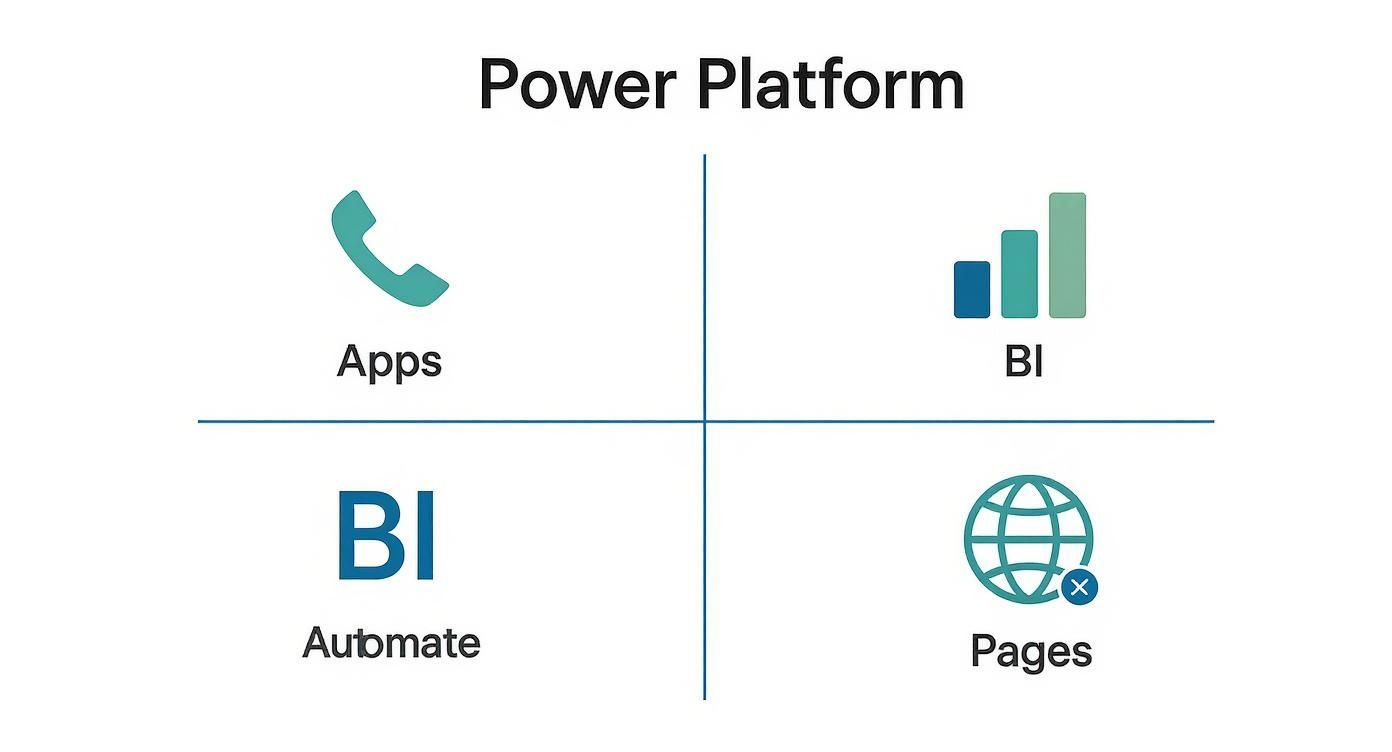
As you can see, each tool has its own job, but they all draw from the same well of information. That’s precisely where Dataverse comes in.
More Than Just a Database
It’s easy to think of Dataverse as just another database, but that really doesn't do it justice. It's a smart, managed data service that doesn't just store your information but also understands its context. It comes with a set of standard, pre-built tables (like 'Accounts' and 'Contacts') that almost every business needs, giving you a huge head start.
This means you don't have to build everything from scratch. This built-in structure provides a common language for all your apps and workflows, ensuring data is consistent right from the beginning. For example, a Power App for your sales team can update a customer record, and a Power BI report will instantly reflect that change because both are connected to the same underlying Dataverse table.
The Bedrock of Security and Governance
For any UK business, managing data securely and staying compliant with regulations like GDPR isn't a "nice-to-have"—it's a must. This is where Dataverse becomes a real strategic asset. By keeping all your data in one place, it gives you a single point of control for security, access permissions, and overall governance.
Instead of having critical business information scattered across countless spreadsheets and disconnected systems, Dataverse consolidates it into one secure, auditable location. This makes it far simpler to manage who can see, edit, or share specific data.
You can set up robust, role-based security so that employees only ever see the information they need to do their jobs. This controlled environment is crucial for protecting sensitive customer and employee data, turning a technical component into a cornerstone of your compliance strategy.
A Springboard for Advanced Solutions
Because Dataverse provides such a structured and secure data layer, it allows you to build more sophisticated and reliable solutions. You can define complex business logic and rules that apply across the board, no matter which app or workflow is accessing the data. This consistency is brilliant for preventing errors and making sure your business processes run exactly as they should.
It also makes connecting with other systems much easier. We're seeing clients find really innovative ways to bring data from external sources into this secure environment. For instance, a tool like our FaceClock for Dataverse solution can be used to securely log employee time and attendance data directly into the platform. Suddenly, you have a single, unified record for HR management, payroll, and project costing.
By acting as this reliable and secure backbone, Dataverse elevates the Power Platform from a collection of useful tools into a truly cohesive, enterprise-ready system for your business.
Unlocking Value With Microsoft 365 And Dynamics 365
The real magic of the Microsoft Power Platform doesn’t come from what each tool does on its own. It's about how they plug into the software your team already relies on, day in and day out. You start to see the true potential when it’s woven into the fabric of the wider Microsoft ecosystem, especially Microsoft 365 and Dynamics 365.
This integration is what turns a collection of separate apps into a single, intelligent business system. It stops being about jumping between different tools and starts feeling like one seamless digital workplace where information flows freely and processes just… work.
This is how you get the most from your investment. By connecting the Power Platform to your existing Microsoft licences, you’re not just using them – you’re extending them. You’re building something far more powerful than the sum of its parts.
Bringing Power Platform Into Microsoft Teams
For so many UK businesses, Microsoft Teams is the central hub for collaboration. Instead of forcing people to switch windows and break their concentration, the Power Platform brings the tools directly into the conversation.
Imagine building a simple Power App for project updates and embedding it right inside a Teams channel. Your team can log their time or flag issues without ever leaving the chat. Suddenly, capturing crucial data becomes a natural part of the workflow, not an extra chore.
Power Automate is brilliant for this, too. You could set up a simple flow that automatically posts a celebratory message in the sales channel every time a deal over a certain value is marked as ‘won’ in your CRM.
Automating Processes With SharePoint And Outlook
SharePoint and Outlook are the workhorses of information management and communication. The Power Platform can step in and automate the repetitive, manual tasks that so often slow things down, saving a huge amount of time and cutting down on human error.
Think about a standard process like getting a document approved.
- Trigger: Someone uploads a new policy document to a specific SharePoint library.
- Action: Power Automate instantly kicks off an approval workflow, firing off an email via Outlook to the line manager.
- Outcome: The manager can approve or reject it with a single click inside the email. The document's status is then updated in SharePoint automatically.
This kind of simple automation gets rid of bottlenecks, gives you a clear audit trail, and makes sure everyone follows the correct procedure, every time. It turns your SharePoint site from a passive filing cabinet into an active part of your business operations.
The low-code approach of the Microsoft Power Platform has played a vital role in enabling UK businesses to build custom applications and automate workflows, boosting productivity and efficiency. Its deep integration with Dynamics 365 and Azure enhances its appeal, allowing UK organisations to develop secure, scalable solutions that meet their specific needs. Discover more about its impact on UK businesses.
Gaining Real-Time Insights From Dynamics 365
If your organisation runs on Microsoft Dynamics 365, the connection with the Power Platform is incredibly strong. They are both built on the very same foundation, Dataverse, which means they speak the same language and can share information effortlessly. To get a better handle on the basics, you can read our detailed guide explaining what is Microsoft Dynamics 365.
This tight-knit relationship means you can create rich, interactive Power BI dashboards that pull live data straight from your Dynamics 365 apps. A sales director could have a dashboard on their screen showing sales performance by region and the current pipeline, knowing that the data is updated the very second their team makes a change.
You can also use Power Apps to build custom-fit extensions for Dynamics 365. For example, you could design a stripped-back mobile app for your field engineers. It could show them only the essential customer and job details they need from Dynamics 365 Field Service, making their life on the road that much easier.
Below are a few more concrete examples of how this all comes together in practice.
Power Platform Integration Examples
| Microsoft Product | Power Platform Integration | Business Benefit |
|---|---|---|
| SharePoint | Use Power Automate to trigger an approval workflow when a new file is uploaded to a document library. | Automates the document review process, ensures compliance, and creates an audit trail without manual effort. |
| Teams | Embed a custom Power App for holiday requests directly into a department's Teams channel. | Simplifies the leave request process for employees and managers, keeping all communication and approvals in one place. |
| Dynamics 365 Sales | Create a Power BI dashboard pulling real-time sales pipeline data and visualising it with interactive charts. | Gives sales leaders an instant, up-to-the-minute view of performance without needing to run manual reports. |
| Outlook | Build a Power Automate flow that creates a task in Microsoft To Do from an email flagged as important. | Helps individuals turn their inbox into an organised action list, ensuring important requests aren't forgotten. |
By weaving the Power Platform through the tools you already own, you create a connected, intelligent system that genuinely empowers your team and drives noticeable improvements in how you operate.
To explore how these integrations could solve your unique business challenges, phone 01522 508096 today or send us a message to start the conversation.
Solving Real HR Challenges In The UK

It’s one thing to talk about technology in abstract terms, but the real test is how it solves genuine business problems. Let’s bring the Power Platform to life by looking at a department every UK business relies on: Human Resources. Too often, HR teams are swamped with manual data entry, juggling disconnected systems, and drowning in repetitive admin.
This is exactly where the Power Platform shines. By building specific solutions for specific problems, you empower your HR professionals to focus on the human side of their role—supporting your people. Let's walk through four common HR headaches and see how each part of the platform offers a practical fix.
Streamlining Employee Onboarding With Power Apps
A new starter’s first few weeks can make or break their experience. Clunky onboarding with manual checklists, mountains of paperwork, and endless signature-chasing just creates a poor first impression and a heap of admin.
This is a perfect use case for a custom Power App. Picture a simple, mobile-friendly application that acts as a guide for both the new hire and their manager, walking them through every single onboarding task.
- A Consistent Welcome: Every new team member follows the same structured journey, from signing their contract to completing health and safety training.
- Automated Nudges: The app can automatically ping IT to get a laptop ready or prompt payroll to add the new person to the system.
- Clear Visibility: At a glance, HR can see a dashboard showing exactly where every new hire is in the process. No more guesswork.
The result is a smooth, professional welcome that sets a positive tone from day one, boosting engagement and cutting down on early turnover.
Managing Holiday Requests With Power Automate
Are you still managing annual leave through endless email chains and messy spreadsheets? It's a recipe for disaster. Requests get lost, calendars go out of sync, and working out who has how much leave left becomes a real chore for managers.
Power Automate can make this entire workflow disappear.
An employee simply fills out a quick form—this could be in a Power App or even a basic SharePoint list. From there, Power Automate takes over, instantly routing the request to the right line manager for approval via email or a quick notification in Teams.
The moment the manager clicks ‘Approve’, the workflow updates the employee’s leave balance, blocks out the time in the shared team Outlook calendar, and sends a confirmation back to the employee. It’s a completely hands-off process that saves time for everyone and keeps records perfectly accurate.
Analysing Staff Metrics With Power BI
To make smart decisions, you need to understand your people data. What’s your staff turnover rate? Are you meeting diversity goals? Are absence rates creeping up in a particular team? Often, the answers are buried in separate systems, making it impossible to see the big picture.
This is where Power BI comes in. By connecting to all your different HR data sources—your main HR system, payroll software, recruitment platforms—Power BI pulls everything together into a single, interactive dashboard.
With this central view, HR leaders can:
- Pinpoint turnover trends in specific departments or job roles.
- Track real progress against diversity and inclusion targets.
- Spot patterns in absences that might highlight wellbeing issues.
This shift from guesswork to data-driven insights allows HR to become far more strategic and proactive.
Creating A Self-Service Hub With Power Pages
Employees constantly have questions about company policies, pension schemes, or parental leave. Answering the same queries over and over again eats up a huge amount of the HR team’s day.
Using Power Pages, you can easily build a secure, self-service portal for all things HR. Think of it as a one-stop shop where your team can find policy documents, read FAQs, and even log their own HR tickets. By giving people the tools to find their own answers, you free up your HR team and give your workforce instant support whenever they need it.
Navigating Licensing, Security, And Governance
Bringing the Microsoft Power Platform into your business is one thing; making sure it’s a long-term success is another. To do that, you need to get the practicalities right from the start. That means getting your head around the licensing, setting up solid security, and putting a clear governance plan in place to manage it all responsibly.
Nailing this foundation from day one saves a world of headaches later. It means you can let your teams innovate freely, confident that you’ve got the right controls and cost structures in place to protect the business.
Understanding Power Platform Licensing
Microsoft’s licensing can seem complex, but for apps and automation, it generally boils down to two main approaches: per-app or per-user plans. Which one you choose really depends on how you intend to use the platform.
- Per-App Plan: This is a fantastic starting point. It licenses a single user for one specific app or Power Pages site. Think of it as a ticket for a single ride. It’s perfect for rolling out a dedicated solution, like that HR onboarding app we talked about, to a large number of employees.
- Per-User Plan: This is more like an all-access pass. It gives a specific person unlimited rights to build and run as many apps and automations as they need. This is the best fit for your "power users"—the developers, IT specialists, or HR pros who will be creating multiple solutions.
Here in the UK, a Power Apps per-app plan typically costs around £4.10 per user/app/month, while the per-user plan is closer to £16.40 per user/month. Of course, it's always wise to check the latest figures with a Microsoft partner for the most up-to-date pricing.
Establishing Strong Governance And Security
As more people in your organisation begin to build their own apps and workflows, you need a framework to keep everything in check. Without one, you risk creating a sort of "digital Wild West," with unsupported apps and potential data security gaps popping up everywhere. This is where a Centre of Excellence (CoE) and Data Loss Prevention (DLP) policies are absolutely essential.
A Centre of Excellence (CoE) isn't as formal as it sounds. It’s essentially a team or a core function that guides and nurtures the use of the Power Platform in your company. They provide the best practices, training, and support for your budding "citizen developers," making sure whatever gets built is secure, effective, and actually helps the business.
A CoE turns the Power Platform from a collection of random, ad-hoc activities into a properly managed, strategic asset. It’s how you get the biggest return on your investment while keeping risks to a minimum.
Data Loss Prevention (DLP) policies are your other critical safety net. These are basically rules you set up to control what your apps and flows can connect to. For instance, you can create a policy that stops an app from connecting to your internal HR system (like Dataverse) and a public social media platform (like X) at the same time.
This simple rule prevents sensitive employee data from being accidentally shared or exposed. For any HR team, managing personal data correctly is non-negotiable. Building solutions that are compliant from the ground up is vital, and you can learn more about creating GDPR-compliant HR software to see how these principles work in the real world. Think of these security measures as the fundamental guardrails for using the platform safely.
Taking Your First Steps With The Power Platform
We've covered a lot of ground in this guide—from what the Microsoft Power Platform actually is, to how its individual tools work and the real-world value it can bring to your business. At its heart, it’s a powerful suite for building the exact tools you need, automating repetitive work, and finally getting clear insights from your data. For many UK businesses, this isn't just an upgrade; it's a completely new way of working.
The theory is great, but the real magic happens when you start applying these tools to solve your own specific business headaches. Think about anything from smoothing out the HR onboarding process to giving your sales team live data on the road. The possibilities are genuinely vast. It’s about empowering your own people to build the solutions they need, creating a culture of innovation that starts from the ground up.
Your Path Forward
Getting started doesn't mean launching a huge, complicated project. In our experience, the most successful journeys begin with a single, well-chosen, high-impact goal.
Find one frustrating, manual process that's slowing a department down. It could be anything—managing holiday requests, logging customer feedback, or tracking project expenses. By tackling one defined problem first, you can deliver a quick win that proves the platform's value and builds enthusiasm for what comes next. This approach lets you learn as you go, without a massive initial investment.
The goal here is to move from theory to action. Focus on a tangible business pain point, build a solution that delivers immediate, measurable benefits, and you’ll have all the proof you need to explore what else the Power Platform can do.
Once you have that first success under your belt and are feeling more confident, you can start connecting more processes. You can begin integrating with the systems you already rely on, like Microsoft 365 and Dynamics 365. It's a step-by-step approach that ensures you build a secure and sustainable foundation for improvement across the entire organisation.
Ready to see how this powerful suite of tools could be put to work solving your unique business challenges? The expert team at DynamicsHub is here to guide you.
Phone 01522 508096 today or send us a message to start the conversation.


