A new HR Director usually meets PAYE when something has already gone wrong, or at least feels wrong. An employee arrives with a payslip, points to a higher deduction than last month, and wants a straight answer. Finance wants payroll closed on time, IT wants stable integrations, and HR wants to avoid turning every payday into a support queue.
That's why the question “what is PAYE deduction” matters far beyond payroll administration. In a mid-market UK business, PAYE sits at the intersection of compliance, employee trust, reporting, and system design. If your organisation runs on Microsoft 365, Dynamics 365, Dataverse, Teams, and Power BI, PAYE isn't just a tax concept. It's a process that depends on clean data, disciplined workflows, and reliable handoffs between HR and payroll.
Understanding PAYE Deduction and Its Purpose
A payroll issue often lands on an HR Director's desk in a very practical form. A new starter has been paid, the net amount looks wrong, and three teams want answers at once. HR wants to confirm the employee record is right. Finance wants payroll signed off. IT wants to know whether the problem started in the HR system, the payroll engine, or the integration between them.
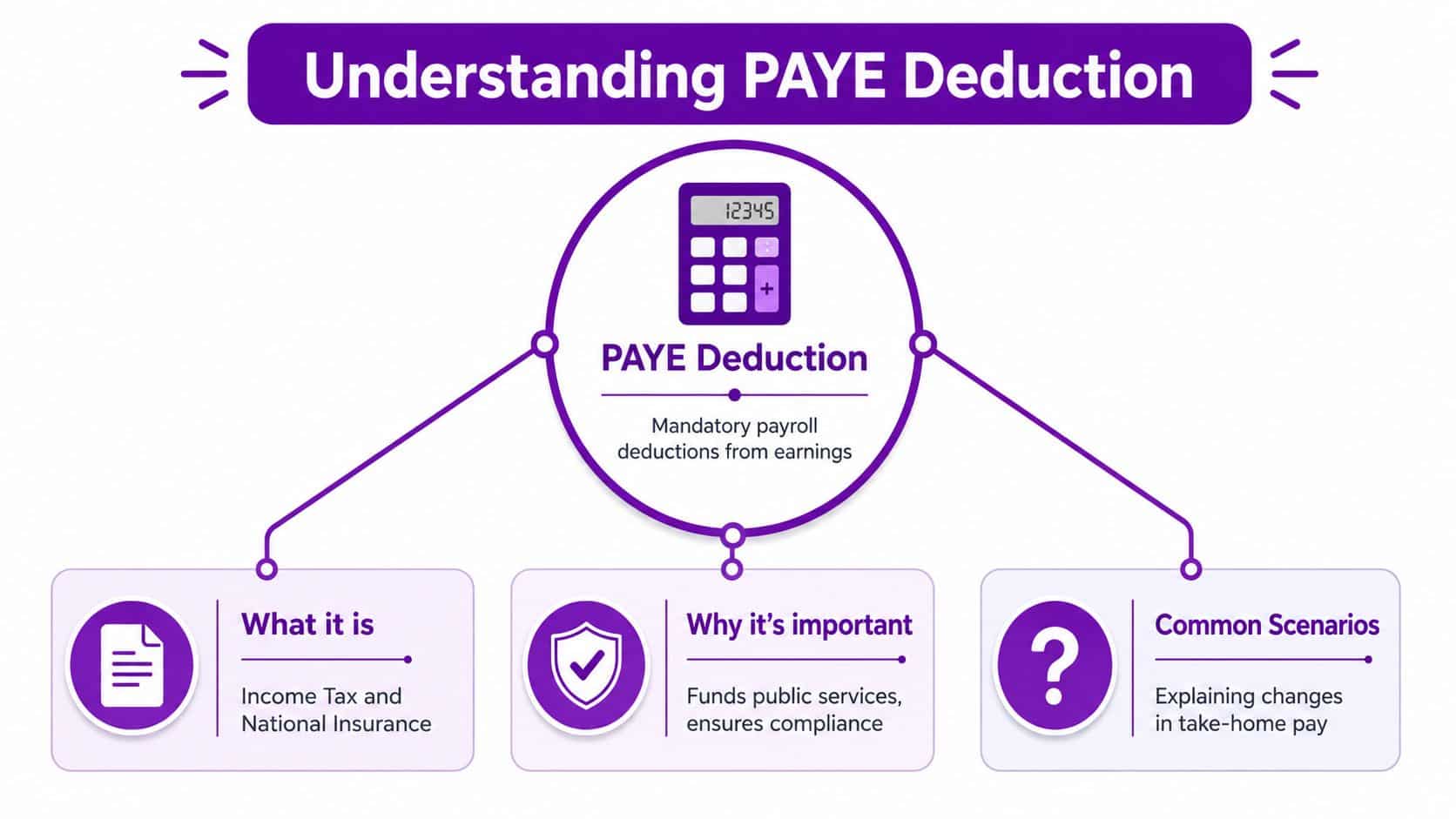
In that situation, PAYE is not an abstract tax term. It is the employer process for deducting Income Tax and, for employees, Class 1 National Insurance contributions from pay before wages are released, then accounting for those deductions to HMRC. The aim is straightforward. Tax is collected during the year through payroll rather than left for the employee to settle later in one larger amount.
What PAYE does in practice
For employers, PAYE turns tax collection into a repeating operational duty tied to each payroll run. Every pay period depends on accurate employee data, the right tax code, correct treatment of taxable pay, and a controlled process for reporting and payment. If any of those inputs are weak, the deduction can still be processed, but it may be wrong.
For employees, the visible result is simpler. Their payslip shows deductions already taken, and their net pay arrives after those amounts have been withheld.
Practical rule: PAYE is best understood as a payroll control process, not just a deduction label on a payslip.
Why HR leaders should care
HR teams usually meet PAYE through questions about fairness, consistency, or trust in the payroll result. An employee does not usually ask whether the withholding model is functioning correctly. They ask why their take-home pay changed, why a colleague appears to be taxed differently, or why a salary change has not flowed through properly.
That is why HR leaders need a working understanding of PAYE, even if payroll processing sits elsewhere. In a mid-market business, PAYE relies on upstream decisions made in HR systems every day: starter declarations, job changes, taxable benefits, leave records, contractual hours, and pension settings. If those records are incomplete or late, the payroll team inherits the problem at the point where mistakes are hardest to hide and quickest to escalate.
A useful baseline is that PAYE does not operate as a flat percentage deduction. Tax treatment depends on earnings, thresholds, and the employee's tax code, so the system has to calculate pay period by pay period using current data.
The operational purpose
In Microsoft-centric organisations, PAYE also tests whether your systems are joined up properly. If employee changes are captured in Dynamics 365 or Dataverse but approvals sit in email, if payroll-relevant fields are optional, or if reports in Power BI do not match the data used for payroll processing, control breaks down quickly.
That creates a trade-off many HR and IT leaders recognise. Manual checks can catch exceptions, but they do not scale well. Tighter process design inside an integrated HR platform reduces payroll risk, but only if the organisation agrees clear ownership for data, approvals, and timing.
Well-run businesses treat PAYE as part of their operating model. It sits across HR, payroll, finance, and systems administration, with the HR system doing more than storing employee records. It provides the structure that helps payroll run accurately, repeatedly, and on time.
The Core Components of a PAYE Deduction
A monthly payroll run lands on an HR Director's desk because several employees say their pay is wrong. The salary figures are fine. The confusion sits in the deduction lines. One person is asking about tax, another about student loan, and a third about pension contributions. On the payroll side, those are different rules with different triggers, even though they appear together on one payslip.
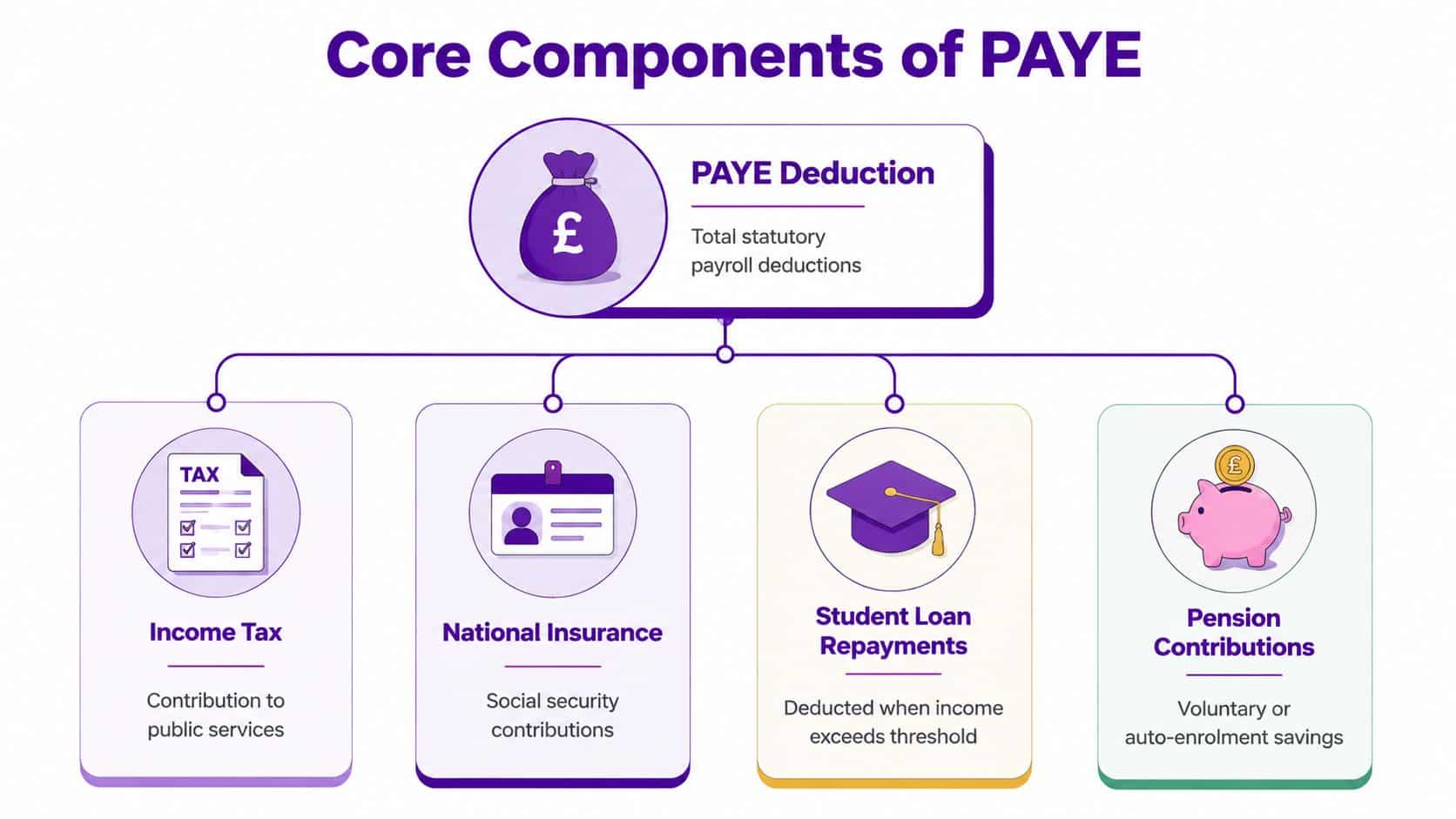
That is the first operational point to get right. A PAYE deduction is rarely a single deduction. In practice, it is a set of amounts processed through payroll in the same run, with different legal bases, thresholds, and reporting requirements. If HR, payroll, and IT label all of it as “PAYE”, they make exception handling harder and employee queries slower to resolve.
Income Tax
Income Tax is the deduction people usually mean when they say PAYE. In payroll operations, it is only one line in a wider statutory calculation. The system applies the employee's tax code and the relevant HMRC rules for that pay period to determine how much tax to withhold.
This matters in system design. If your HR platform does not hold accurate starter details, taxable pay elements, and status changes, the tax result will still process, but it may process incorrectly. Payroll software can calculate. It cannot fix weak upstream data.
Class 1 National Insurance
Class 1 National Insurance contributions are also deducted through payroll, but they are not the same as Income Tax and should not be explained that way. They follow their own thresholds and calculation rules, which is why payslips often show a different pattern for tax and National Insurance even where gross pay looks straightforward.
I see this catch non-payroll managers regularly. They expect one deduction to move in step with the other. It does not always happen. If HR teams and line managers understand that early, they are less likely to give employees the wrong explanation and create avoidable escalations.
Other deductions processed in the same payroll run
From an employee's point of view, the payslip shows one reduction from gross pay to net pay. From an operational point of view, payroll may be handling several separate items at once, including student loan repayments, pension contributions, and attachments of earnings.
That is why deduction queries need proper case triage. A single complaint about “too much PAYE” can involve a tax code issue, an incorrect student loan plan, or a pension setting that was not updated after a contractual change. Teams that run a repeatable process of payroll in a Microsoft-based business usually separate those checks early, because each one points to a different owner and a different correction path.
One payroll query can contain three separate issues. Tax, student loan, and pension treatment often appear to the employee as one unexplained drop in net pay.
What works in practice
The businesses that handle this well usually do three things consistently:
- Use clear payslip labels. Employees should be able to distinguish tax, National Insurance, pension, and any other deduction without guessing.
- Map deduction ownership. Tax code issues sit with HMRC and payroll processing. Pension settings often start in HR. Attachment orders may involve payroll and legal or finance controls.
- Keep payroll data fields structured. In Dynamics 365 or Dataverse, payroll-relevant fields should be mandatory where appropriate, date-effective, and tied to approvals, not buried in free-text notes or email chains.
The weak pattern looks different:
- Calling every deduction “PAYE”. That blurs the cause of the issue.
- Using generic explanations for payslip queries. Employees spot quickly when HR is answering without checking the actual deduction type.
- Correcting errors outside the system. Spreadsheet adjustments and offline notes make audit trails harder and increase the risk of the same error repeating next month.
For mid-market employers, operational maturity is exemplified by the following. The question is not only whether payroll can calculate deductions. It is whether your HR and payroll systems can identify the right deduction, apply it to the right employee, and give the business a clear audit trail when someone asks why.
How PAYE Is Calculated and Reported
It is 3pm on payroll cut-off day. HR has approved a late salary change, finance has posted a bonus file, and HMRC has issued a tax code update. If those changes do not reach payroll in the right order, PAYE will be wrong even if the payroll software itself is configured correctly.
That is the operational reality for mid-market employers. PAYE is a cumulative, rules-based calculation that uses tax code, pay frequency, taxable pay to date, and HMRC thresholds for the current tax year. The system recalculates each period as earnings, benefits, statutory payments, or employee status change.
Tax codes drive the outcome
A tax code is not just a payroll label. It tells the payroll engine how much tax-free pay to allocate and how to treat the employee through the year. A code change can alter net pay immediately, even where salary has not changed.
For HR and IT leaders, the practical point is straightforward. PAYE accuracy depends on clean employee master data, date-effective changes, and reliable ingestion of HMRC updates. In Microsoft-centric environments, that usually means checking whether Dynamics 365, Dataverse, payroll interfaces, and approval workflows pass the same effective dates and status values without manual rekeying.
I see the same failure pattern repeatedly. The payroll team receives the right information too late, receives it in the wrong format, or receives conflicting records from different systems.
A simplified example
This example is for illustration only. It shows the logic, not the full HMRC calculation method.
| Item | Amount (GBP) |
|---|---|
| Gross pay for period | £3,000 |
| Less tax-free portion allocated through tax code | Depends on tax code and pay frequency |
| Taxable pay for PAYE purposes | Gross pay less applicable allowance |
| Income Tax due | Calculated using applicable PAYE bands |
| Employee National Insurance | Calculated separately under NIC rules |
| Other deductions if applicable | Student loan, pension, attachment order |
| Net pay | Gross pay less all deductions |
The useful question in an investigation is usually not “what percentage of pay was deducted?”. It is “which inputs, dates, and tax basis did payroll use for this run?”
If you want a broader operational view, this guide to the payroll process explains how PAYE fits into the wider payroll cycle, including approvals, input controls, and final reporting.
Reporting is part of the control framework
PAYE calculation and PAYE reporting should be treated as one process. Employers report payroll data to HMRC through Real Time Information, so the same data quality issues that affect deductions also affect submissions. Late changes, missing starter information, and unapproved manual adjustments often appear first as a reporting problem, but the root cause usually sits earlier in the workflow.
That point is especially relevant in Microsoft environments. Contract changes may start in HR, absence data may sit in a separate module, and payroll instructions may still arrive by spreadsheet. If those records are not aligned before the pay run, the business creates avoidable rework, audit gaps, and employee queries.
Good teams build controls around timing as well as calculation. They define cut-off rules, lock approved data, and track exceptions inside the system rather than by email. For organisations reviewing adjacent compliance processes, it can also help to discover AI for legal practice where legal and HR teams need better handling of policy interpretation, case tracking, and documentation alongside payroll governance.
Your Legal Duties as a UK Employer
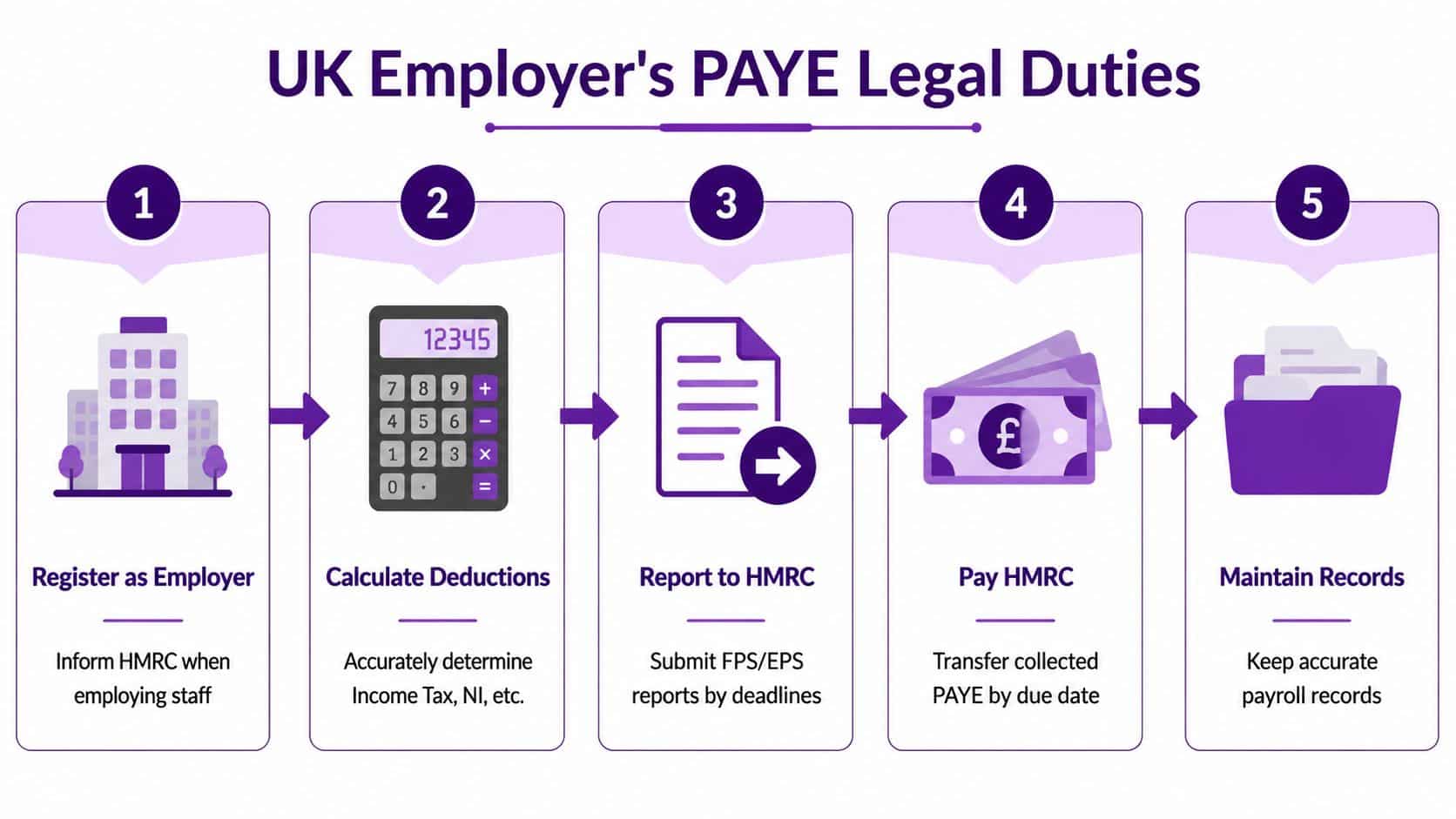
PAYE is a compliance framework. Employers have to register, calculate deductions, report them, and pay what is due. If any part of that chain fails, the business carries the risk.
A commonly cited trigger is that employers must register for PAYE if they have salaried employees, including where an employee earns £123 or more per week or receives benefits such as a pension, as noted in Revenue's explanation of what PAYE is. The practical point is that PAYE is not just a tax label. It is the operating model for payroll compliance.
A simple visual checklist helps when you're reviewing responsibilities across HR, payroll, and finance.
The employer checklist
- Register when required: Don't wait until payroll is already live. Registration should be built into workforce planning and legal entity setup.
- Run accurate deductions: Payroll must apply the right tax treatment, National Insurance handling, and any other deductions due.
- Issue payslips: Employees need clear visibility of pay and deductions each period.
- Report to HMRC on time: Payroll reporting is part of the legal obligation, not an internal preference.
- Remit amounts due: Money deducted from employees isn't working capital. It must reach HMRC correctly and on time.
- Keep records: Audit trails matter when employees raise disputes or when payroll decisions need to be evidenced.
For teams aligning payroll controls with annual planning, these new tax year dates are worth keeping close to hand so calendar deadlines are reflected in workflow design.
Legal responsibility doesn't disappear when software is involved
Some employers assume software or an outsourced bureau carries the compliance risk. It doesn't. Technology helps execution, but the employer remains responsible for getting PAYE right.
That is one reason some HR and compliance teams are starting to discover AI for legal practice in adjacent governance work. Not because AI replaces payroll judgement, but because regulatory obligations increasingly depend on better document control, policy interpretation, and response workflows.
Later in the process, many teams also benefit from a short refresher before year-end or when responsibilities change.
Navigating Common PAYE Pitfalls and Edge Cases
It is 3pm on payroll cut-off day. HR has approved a promotion, Finance has approved a bonus, and payroll has just received an HMRC tax code notice for the same employee. The employee will only see one thing on payday, a net pay figure that looks wrong.
That is how PAYE issues usually surface in mid-market businesses. The problem is rarely the basic monthly salary. It is the operational mix of late changes, partial periods, multiple deductions, and data arriving from different systems at different times.
PAYE works on the information available in that pay run. For employees, that can feel inconsistent. For HR and IT leaders, it means process design matters as much as tax knowledge. If joiner data, contractual changes, pension updates, and one-off payments are not controlled in one workflow, edge cases become routine support tickets.
Why take-home pay changes when gross pay looks familiar
The employee question is usually simple. “My pay has not changed, so why is my net pay different?”
The answer is usually buried in transaction timing.
Common causes include:
- Irregular earnings: Overtime, commission, bonuses, arrears, or back pay can change tax and National Insurance treatment in that period.
- Tax code updates: HMRC instructions can alter the tax-free amount applied without any action from the employee.
- Other deductions: Student loans, pension contributions, attachment orders, or benefit adjustments may have started, stopped, or moved.
- Corrections from prior periods: A missed change often shows up one or two payrolls later, which makes the result look random unless the audit trail is clear.
Generic responses create more noise. HR needs the event history, not a stock explanation. In practice, the fastest route is to check five dates first: join date, effective date of pay change, HMRC notice date, bonus approval date, and pension enrolment or opt-out date.
Starters, leavers, and multiple employments
Starter processing is where weak controls show up quickly. If payroll receives incomplete onboarding data, the system has to apply an interim treatment until the right information arrives. That can be technically valid and still trigger an employee complaint on day one.
Leavers create a different operational risk. A late leaving date, an unpaid holiday adjustment entered after payroll close, or a final payment processed in the wrong period can affect deductions and create confusion for the employee's next employer.
Multiple jobs are harder because your payroll only sees your own employment record. HR may know an employee has another role, but PAYE treatment will only change when HMRC issues the relevant tax code instruction. That is why local manager assumptions are dangerous. They often sound helpful and are often wrong.
Edge cases are usually systems problems before they become tax problems
Part-time workers, variable-hours staff, younger employees, pension recipients, and employees with mixed pay patterns all test the quality of the underlying process. The PAYE rules are not the only challenge. Data handoffs are.
In Microsoft-centric businesses, the pattern is familiar. A contract change sits in Dynamics 365, a bonus is approved in email, payroll gets a spreadsheet from HR, and Finance expects the journals to reconcile cleanly. Each extra handoff increases the chance that the right decision is made too late to affect the current run.
That is why PAYE exception handling should be built into workflow design, not left to inboxes and memory. Teams reviewing the wider control model often find the same root causes in payroll and finance, especially where HR events and posting logic are still disconnected. This guide to payroll and accounting integration challenges is useful if you are mapping where those breaks occur.
A practical way to handle exceptions
A workable process usually has four parts:
- Flag edge cases early. Mark starters, leavers, off-cycle payments, tax code changes, and pension status changes before payroll lock.
- Route exceptions for review. Payroll should see what changed, when it changed, and who approved it.
- Store the reasoning. HR needs a clear note explaining why the treatment was applied so employee queries can be answered consistently.
- Fix repeat failure points. If the same error appears every month, change the workflow or the system rule rather than relying on manual vigilance.
That discipline reduces rework, shortens query handling, and gives HR, payroll, and Finance a shared version of events when a deduction is challenged.
Streamlining PAYE with an Integrated HR System
Manual PAYE administration usually breaks in familiar ways. HR stores contract changes in email. Payroll receives late spreadsheets. Finance wants clean journals. Managers approve changes in Teams but nowhere that payroll can audit. Each handoff adds risk.
An integrated HR system changes that. It creates a single operational record for the employee and pushes approved data changes through controlled workflows rather than ad hoc messages and manual rekeying.
What better looks like
In a Microsoft-centric organisation, the strongest setup usually has a few shared characteristics:
- One source of employee truth: Core HR data sits in a controlled platform rather than across spreadsheets and inboxes.
- Workflow-led changes: Starters, contractual amendments, absence updates, and leaver actions pass through approvals before payroll sees them.
- Reporting that joins HR and finance: Leaders can review payroll cost, headcount movement, and exceptions without stitching data together manually.
If you're reviewing how payroll data should connect into the wider finance estate, this look at payroll and accounting integration is useful because it highlights where disconnected systems create reconciliation effort.
Why this matters for PAYE
PAYE accuracy depends on timing, status, and data integrity. An integrated system won't remove complexity from UK payroll law, but it does remove a lot of avoidable human error. It gives HR, payroll, IT, and finance a common process spine.
For Microsoft-based businesses, that matters more than many people expect. When HR workflows are built natively around Dataverse, Teams, Outlook, SharePoint, Power BI, and Power Apps, payroll compliance becomes easier to govern because employee events are captured where the business already works.
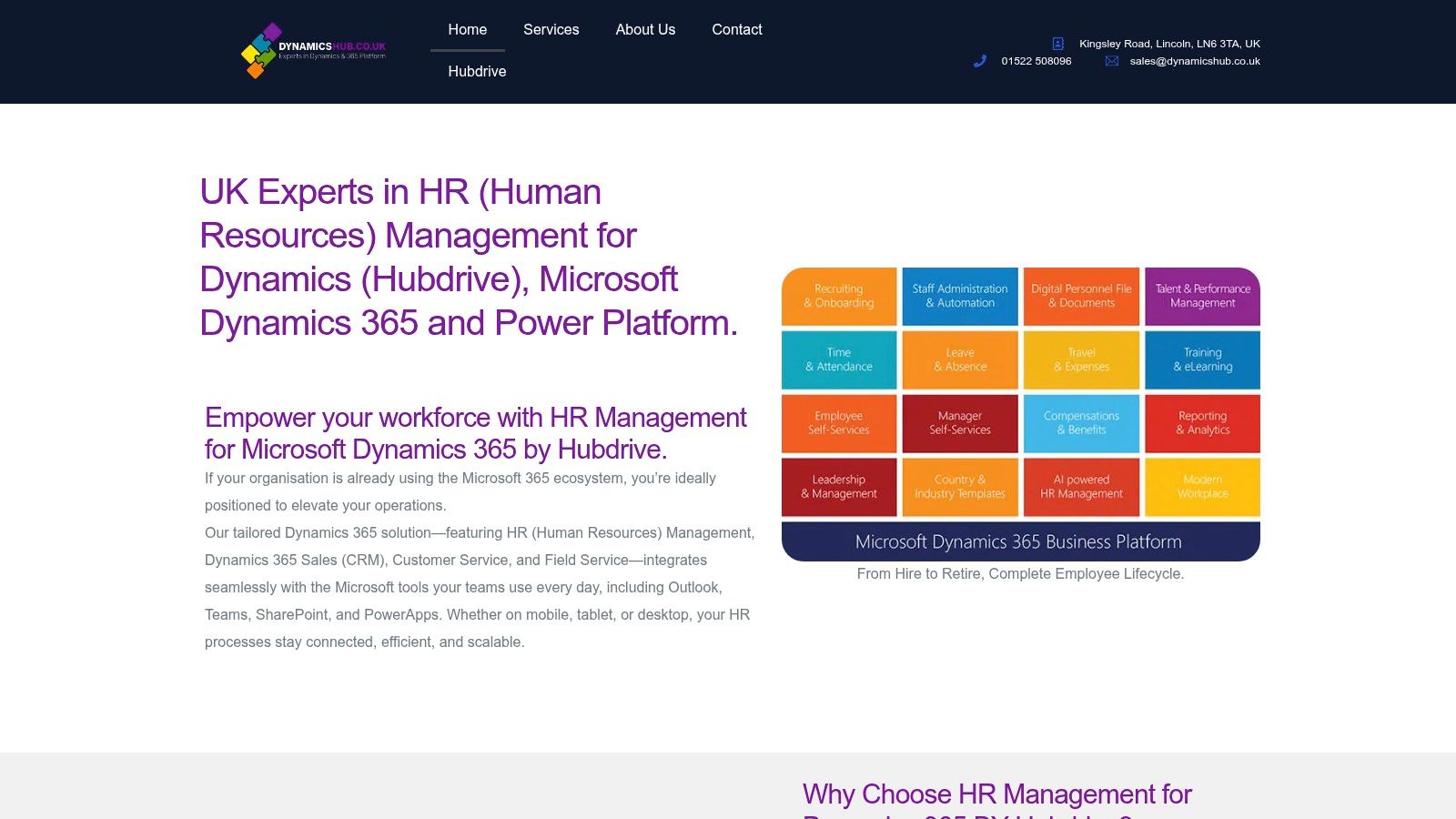
DynamicsHub helps UK organisations deliver HR transformation built around their business. As a UK Microsoft partner, DynamicsHub implements and supports Hubdrive's HR Management for Microsoft Dynamics 365, the premier hire-to-retire solution, more powerful, more flexible, and more future-ready than Microsoft Dynamics 365 HR. If you want to modernise HR and payroll operations in a Microsoft-centric environment, visit DynamicsHub, phone 01522 508096 today, or send us a message.